Welcome to our comprehensive guide on How to Lubricate and Maintain Your Printer’s Moving Parts. Understanding the fundamentals of printer lubrication is key to ensuring your device operates smoothly and efficiently for years to come. This process not only extends the lifespan of your printer but also contributes to better print quality and quieter operation.
We will delve into the essential lubricants and tools required, followed by detailed, step-by-step procedures tailored for both inkjet and laser printers. Crucially, we will emphasize the importance of cleaning before lubrication and cover lubrication frequency, best practices, and common mistakes to avoid, ensuring your printer remains a reliable workhorse.
Understanding Printer Lubrication Fundamentals
Lubricating the moving parts of your printer is a crucial maintenance step that ensures smooth operation, extends the lifespan of your device, and maintains print quality. Over time, the lubricants applied during manufacturing can dry out or degrade, leading to increased friction, wear, and potential component failure. Understanding the basics of why and how lubrication is applied will empower you to perform this essential maintenance effectively.The primary purpose of lubricating a printer’s moving parts is to reduce friction between components that slide or rotate against each other.
This friction can cause wear and tear, generate heat, and lead to increased noise and decreased performance. Proper lubrication creates a protective film that allows these parts to move freely and efficiently, minimizing stress on motors and gears.
Common Moving Parts Requiring Lubrication
Printers, whether inkjet or laser, utilize a variety of mechanical components that benefit from lubrication. Identifying these parts is the first step in effective maintenance.
In a typical inkjet printer, the following parts often require lubrication:
- Carriage Shafts: These smooth metal rods guide the print head assembly as it moves back and forth across the page. Lubrication ensures a smooth, quiet, and precise movement, which is vital for print accuracy.
- Paper Feed Rollers and Gears: While primarily rubber, the underlying mechanisms that drive these rollers, including small gears, can benefit from a light application of lubricant to ensure consistent paper feeding and prevent jams.
- Fuser Film Sleeve (Laser Printers): In laser printers, the fuser unit uses heat to bond toner to paper. The fuser film sleeve, a flexible component, rotates around a heating element and pressure roller. Lubrication on the bearings or drive mechanism of this sleeve is essential for smooth rotation and even heat distribution.
- Transfer Belt/Roller Mechanisms (Laser Printers): The transfer belt or roller, responsible for transferring toner from the drum to the paper, involves moving parts that require lubrication for consistent performance.
- Various Gears and Actuators: Throughout the printer’s internal mechanism, numerous small gears and actuators control the movement of different components, such as paper guides, sensor mechanisms, and toner cartridges. Lubricating these can prevent stiffness and ensure proper function.
Benefits of Regular Printer Lubrication
Consistent and appropriate lubrication offers significant advantages for both the longevity and operational efficiency of your printer.
The benefits of regular lubrication include:
- Extended Printer Lifespan: By reducing wear and tear on moving parts, lubrication directly contributes to a longer operational life for your printer.
- Improved Print Quality: Smoothly moving print heads and paper feeding mechanisms lead to more accurate print placement, sharper images, and fewer smudges or streaks.
- Reduced Noise Levels: Friction is a common cause of printer noise. Lubrication helps to dampen vibrations and allow components to move more quietly.
- Prevention of Mechanical Failures: Regular maintenance can prevent costly repairs by addressing potential issues before they escalate into major component failures.
- Consistent Performance: A well-lubricated printer will operate reliably, ensuring that it performs as expected during critical printing tasks.
Risks of Improper Lubrication
While lubrication is beneficial, it’s important to approach it with care. Using the wrong type of lubricant or applying too much can lead to detrimental effects.
Potential risks associated with improper lubrication include:
- Component Contamination: Many printer components, especially optical sensors and toner areas in laser printers, are sensitive to grease and oil. Over-lubrication or using the wrong lubricant can attract dust and debris, leading to sensor malfunctions or print defects.
- Damage to Plastic Parts: Some lubricants can degrade or damage certain types of plastic, causing them to become brittle or warp over time.
- Increased Friction (if wrong lubricant): Certain lubricants can actually increase friction or become gummy, hindering movement rather than facilitating it. For instance, a lubricant that is too thick can impede the rapid movements of a print head.
- Reduced Component Speed: In high-speed mechanisms like print heads, an overly viscous lubricant can slow down movement, affecting print speed and potentially causing errors.
- Attraction of Dust and Debris: An excessive amount of lubricant can create a sticky surface that readily attracts airborne dust and paper particles, leading to jams and internal contamination.
It is crucial to use lubricants specifically designed for printer components and to apply them sparingly to avoid adverse effects.
Essential Lubricants and Tools
Selecting the right lubricants and having the appropriate tools are paramount for effectively lubricating and maintaining your printer’s moving parts. This section will guide you through the essential items you’ll need, ensuring a successful and long-lasting printer maintenance process. Understanding the properties of different lubricants and the function of various tools will empower you to perform this task with confidence.
Recommended Lubricants and Their Properties
The choice of lubricant is critical as different printer components have varying requirements. Using the incorrect lubricant can lead to damage, increased wear, or reduced performance. The following list details commonly recommended lubricants for printer maintenance, along with their key properties:
- Silicone Grease: This is a highly versatile lubricant often used for plastic gears, bushings, and sliding mechanisms. Its properties include excellent water resistance, a wide operating temperature range, and good dielectric strength, making it safe for electrical components if applied carefully. It provides a long-lasting, low-friction surface.
- PTFE (Teflon) Lubricant: Available in both spray and paste forms, PTFE lubricants offer exceptional low-friction characteristics and chemical inertness. They are ideal for metal-to-metal contact points, such as sliding rails and bearing surfaces, as they create a dry, non-stick film that repels dust and dirt.
- Lithium Grease: A common choice for general-purpose lubrication, lithium grease offers good water resistance and stability over a moderate temperature range. It is suitable for metal bearings and gears where moderate load-bearing capacity is required.
- Light Machine Oil: This is a thin, low-viscosity oil typically used for fine mechanisms and pivot points that require free movement. It is not suitable for high-pressure or high-temperature applications and can evaporate over time.
Necessary Tools and Materials for Printer Lubrication
To perform printer lubrication safely and effectively, a specific set of tools and materials is required. Having these readily available will streamline the process and ensure a thorough job.The following are the essential tools and materials for printer lubrication:
- Precision Applicators: These include small brushes (like artist’s brushes), cotton swabs, and fine-tipped syringes or needles. They allow for precise application of lubricant to specific points, preventing over-application and contamination of other areas.
- Cleaning Supplies: Isopropyl alcohol (90% or higher) and lint-free cloths or wipes are crucial for cleaning away old lubricant, dust, and debris before applying new lubricant. This ensures optimal adhesion and performance of the fresh lubricant.
- Small Screwdriver Set: A set of small Phillips and flathead screwdrivers is often needed to access internal printer components that require lubrication. Ensure they are the correct size to avoid stripping screws.
- Pliers: Small needle-nose pliers can be useful for manipulating small parts or removing stubborn components.
- Gloves: Disposable nitrile or latex gloves help keep your hands clean and prevent transferring oils and dirt from your skin to the printer components.
- Magnifying Glass: For older printers or when working with very small parts, a magnifying glass can be invaluable for identifying lubrication points and ensuring proper application.
Pros and Cons of Different Lubricant Forms
Lubricants come in various forms, each with its advantages and disadvantages depending on the application. Understanding these differences is key to choosing the most suitable type for your printer.
Grease
Grease is a semi-solid lubricant composed of a base oil thickened with soap or other agents. It is generally thicker and more viscous than oil.
- Pros: Excellent for load-bearing surfaces, stays in place well, provides long-lasting lubrication, good for sealing out contaminants.
- Cons: Can attract dust and dirt if not applied carefully, may be too thick for very fine or high-speed mechanisms, can be messy to apply.
Oil
Oil is a liquid lubricant with lower viscosity compared to grease.
- Pros: Excellent for fine mechanisms and high-speed parts, penetrates well into small clearances, easier to clean up than grease.
- Cons: Can drip or run off surfaces, may require more frequent reapplication, not suitable for heavy loads or where sealing is needed.
Spray Lubricants
Spray lubricants are typically oils or greases suspended in a propellant that allows for aerosol application.
- Pros: Easy and quick to apply, can reach difficult-to-access areas, some formulas dry to a non-greasy film (like PTFE sprays).
- Cons: Can be difficult to control application, risk of overspray onto sensitive electronic components, some propellants can be harsh, may not penetrate as deeply as liquid oil.
Choosing the Correct Lubricant Based on Printer Model and Component Material
The selection of the appropriate lubricant is heavily influenced by the specific printer model, the materials of the components being lubricated, and the operational environment. A mismatch can lead to premature wear, component failure, or reduced printer lifespan.The following considerations are essential when choosing a lubricant:
- Printer Manufacturer’s Recommendations: Always consult your printer’s service manual or the manufacturer’s website for specific lubricant recommendations. They often specify exact product types or even part numbers.
- Component Material:
- Plastics: Silicone-based lubricants are generally safe and effective for most plastic components, including gears, bushings, and sliders. Avoid petroleum-based lubricants, as they can degrade certain types of plastics.
- Metals: For metal-to-metal contact points like rails, shafts, and bearings, PTFE-based lubricants or light lithium grease are often suitable. Ensure the lubricant can withstand the expected load and speed.
- Rubber: If rubber components are involved, ensure the lubricant is compatible. Silicone lubricants are often a safe choice for rubber parts as well.
- Operating Environment:
- Temperature: If the printer operates in extreme temperatures (hot or cold), select a lubricant with an appropriate temperature range.
- Dust and Debris: In dusty environments, a lubricant that repels dust or dries to a non-sticky film (like PTFE spray) might be preferable to a grease that can trap particles.
- Component Function:
- High-Speed/Low-Load: Light oils or silicone sprays are suitable for fast-moving, lightly loaded parts.
- Low-Speed/High-Load: Greases, particularly those with higher viscosity or EP (Extreme Pressure) additives, are better for slow-moving, heavily loaded components.
It is crucial to remember that “more lubricant” does not always equate to “better lubrication.” Over-application can lead to the same problems as under-application, including attracting excessive dirt and potentially interfering with the printer’s operation.
Step-by-Step Lubrication Procedures (Inkjet Printers)
Lubricating the moving parts of your inkjet printer is a crucial maintenance step that can significantly extend its lifespan and ensure optimal performance. This section provides a detailed, sequential guide to help you effectively lubricate the key components of your inkjet printer, ensuring smooth operation and preventing wear.Following these procedures carefully will help maintain the precision and reliability of your printer.
It’s important to approach this task methodically, ensuring each step is completed before moving to the next.
Paper Feed Mechanism Lubrication
The paper feed mechanism is responsible for smoothly guiding paper from the input tray through the printing process. Over time, friction can cause these parts to wear, leading to paper jams and misfeeds. Lubricating the rollers and gears within this system is essential for consistent paper handling.Before you begin lubricating the paper feed mechanism, ensure the printer is turned off and unplugged for safety.
Locate the paper path, typically accessible by opening the printer’s cover or removing the paper tray.
- Access the Rollers: Gently open the printer’s main cover to expose the internal paper path. You will typically see a series of rubber rollers that grip and move the paper.
- Clean Existing Residue: Before applying any lubricant, it’s advisable to clean the rollers. Use a lint-free cloth slightly dampened with water or isopropyl alcohol to remove any accumulated dust, ink residue, or paper fibers. Allow the rollers to dry completely.
- Apply Lubricant to Rollers: For the paper feed rollers, a very small amount of a specialized plastic-safe lubricant, such as white lithium grease or a silicone-based lubricant, can be applied. Use a cotton swab or a fine brush to apply a thin, even layer to the surface of the rollers that contacts the paper. Avoid over-application, as excess lubricant can attract dust and debris, or transfer to the paper.
- Lubricate Gear Teeth: If you can see exposed gear teeth within the paper path, a tiny amount of lubricant can be applied to the teeth. Use a fine-tipped applicator or a small syringe to apply a small dot of lubricant to each gear tooth. Rotate the gears manually (if possible) to distribute the lubricant.
- Test Paper Feed: Once lubrication is complete, close the printer cover and plug it back in. Turn on the printer and attempt to feed a few sheets of paper through to ensure smooth operation and check for any new noises or issues.
Print Head Carriage Rails and Guide Rod Lubrication
The print head carriage moves back and forth along a specialized rail or guide rod, allowing the print head to precisely position itself over the paper. This movement is critical for print quality, and friction on these surfaces can cause skipping, noise, and eventual damage.This process requires precision to ensure the lubricant reaches the correct surfaces without contaminating the ink or print head components.
- Access the Carriage Path: With the printer powered off and unplugged, open the printer cover to allow the print head carriage to move freely. In most inkjet printers, the carriage will move to a central position or a position that allows access to its rails. If it doesn’t move automatically, you may need to gently slide it to the side.
- Identify the Rails/Rod: Locate the metal rod or plastic rail that the print head carriage slides on. This is usually a smooth, cylindrical rod or a flat track.
- Clean the Rails/Rod: Before lubricating, clean the rail or rod with a lint-free cloth to remove any old lubricant, dust, or debris. Isopropyl alcohol can be used for this cleaning process.
- Apply Lubricant Sparingly: Use a specialized, light-duty lubricant designed for plastic and metal, such as a silicone-based spray or a light machine oil. Apply a very small amount of lubricant to a cotton swab or a lint-free cloth. Gently wipe the lubricant along the entire length of the rail or rod. The goal is to create a thin, even film.
- Move the Carriage: Manually slide the print head carriage back and forth along the lubricated rail or rod several times. This action will help distribute the lubricant evenly across the carriage’s contact points and the rail itself.
- Wipe Excess Lubricant: Carefully inspect the rail and the carriage for any signs of excess lubricant. Use a clean, dry lint-free cloth to gently wipe away any excess. Over-lubrication can attract dust and hinder movement.
Visible Gears and Rollers in the Paper Path Lubrication
Beyond the primary paper feed rollers and the carriage rails, some inkjet printers may have additional visible gears or smaller rollers within the paper path that contribute to paper transport. Lubricating these components can further enhance the smoothness of the paper feeding process.Identifying these parts requires a careful visual inspection of the printer’s internal paper path.
- Inspect for Gears and Rollers: With the printer open and powered off, carefully examine the entire paper path from the input tray to the output area. Look for any small plastic or metal gears, or additional rollers that are not part of the main feed mechanism but appear to be involved in guiding or moving the paper.
- Apply Lubricant to Gear Teeth: For any visible gears, apply a minuscule amount of lubricant, such as white lithium grease or a light machine oil, to the teeth of the gears. A fine-tipped applicator or a syringe is ideal for precise application. Ensure the lubricant is applied directly to the meshing surfaces of the gear teeth.
- Lubricate Roller Axles: If you find smaller rollers that rotate on an axle, a tiny drop of lubricant can be applied to the point where the roller meets its axle. This helps reduce friction and ensures smooth rotation.
- Distribute Lubricant: After applying lubricant, gently rotate any gears or rollers manually (if possible) to ensure the lubricant spreads evenly. This is crucial for effective lubrication.
- Precise Application is Key: The overarching principle for all lubrication points is to apply lubricant sparingly and precisely. Use tools like fine-tipped applicators, cotton swabs, or syringes to control the amount of lubricant. Avoid spraying lubricants directly into the printer, as this can lead to overspray and contamination of sensitive electronic components. The aim is to create a thin film of lubricant on the contact surfaces, not to saturate them.
Step-by-Step Lubrication Procedures (Laser Printers)
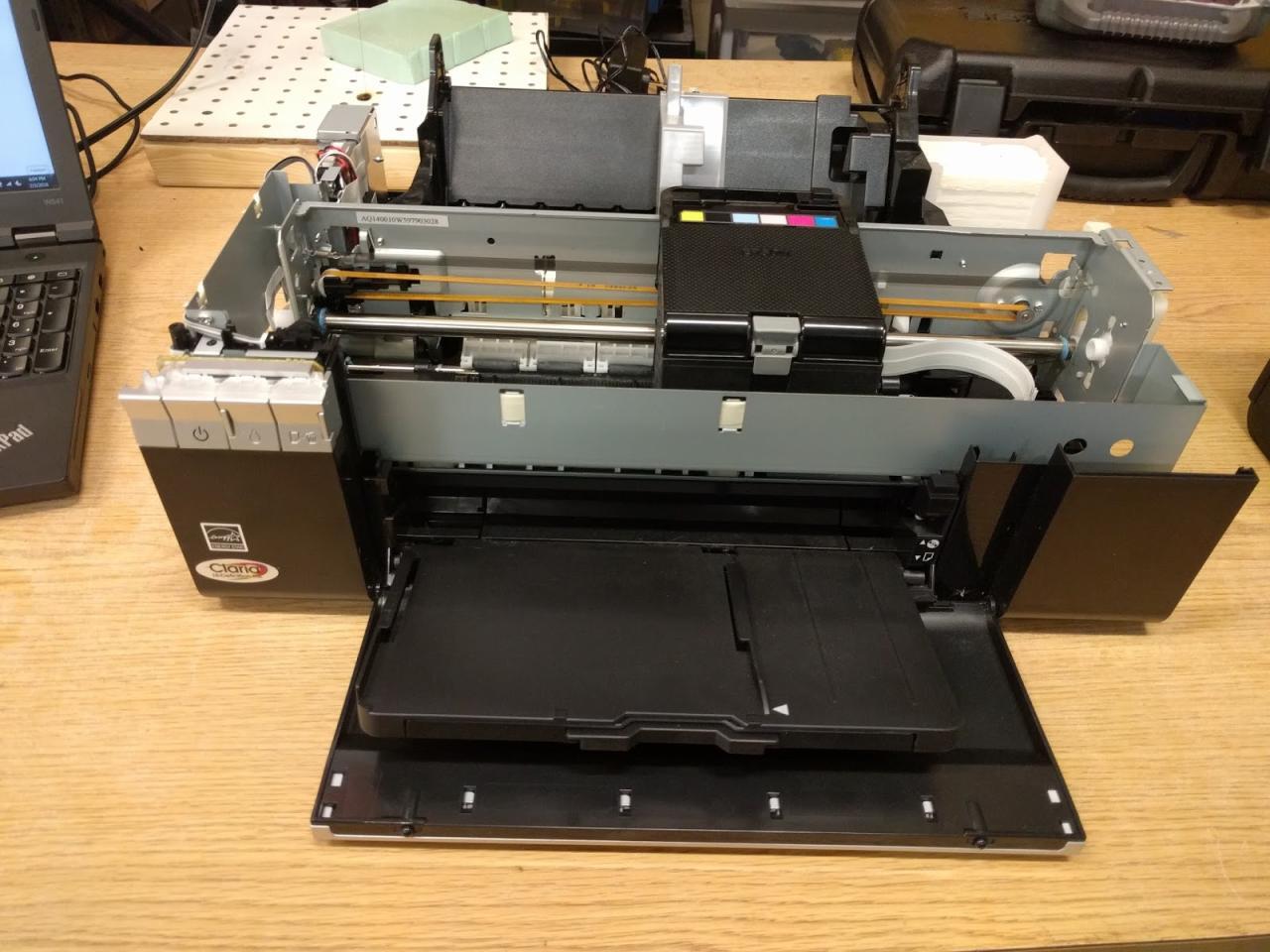
Laser printers, while robust, also feature numerous moving parts that benefit from periodic lubrication to ensure smooth operation and longevity. This section details the specific lubrication points and procedures for common laser printer components. It is crucial to consult your printer’s service manual for exact locations and recommended lubricant types, as variations exist between models. Always ensure the printer is powered off and unplugged before commencing any maintenance.The fuser assembly is a critical component responsible for melting toner onto the paper.
Its rollers and associated gears require careful lubrication to prevent friction, heat buildup, and eventual failure. Proper maintenance here directly impacts print quality and the lifespan of the fuser.
Fuser Roller Assembly and Associated Gears Lubrication
The fuser assembly typically contains a heated roller and a pressure roller. Lubrication is primarily needed on the bushings or bearings that support these rollers and the gears that drive them.
- Pressure Roller Bushings/Bearings: Locate the points where the pressure roller shaft enters its support structure. Apply a small amount of high-temperature, non-conductive lubricant specifically designed for fuser assemblies. Over-lubrication can lead to lubricant seeping onto the roller surface, causing print defects.
- Fuser Drive Gears: Identify the gears responsible for rotating the fuser rollers. These are often plastic or metal. Clean any old lubricant and debris, then apply a thin, even layer of a suitable gear lubricant. Ensure the lubricant does not interfere with the meshing of the gear teeth.
- Fuser Shaft Supports: Some fuser designs have additional support points for the roller shafts. Inspect these for any signs of wear or dryness and apply lubricant sparingly if indicated.
The drum unit, a light-sensitive cylinder that transfers toner to paper, and its associated transfer roller are also vital. While the drum itself is not typically lubricated, the transfer roller and its supporting mechanisms may require attention.
Drum Unit and Transfer Roller Lubrication Points
Lubrication around the drum unit is less common than in other areas, but specific points can benefit from it.
- Transfer Roller Bushings/Bearings: The transfer roller rotates against the drum. Its shaft is usually supported by bushings or bearings. Apply a tiny amount of light, non-corrosive lubricant to these points if they appear dry or squeaky. Avoid any contact with the transfer roller’s surface.
- Drum Unit Engagement Gears: Some drum units have small gears that engage with the printer’s drive system. If these appear dry or stiff, a minimal application of lubricant might be beneficial, ensuring it does not reach the drum surface.
Paper pickup rollers and separation pads are essential for feeding paper correctly through the printer. Worn or dry rollers can lead to paper jams and misfeeds, significantly impacting productivity.
Paper Pickup Rollers and Separation Pads Maintenance
These rubber or silicone components rely on their surface properties for grip. Lubrication is generally not applied directly to these parts but rather to their supporting mechanisms or cleaning procedures are emphasized.
- Pickup Roller Shafts: The shafts on which the pickup rollers rotate may have bushings or bearings. If these are dry, a very small amount of light lubricant can improve rotation.
- Separation Pad Springs/Arms: Some separation pads are mounted on arms or springs. Ensure these pivot points are free from debris and, if necessary, apply a minuscule amount of lubricant to ensure smooth movement.
- Cleaning: For pickup rollers and separation pads themselves, cleaning with a lint-free cloth slightly dampened with water or isopropyl alcohol (check manual for specific recommendations) is often more beneficial than lubrication. This removes paper dust and toner residue that can impair their grip.
Finally, the toner cartridge itself contains gears and moving parts that contribute to toner dispensing. Other miscellaneous moving parts within the printer also warrant periodic inspection and maintenance.
Toner Cartridge Gears and Other Moving Parts Maintenance
Maintaining these components ensures consistent toner delivery and overall printer functionality.
- Toner Cartridge Gears: Some toner cartridges have internal gears that drive the toner dispensing mechanism. While these are often sealed units, if you are performing a refill or have removed the cartridge, inspect these gears. A very small amount of plastic-compatible lubricant can be applied to the teeth if they appear dry or stiff, but extreme caution is advised to prevent toner contamination.
- Paper Path Rollers (Non-Pickup): Other rollers in the paper path, such as guide rollers or exit rollers, may have bushings or bearings that can benefit from a light application of lubricant if they show signs of wear or stiffness.
- Scanner Mechanism (for MFPs): In multifunction printers (MFPs), the scanner assembly has moving parts. The rails or guide rods for the scanner carriage may require occasional cleaning and a light application of silicone-based lubricant to ensure smooth and quiet movement.
- Door Hinges and Latches: Simple, yet often overlooked, hinges and latches on printer doors can benefit from a tiny amount of lubricant to prevent squeaking and ensure easy opening and closing.
Cleaning Before Lubrication
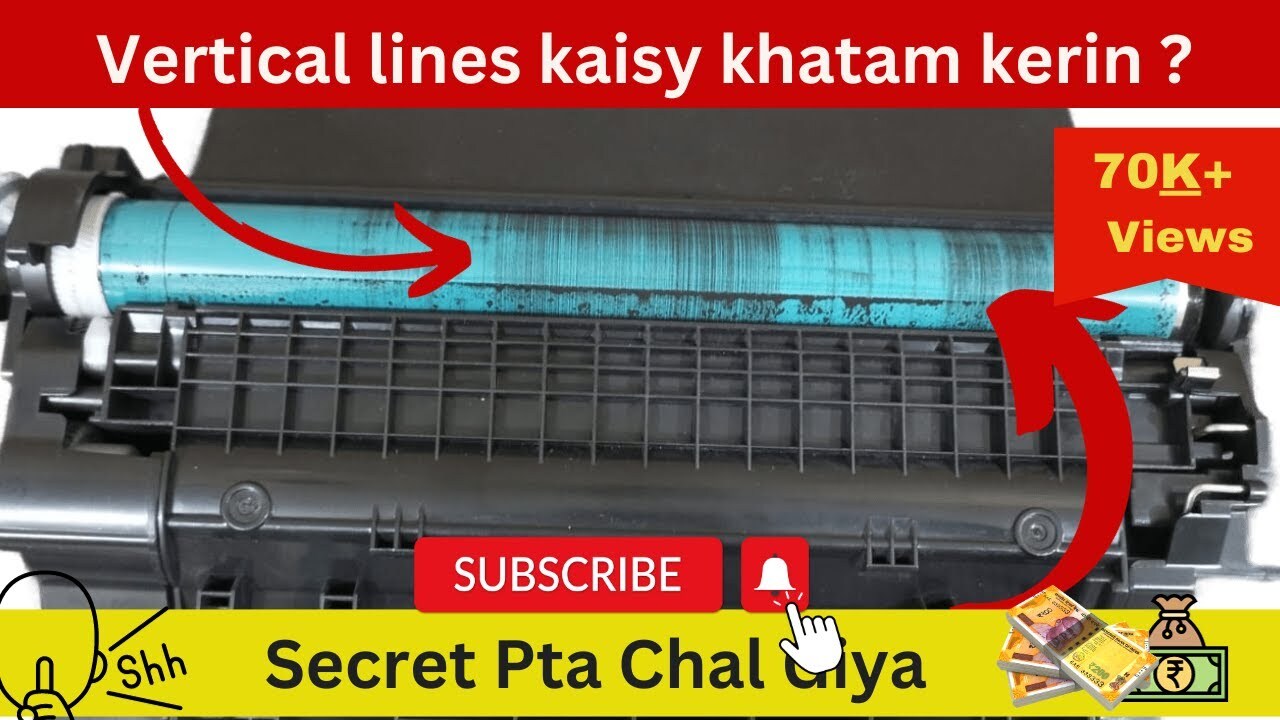
Before applying any fresh lubricant to your printer’s moving parts, a thorough cleaning process is paramount. This step ensures that new lubricant can effectively reach and protect the intended surfaces, rather than mixing with accumulated dust, debris, or old, degraded lubricant. Failing to clean properly can lead to reduced performance, increased wear, and even potential damage to your printer’s delicate mechanisms.The objective of cleaning is to remove any foreign particles that could interfere with the smooth operation of moving parts.
Dust and paper fibers can act as abrasives, while old lubricant can become gummy and sticky, hindering movement and attracting more dirt. A clean surface allows the new lubricant to form a protective barrier, reducing friction and wear, and ensuring optimal printer functionality.
Methods for Removing Dust, Debris, and Old Lubricant Residue
Effective cleaning involves a multi-pronged approach to address different types of contaminants. For loose dust and debris, compressed air is an excellent tool. For more stubborn residue, such as dried lubricant or sticky build-up, isopropyl alcohol is highly effective. Gentle wiping with lint-free cloths is crucial throughout the process to avoid leaving behind new fibers.When dealing with older, dried lubricant, a small amount of isopropyl alcohol applied to a cotton swab can help to dissolve and lift the residue.
It is important to work in small sections and wipe away the dissolved material immediately. For areas that are difficult to reach, a soft brush can be used in conjunction with compressed air or a cleaning solution. Patience and a systematic approach are key to ensuring all unwanted substances are removed.
Recommended Cleaning Agents and Materials
A selection of readily available and safe cleaning agents and materials will greatly assist in preparing your printer’s components. Using the right products minimizes the risk of damaging sensitive parts.
- Compressed Air: Ideal for blowing away loose dust and debris from hard-to-reach areas. Ensure the can is held upright to prevent propellant discharge.
- Isopropyl Alcohol (90% or higher): An excellent solvent for dissolving old lubricant residue and general grime. It evaporates quickly, leaving no residue behind.
- Lint-Free Cloths: Essential for wiping surfaces clean without leaving behind stray fibers that can interfere with printer operation. Microfiber cloths are a good choice.
- Cotton Swabs: Useful for applying cleaning solutions to specific areas and for cleaning small, intricate components.
- Soft Bristle Brushes: Small, soft brushes (like those used for makeup or detailing) can help dislodge stubborn dust or residue, especially when used with compressed air.
- Distilled Water: In some cases, a very small amount of distilled water on a lint-free cloth can be used for general surface cleaning, but always ensure the area dries completely before proceeding.
Accessing and Cleaning Internal Printer Mechanisms Safely
Accessing the internal mechanisms of a printer requires care and an understanding of its construction. Always begin by unplugging the printer from the power source to prevent electrical hazards. Consult your printer’s user manual if available, as it often provides diagrams or instructions for accessing specific components.Many printers have accessible panels or covers that can be gently opened or removed.
For components like paper paths or gear assemblies, you may need to remove screws or release clips. When cleaning, avoid excessive force. If a part feels stuck, re-examine for hidden fasteners or clips. It is also advisable to take photographs as you disassemble, if necessary, to aid in reassembly. Pay close attention to areas where lubricant is typically applied, ensuring all old residue is meticulously removed from gears, rails, and rollers.
Lubrication Frequency and Best Practices
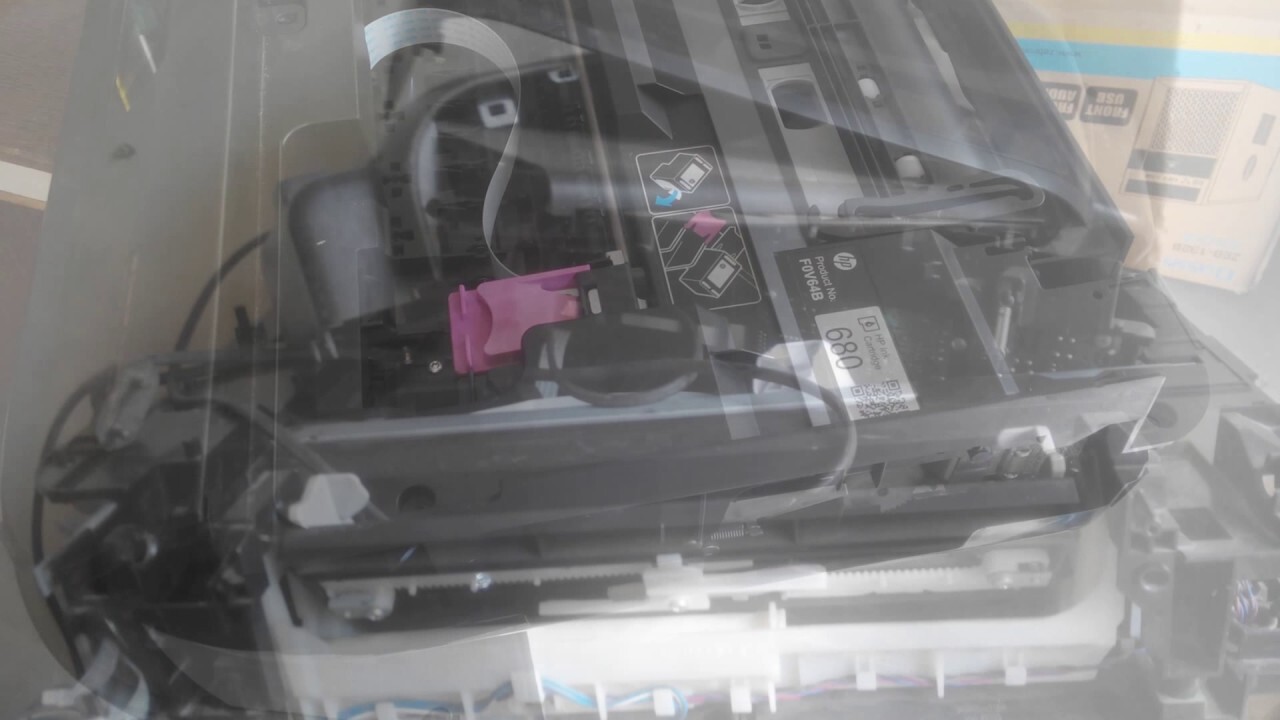
Maintaining your printer’s moving parts through regular lubrication is crucial for ensuring its longevity and optimal performance. This section delves into the recommended schedules for lubrication, how to identify when your printer might be signaling a need for attention, and essential safety measures to adopt. By following these guidelines, you can proactively address potential issues and keep your printer running smoothly.
Recommended Lubrication Frequency
The frequency with which you should lubricate your printer’s moving parts is not a one-size-fits-all answer; it primarily depends on your printing habits and the printer’s environment. Heavy usage, such as in an office setting with frequent printing tasks, will necessitate more frequent lubrication compared to a home printer used only occasionally. Environmental factors like dust and humidity can also accelerate wear and tear, potentially requiring more regular maintenance.A general guideline for home users printing a few pages daily or weekly might be to inspect and lubricate every 6 to 12 months.
For business environments with high print volumes, monthly or quarterly checks and lubrication might be more appropriate. It is always advisable to consult your printer’s user manual, as manufacturers often provide specific recommendations tailored to their models.
Identifying Signs Requiring Lubrication
Your printer will often provide subtle (and sometimes not-so-subtle) cues when its moving parts are in need of lubrication. Paying attention to these indicators can prevent minor issues from escalating into major problems.Common signs that suggest your printer might need lubrication include:
- Unusual Noises: Grinding, squeaking, or clicking sounds originating from within the printer during operation are strong indicators that components are experiencing friction.
- Paper Jams: While paper jams can have various causes, increased frequency or a new pattern of jams, especially if accompanied by unusual noises, might suggest that the paper feed mechanism is not moving smoothly due to lack of lubrication.
- Slow or Hesitant Movement: If you notice that print heads, rollers, or other moving parts seem to be moving slower than usual or are jerky, this can be a sign of increased friction.
- Print Quality Degradation: In some cases, poor print alignment or streaking could be indirectly related to the smooth movement of the print head carriage, which relies on lubricated rails.
Safety Precautions for Printer Maintenance
Working with electronic devices and lubricants requires a mindful approach to safety. Following these precautions will ensure a safe and effective maintenance experience.Before commencing any lubrication work:
- Power Off and Unplug: Always ensure the printer is completely powered off and unplugged from the electrical outlet before you begin any internal maintenance. This prevents accidental electrical shocks or damage to components.
- Allow Cooling: Some printer components, especially in laser printers, can become very hot during operation. Allow the printer to cool down for at least 30 minutes after it has been used before attempting to access internal parts.
- Handle Components with Care: Printer parts can be delicate. Avoid applying excessive force when removing or handling them. If you are unsure about how to remove a specific part, refer to your printer’s manual or reliable online guides.
- Ventilation: Work in a well-ventilated area, especially when using lubricants. While most printer lubricants are low in VOCs, good airflow is always recommended.
- Avoid Over-Lubrication: Applying too much lubricant can attract dust and debris, leading to new problems. Use lubricants sparingly and precisely on the intended parts.
- Use Appropriate Lubricants: Ensure you are using lubricants specifically designed for printer components. Household oils or greases can damage plastic parts or attract excessive dust.
Best Practices for Printer Lubrication
To ensure a successful and beneficial lubrication process, adhering to a set of best practices is essential. These steps will help you achieve the desired results and prolong your printer’s life.A comprehensive checklist for effective printer lubrication includes:
- Consult Your Manual: Always start by reviewing your printer’s user manual for specific instructions on lubrication points and recommended lubricant types.
- Clean Thoroughly: Before applying any lubricant, ensure all moving parts are clean. Dust and debris can interfere with lubrication and cause further wear. Refer to the “Cleaning Before Lubrication” section for detailed guidance.
- Identify Lubrication Points: Accurately locate the specific points that require lubrication. These are typically metal rods, plastic rails, gears, or pivot points.
- Apply Sparingly and Precisely: Use a minimal amount of lubricant. A thin, even coat is usually sufficient. Apply directly to the designated areas using a cotton swab, applicator, or syringe as appropriate for the lubricant.
- Distribute Evenly: After application, gently move the printer’s components back and forth several times to ensure the lubricant is evenly distributed along the entire length of the track or surface.
- Wipe Away Excess: Use a clean, lint-free cloth to wipe away any excess lubricant that may have squeezed out. This prevents it from attracting dust.
- Test Operation: After lubrication, power on the printer and run a test print or move the relevant components manually (if possible) to ensure smooth operation and check for any new noises.
- Document Maintenance: Keep a record of when you last lubricated your printer and which parts were addressed. This helps in scheduling future maintenance.
Visualizing Lubrication Points
Understanding where to apply lubricant is as crucial as knowing what lubricant to use. This section will guide you in identifying these vital areas on your printer’s components, helping you to perform maintenance accurately and effectively. We will explore the typical visual cues of these points, the characteristics of common printer lubricants, and how to interpret service manuals for precise guidance.
Typical Appearance of Printer Lubrication Points
Lubrication points on printer mechanisms are designed for ease of access and targeted application. They often appear as small, exposed metal or plastic surfaces that are in constant motion or bear significant mechanical load. These areas are typically clean and free from debris, as dirt can impede lubricant effectiveness and cause wear.
You can expect to find lubrication points in the following forms:
- Smooth Metal Rods/Shafts: These are commonly found in carriage mechanisms or paper feed systems. They are usually polished, cylindrical, and may have a slight sheen even when dry, indicating a surface designed for low friction.
- Plastic Guide Rails: Many printers utilize plastic rails to guide the print head or other moving parts. These often have a smooth, continuous surface with defined edges, and may show slight indentations or wear marks where the moving component contacts them.
- Gear Teeth: In some printer designs, especially those with more complex paper handling or mechanical operations, gears will have visible teeth that require lubrication to ensure smooth engagement and prevent grinding.
- Hinges and Pivots: Small hinges for covers or access panels, as well as pivot points for components like scanner beds, are also common lubrication points. These are typically small metal pins or connected loops.
Texture and Color of Common Printer Lubricants
The appearance of the lubricant itself can be a helpful indicator. Most lubricants used in printers are designed to be non-conductive, stable, and to resist drying out or attracting excessive dust.
Here’s a breakdown of common lubricant characteristics:
- White Lithium Grease: This is a very common lubricant. It typically has a thick, paste-like consistency and a white or off-white color. It feels smooth and slightly waxy to the touch.
- Silicone-Based Lubricants: These can range from thin oils to thicker greases. They are often clear or translucent, with a slippery feel. Silicone lubricants are excellent for plastic-on-plastic or plastic-on-metal applications.
- PTFE (Teflon) Lubricants: Often found in spray form or as a grease additive, PTFE lubricants are typically white and can feel slightly gritty due to the suspended particles, though they are designed to provide excellent low-friction properties.
- Light Machine Oil: Less common for general moving parts but sometimes used for very fine mechanisms, this is a clear, thin liquid that feels oily and smooth.
Visual Manifestations of Wear and Tear on Lubricated Parts
Over time, even well-maintained parts can show signs of wear. Observing these visual cues can help you determine if lubrication is needed or if a component is nearing the end of its lifespan.
Signs of wear on lubricated parts may include:
- Scuff Marks or Grooves: On metal rods or plastic rails, you might see faint linear marks or shallow grooves where the moving part has been rubbing against the surface without adequate lubrication.
- Discoloration: Metal parts might show areas of discoloration, such as a dulling of the polished surface or even slight rust if moisture has been present and the protective lubricant layer has degraded.
- Accumulation of Debris: While ideally, lubricant repels dust, old or degraded lubricant can become sticky and attract dust and debris, forming a gummy residue around the moving parts.
- Uneven Wear Patterns: If a part is not moving smoothly, you might observe concentrated wear in specific areas rather than uniform contact.
Interpreting a Printer’s Service Manual for Lubrication Diagrams
Service manuals are the definitive resource for understanding specific lubrication requirements for your printer model. They contain detailed diagrams that precisely indicate where and how much lubricant to apply.
When consulting your service manual:
- Locate the Maintenance Section: Most manuals have a dedicated section for routine maintenance, which will include lubrication procedures.
- Identify Lubrication Diagrams: These diagrams are often presented as exploded views or detailed schematics of specific printer components. They will use symbols or callouts to highlight the lubrication points.
- Understand Symbol Meanings: Pay close attention to any legend or key provided with the diagrams. This will explain what different symbols or color codings represent (e.g., types of lubricant, specific application methods).
- Note Lubricant Specifications: The manual will specify the exact type and quantity of lubricant recommended for each point. Using the wrong type or too much lubricant can cause damage.
- Observe Application Instructions: Diagrams may also show the direction of application or the specific tool to use for applying the lubricant.
“A clear, detailed diagram in your service manual is your roadmap to precise and effective printer lubrication.”
Common Lubrication Mistakes to Avoid
While lubricating your printer can significantly extend its lifespan and improve performance, it’s also an area where common errors can lead to more problems than solutions. Understanding these pitfalls is crucial for effective printer maintenance. This section will highlight prevalent mistakes and their consequences, helping you steer clear of them.
Over-Application of Lubricant
Applying too much lubricant is a frequent oversight. Excess lubricant can attract dust and debris, forming a sticky residue that hinders movement rather than aiding it. This buildup can gum up gears, clog sensors, and even interfere with the printer’s delicate mechanisms, leading to paper jams or reduced print quality. It can also seep onto electronic components, causing short circuits and irreparable damage.
Using Household or Incompatible Lubricants
One of the most detrimental mistakes is using lubricants not specifically designed for printer components. Household oils, such as cooking oil or petroleum jelly, are not formulated for the high-precision, low-friction environments found in printers. These substances can degrade plastic parts, attract excessive dust, and may not provide the necessary lubrication for extended periods, leading to premature wear and failure.The negative consequences of using incompatible lubricants on printer mechanisms are significant.
For instance, using a thick, viscous oil on a delicate plastic gear could cause it to bind or strip. Silicone-based lubricants, while sometimes appropriate for certain seals, can be detrimental to other plastic or rubber components if not specifically formulated for them. This can result in:
- Accelerated wear and tear on moving parts.
- Sticking or seizing of mechanical components.
- Damage to plastic and rubber parts due to chemical incompatibility.
- Contamination of internal components, affecting print quality.
Lubricating Non-Designated Components
Not all parts of a printer are meant to be lubricated. Many modern printers utilize self-lubricating bearings or have components made of materials that do not require additional lubrication. Attempting to lubricate these parts can introduce foreign substances, disrupt their intended operation, and potentially cause damage. For example, lubricating optical sensors or timing belts can interfere with their precise function.
Strategies for Preventing Future Lubrication Issues
Preventing future lubrication issues involves a proactive and informed approach to printer maintenance. Adhering to manufacturer guidelines and understanding the specific needs of your printer model are paramount.To ensure proper lubrication and avoid common mistakes, consider the following strategies:
- Consult Your Printer’s Manual: Always refer to the official user manual for specific lubrication points, recommended lubricants, and frequency. Manufacturers provide this information for a reason.
- Use Printer-Specific Lubricants: Invest in high-quality lubricants explicitly designed for printer mechanisms. These are typically lightweight, non-corrosive, and formulated for plastic and metal interactions. Examples include specialized silicone-based greases or PTFE (Teflon) lubricants.
- Apply Sparingly: Less is often more. Apply lubricant in very small, precise amounts, typically a thin film or a tiny drop, only to the designated areas. A cotton swab or a fine-tipped applicator can help control the amount.
- Clean Before Lubricating: Always clean away old lubricant, dust, and debris before applying fresh lubricant. This prevents the buildup of sticky residue. Use isopropyl alcohol (90% or higher) on a lint-free cloth for cleaning.
- Identify Lubrication Points Visually: Familiarize yourself with the visual cues of where lubrication is needed. These are typically metal rods, plastic rails, or gears that show signs of wear or exhibit friction.
- Regular Inspection: Periodically inspect your printer’s internal mechanisms for signs of dryness, wear, or excessive dust buildup. This allows for timely intervention before significant issues arise.
- Avoid Over-Disassembly: Only disassemble your printer as much as necessary to access lubrication points. Over-disassembly increases the risk of damaging delicate components or losing small parts.
Maintaining Smooth Printer Operation
Proper lubrication is a cornerstone of ensuring your printer operates smoothly, efficiently, and reliably. By addressing the moving parts with the right lubricants at the appropriate intervals, you actively contribute to a quieter, more durable, and higher-performing printing device. This section delves into the multifaceted benefits of maintaining lubricated printer components.The consistent application of lubricant to a printer’s moving parts is directly linked to a reduction in operational noise.
As components like gears, rollers, and carriage mechanisms interact, friction can create audible vibrations and grinding sounds. Lubrication acts as a buffer, minimizing this friction and allowing parts to glide past each other with significantly less resistance. This not only makes the printing process more pleasant for users in close proximity but also indicates a healthier mechanical state for the printer.
Reducing Mechanical Stress and Preventing Component Failure
Lubrication plays a critical role in mitigating the physical strain on your printer’s internal mechanisms. Without adequate lubrication, metal-on-metal contact can lead to wear, increased heat, and eventual component degradation. By providing a consistent film of lubricant, you ensure that moving parts are protected from excessive abrasion and stress, thereby extending their lifespan and preventing costly breakdowns.
Adequate lubrication is a proactive measure against premature wear and the cascading failures that can result from a single stressed component.
The prevention of mechanical stress through lubrication directly translates into fewer instances of component failure. For example, the carriage that holds the printhead in an inkjet printer moves back and forth on a rail. If this rail is dry, the carriage motor has to work harder, leading to increased wear on both the motor and the rail. Over time, this can cause the carriage to jam, skip, or even damage the motor, resulting in an expensive repair or replacement.
Similarly, in laser printers, the fuser unit’s rollers require lubrication to rotate smoothly and evenly apply heat and pressure to the toner. Insufficient lubrication can lead to uneven heating, poor toner fusing, and potential damage to the rollers themselves.
Improving Print Quality Through Consistent Movement
Consistent and smooth movement of printer components is fundamental to achieving high-quality prints. Lubrication ensures that the printhead carriage in inkjet printers moves precisely and without hesitation, allowing for accurate ink droplet placement. In laser printers, the smooth rotation of rollers in the paper path and the fuser unit is crucial for consistent paper feeding and toner application. Any jerkiness or unevenness caused by dry parts can manifest as print defects such as banding, smudging, or misaligned text and images.
Long-Term Economic Benefits of Consistent Printer Maintenance
Investing time and resources into regular printer maintenance, including proper lubrication, yields significant long-term economic advantages. While the initial cost of lubricants and cleaning supplies might seem like an added expense, it pales in comparison to the cost of unexpected repairs, premature replacement of printer components, or even the purchase of an entirely new printer.Consider the following economic impacts:
- Reduced Repair Costs: By preventing wear and tear, lubrication significantly lowers the probability of needing costly professional repairs.
- Extended Printer Lifespan: A well-maintained printer can serve its purpose for many years longer than a neglected one, deferring the expense of a new purchase.
- Minimized Downtime: Printer malfunctions lead to lost productivity. Consistent maintenance, including lubrication, ensures your printer is available when you need it, preventing workflow interruptions.
- Optimized Performance: A smoothly operating printer produces better quality output, reducing the need for reprints due to poor print quality, which saves on ink, toner, and paper.
For instance, a small business relying on a fleet of printers for daily operations could save thousands of dollars annually by implementing a consistent lubrication schedule. Instead of facing frequent service calls for malfunctioning machines, they can maintain peak operational efficiency, ensuring client deadlines are met without costly delays or the need for emergency equipment rentals. This proactive approach to maintenance transforms a potential expense into a strategic investment in operational continuity and cost savings.
Final Review
In conclusion, mastering the art of lubricating and maintaining your printer’s moving parts is a straightforward yet vital aspect of ensuring its optimal performance and longevity. By following these guidelines, you can significantly reduce the risk of mechanical failures, enjoy consistently high print quality, and ultimately save on potential repair costs, making your printer a more dependable asset.