How to Fix a Clogged 3D Printer Hotend sets the stage for this enthralling narrative, offering readers a glimpse into a story that is rich in detail with formal and friendly language style and brimming with originality from the outset.
Experiencing a clogged 3D printer hotend can be a frustrating roadblock for any enthusiast or professional, halting production and potentially leading to print failures. This comprehensive guide aims to demystify the common causes and symptoms of these frustrating blockages, empowering you with the knowledge to diagnose and address them effectively. We will delve into the intricacies of hotend clogs, from partial obstructions to complete blockages, emphasizing the critical importance of prompt intervention to safeguard your equipment.
Understanding the Clog
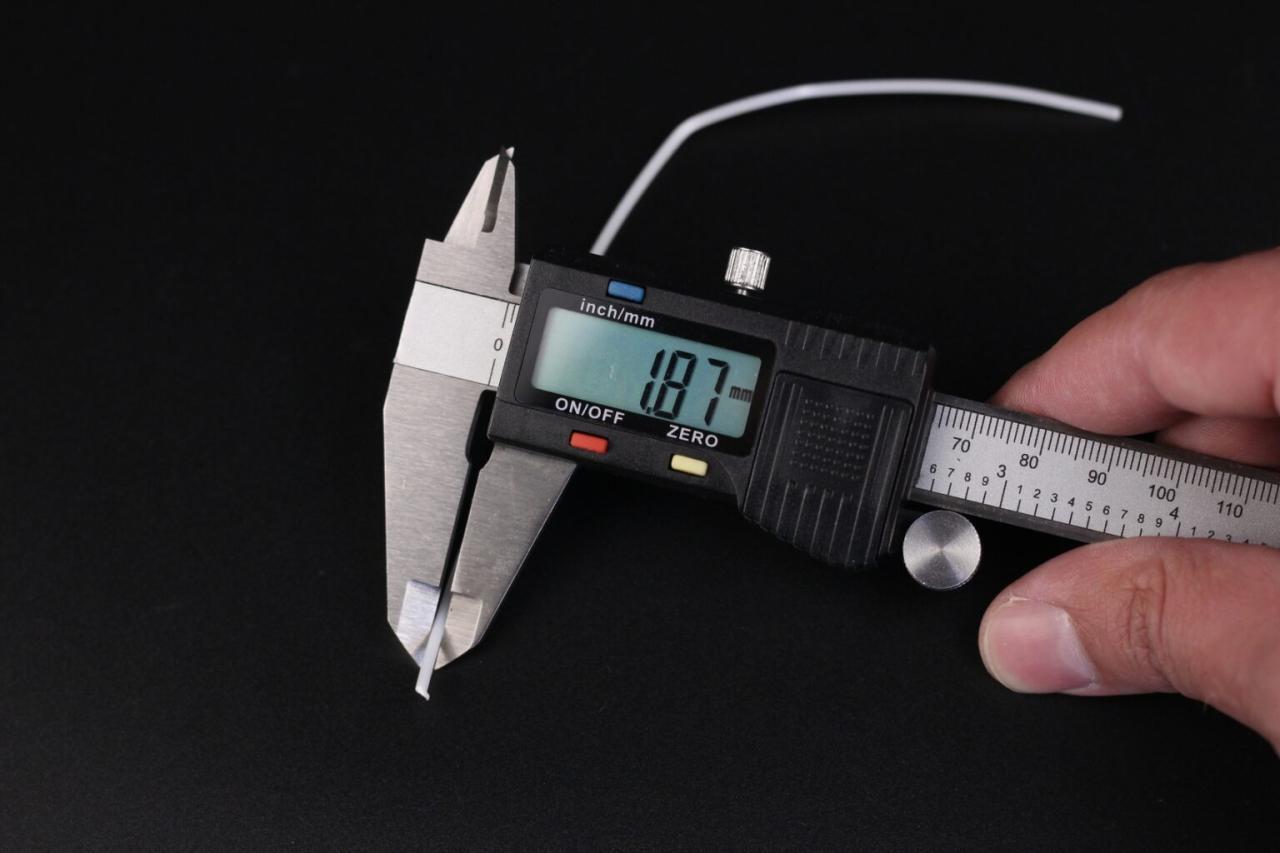
A clogged 3D printer hotend is a frustrating yet common issue that can halt your printing progress. Fortunately, understanding the underlying causes, recognizing the symptoms, and knowing how to categorize different types of clogs are the first steps toward effective resolution. This knowledge empowers you to address the problem promptly and prevent more significant damage to your printer.Identifying the root cause of a hotend clog is crucial for both immediate repair and future prevention.
These issues often stem from a combination of material properties, printing settings, and mechanical factors within the printer’s extrusion system.
Common Causes of a Clogged 3D Printer Hotend
A variety of factors can contribute to a hotend clog, often related to the filament, the printing environment, or the mechanical operation of the printer. Understanding these potential culprits is the first step in diagnosing and resolving the issue.
- Filament Quality and Degradation: Low-quality filament, filament that has absorbed moisture, or filament that has been left exposed to the elements can degrade, leading to inconsistent extrusion and clogs. For instance, PLA filament, if exposed to humidity for extended periods, can absorb water, causing it to bubble and break apart within the hotend.
- Incorrect Printing Temperatures: Printing at temperatures that are too low for the specific filament can cause it to solidify prematurely within the nozzle or heat break. Conversely, temperatures that are too high can lead to filament degradation and the formation of burnt particles that obstruct the flow.
- Poor Filament Loading or Retraction Settings: If filament is not loaded smoothly, or if retraction settings are too aggressive, it can cause filament to bunch up or break inside the hotend. Over-retraction can also pull molten filament back into the cooler parts of the hotend, where it solidifies.
- Dust and Debris: Airborne dust and small particles can accumulate in the filament path or within the hotend itself, gradually building up and restricting filament flow. This is particularly common in environments with poor air quality.
- Heat Creep: This occurs when heat from the hotend travels too far up into the heat break, causing filament to soften and expand in an area where it should remain solid. This is often exacerbated by inadequate cooling of the heatsink.
- Nozzle Wear or Damage: Over time, the nozzle can wear down or become damaged, creating an irregular internal surface that can snag filament and contribute to clogs.
- Foreign Objects: Small foreign objects, such as bits of plastic from a previous print or debris from maintenance, can accidentally enter the hotend and cause a blockage.
Typical Symptoms of a Hotend Clog
Recognizing the signs of a clogged hotend allows for early intervention, potentially preventing a minor issue from becoming a major problem. These symptoms often manifest during the printing process, indicating a disruption in the expected filament extrusion.
When a hotend clog occurs, it typically presents itself through a noticeable degradation in print quality and the extrusion process. These symptoms are often progressive, starting subtly and becoming more pronounced as the clog worsens.
- Under-extrusion: This is one of the most common and immediate signs. Prints will appear thin, with gaps between lines or infill, and may lack structural integrity.
- No Filament Extrusion: In more severe cases, no filament will come out of the nozzle at all, even when the extruder gears are turning.
- Clicking or Grinding Extruder: The extruder motor may make clicking or grinding noises as it struggles to push filament through the blocked nozzle.
- Inconsistent Extrusion: Filament may come out in bursts or intermittently, leading to stringing and uneven layer deposition.
- Filament Breaking Inside the Extruder: The force required to push filament through a clog can cause it to break inside the extruder assembly.
- Popping or Sizzling Sounds: If moisture is present or if filament is burning, you might hear popping or sizzling sounds from the hotend.
Types of Hotend Clogs
Hotend clogs can be categorized into two primary types, each with distinct characteristics and requiring slightly different approaches to resolution. Understanding these distinctions is key to effective troubleshooting.
The severity and nature of a hotend clog can vary significantly. Differentiating between a partial and a full clog helps in determining the appropriate repair strategy and the urgency of the intervention.
- Partial Clog: In a partial clog, filament can still pass through the nozzle, but the flow is significantly restricted. This results in under-extrusion, inconsistent extrusion, and a general decline in print quality. The extruder motor may struggle, and you might hear occasional clicking. Filament might still be extrudable, but with difficulty and at a reduced rate. This type of clog often develops over time due to gradual accumulation of debris or heat creep.
- Full Clog: A full clog means that filament cannot pass through the nozzle at all. The extruder will likely make loud grinding noises as it attempts to push the filament, and no filament will be extruded. This is a more critical situation that completely halts the printing process and requires immediate attention to clear the blockage. Full clogs can be caused by a sudden event, such as a piece of filament breaking off inside the hotend or a foreign object completely obstructing the path.
Importance of Timely Intervention
Addressing a hotend clog promptly is paramount to minimizing potential damage to your 3D printer and ensuring its longevity. Delaying intervention can lead to a cascade of further issues, some of which can be costly to repair.
Proactive and timely action when a hotend clog is suspected is not merely about resuming your print; it’s about safeguarding your investment in 3D printing technology. The consequences of neglecting a clog can extend far beyond a single failed print.
- Preventing Further Damage to the Hotend: Leaving a clog unresolved can cause excessive heat buildup, potentially damaging the PTFE tube (if present), the nozzle, or even the heater cartridge and thermistor. This can lead to expensive component replacements.
- Avoiding Damage to the Extruder: The extruder motor and gears are put under significant strain when trying to force filament through a blockage. Prolonged stress can lead to wear or failure of these components.
- Maintaining Print Quality: Even a partial clog can significantly degrade print quality, leading to failed prints and wasted filament. Early intervention ensures that your printer can continue to produce high-quality results.
- Preventing More Severe Clogs: A partial clog, if left unattended, can often worsen over time, eventually leading to a full, more difficult-to-remove clog. Addressing it early makes the clearing process much simpler.
- Reducing Filament Waste: Failed prints due to clogs result in wasted filament. Resolving the issue quickly minimizes the number of failed prints and conserves material.
Essential Tools and Preparations
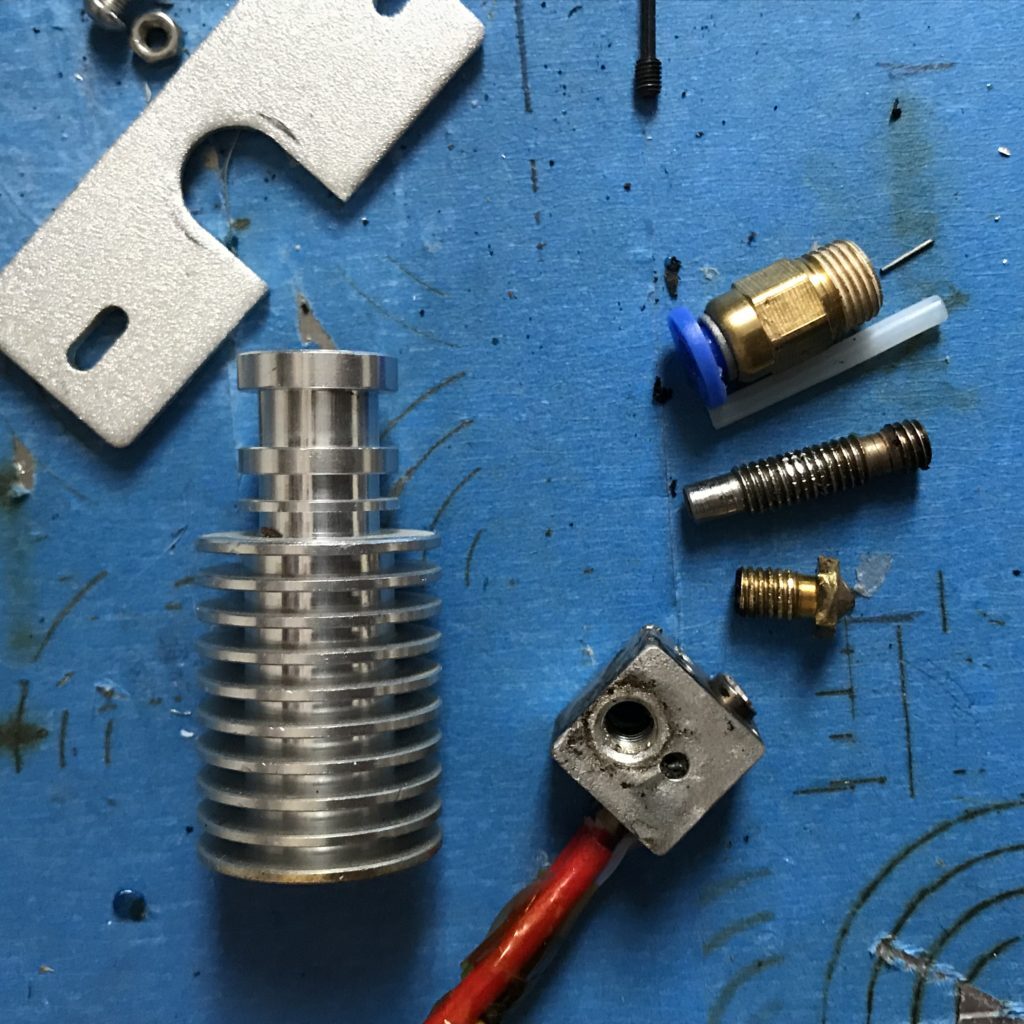
Before we can delve into the practical steps of clearing a hotend clog, it’s crucial to gather the necessary tools and ensure your workspace is adequately prepared. Having everything readily available will streamline the process and minimize potential frustration. Safety should always be paramount when working with heated components and potentially sharp tools.This section Artikels the essential items you’ll need and the critical safety measures to implement before you begin the disassembly and cleaning process.
A well-organized workspace is also key to efficiency and preventing the loss of small parts.
Necessary Tools and Materials
A successful hotend clog removal requires a specific set of tools and consumables. Having these on hand will allow you to address various types of clogs effectively and safely.Here is a list of the recommended tools and materials:
- Pliers: Needle-nose pliers are indispensable for gripping and manipulating small parts, such as the nozzle or heater block, and for carefully removing filament debris.
- Allen Wrenches/Hex Keys: A set of metric Allen wrenches is vital for loosening and tightening the screws that secure the heater block and nozzle. Ensure you have the correct sizes for your specific printer model.
- Small Screwdriver Set: A precision screwdriver set can be useful for dislodging stubborn filament pieces or for accessing tight areas.
- Heat-Resistant Gloves: To protect your hands from accidental burns when handling hot components, heat-resistant gloves are highly recommended.
- Cotton Swabs and Isopropyl Alcohol: For cleaning residual plastic from the nozzle and heat break, cotton swabs dipped in isopropyl alcohol are effective.
- Nozzle Cleaning Needles/Drills: Specialized needles or small drill bits designed for cleaning 3D printer nozzles are excellent for dislodging filament from the nozzle’s orifice.
- Tweezers: Fine-tipped tweezers are useful for picking out small fragments of filament or debris from the hotend.
- Small Wire Brush: A brass or stainless steel wire brush can help clean the exterior of the heater block and nozzle.
- Replacement Nozzle (Optional but Recommended): In some cases, a severely clogged or damaged nozzle may need to be replaced entirely. Having a spare on hand can save time.
- Paper Towels or Shop Rags: For wiping away debris and cleaning up any spills.
Safety Precautions
Working with a 3D printer’s hotend involves dealing with high temperatures and mechanical components. Adhering to strict safety protocols is essential to prevent injuries and damage to the printer.Always prioritize safety by following these guidelines:
- Power Off and Unplug: Before attempting any disassembly, ensure the 3D printer is powered off and completely unplugged from the power source. This eliminates the risk of electrical shock.
- Allow Cooling: The hotend can reach temperatures exceeding 200°C (392°F). Always allow the hotend to cool down significantly before touching any of its components. A general rule of thumb is to wait at least 30 minutes after the printer has been turned off.
- Wear Protective Gear: As mentioned, heat-resistant gloves are crucial for handling potentially warm components. Safety glasses are also recommended to protect your eyes from any flying debris.
- Stable Surface: Ensure the printer is on a stable, level surface to prevent it from tipping over during the process.
- Ventilation: Work in a well-ventilated area, as heating plastic can sometimes release fumes.
- Tool Handling: Use tools with care. Sharp edges on tools and components can cause cuts.
Hotend Disassembly for Access
To effectively clear a clog, you’ll often need to gain direct access to the hotend’s internal components, particularly the nozzle and the heat break. The specific disassembly process can vary slightly between printer models, but the general principles remain consistent.The following steps provide a general guide on how to safely disassemble the hotend:
- Remove Filament: If there is still filament in the extruder, unload it completely. This prevents further material from being pushed into the clog.
- Access the Hotend: Depending on your printer’s design, you may need to remove the fan shroud or other protective covers to get a clear view and access to the hotend assembly.
- Loosen the Nozzle: With the hotend cool, use the appropriate size Allen wrench to carefully loosen the nozzle. It’s often easiest to hold the heater block steady with pliers (using a cloth to protect it) while turning the nozzle. Be gentle, as excessive force can strip threads. It is generally recommended to heat the hotend slightly (e.g., to 150-180°C) when removing the nozzle, as this can help loosen hardened filament.
However, be extremely cautious and wear heat-resistant gloves.
- Remove the Heater Block: The heater block is usually secured by screws to the heatsink. Use the appropriate Allen wrenches to remove these screws. Be mindful of any wires connected to the heater block (thermistor and heater cartridge) and ensure they are not strained or damaged during removal.
- Inspect and Clean: Once the heater block is removed, you will have better access to the heat break and the bottom of the heat sink.
It is important to consult your printer’s specific manual or look for online guides tailored to your model if you are unsure about any step in the disassembly process.
Workspace Organization
A well-organized workspace is crucial for a smooth and efficient hotend clog removal. It helps prevent the loss of small, critical parts and allows you to focus on the task at hand without unnecessary distractions.Consider the following for an optimized workspace:
- Clear Surface: Designate a clean, flat, and well-lit area for your work. This could be a workbench, a large table, or even a sturdy tray.
- Tool Tray or Mat: Use a tool tray, magnetic mat, or even a piece of cardboard to keep all your tools and removed parts organized and in one place. This prevents them from rolling away or getting lost.
- Parts Container: Have a small container or dish ready to hold screws and other small components that you remove from the hotend. Labeling them can be helpful if there are many similar-looking parts.
- Waste Receptacle: Keep a small trash can or container nearby for discarded filament pieces, paper towels, and other debris.
- Adequate Lighting: Ensure you have good lighting to clearly see the small components and intricate parts of the hotend. A desk lamp can be very beneficial.
- Comfortable Stool or Chair: If you anticipate spending a significant amount of time on the repair, ensure you have a comfortable seating arrangement.
Methods for Clearing the Clog
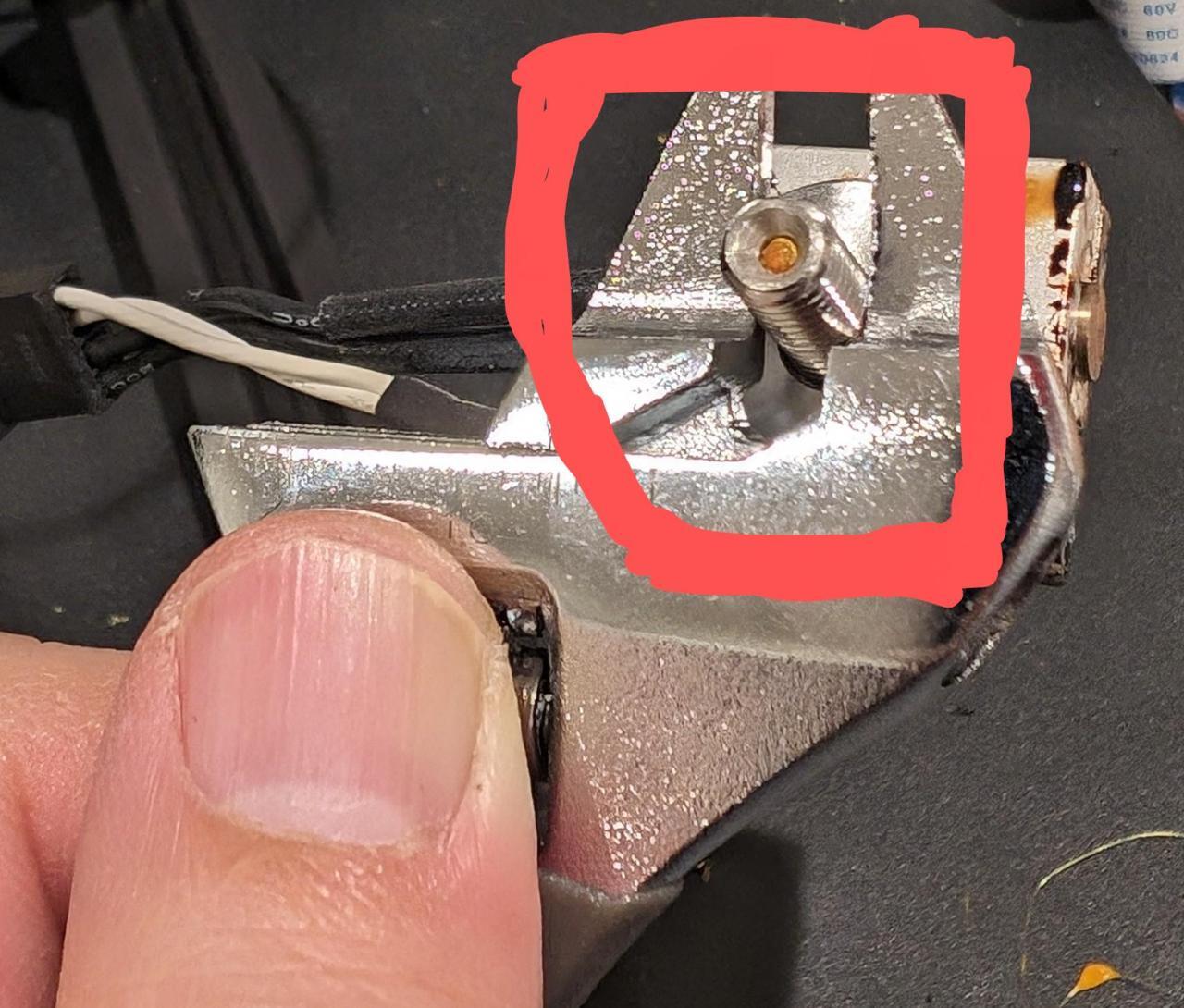
Now that we’ve understood the nature of hotend clogs and gathered our tools, it’s time to tackle the obstruction head-on. Several effective methods exist, each suited to different types of blockages. We will explore these techniques, providing clear instructions and insights into their application.This section will guide you through the most common and successful strategies for restoring your 3D printer’s hotend to its optimal working condition.
From simple, non-invasive approaches to more involved disassembly, you’ll find the solution to your particular clogging issue.
The Cold Pull Method
The cold pull, also known as a heat soak pull or atomic pull, is a highly effective technique for removing partial or complete filament clogs, especially those caused by hardened filament or debris. It leverages the principle of controlled cooling and extraction.The process involves heating the hotend to a specific temperature, then allowing it to cool down significantly before manually pulling the filament out.
This controlled cooling causes the filament to solidify around any obstructions, allowing them to be extracted along with the filament.
- Preheat the hotend to the printing temperature of the filament currently loaded (or slightly higher if unsure).
- Allow the hotend to remain at this temperature for a few minutes to ensure the filament is fully melted.
- Once the filament is melted, manually push a small amount of filament through the nozzle to clear any immediate obstructions.
- Turn off the hotend’s heater and allow the hotend to cool down. The ideal cooling temperature is typically around 80-100°C for PLA, but this can vary based on filament type. The goal is for the filament to be firm but still pliable enough to be pulled.
- Once the hotend has cooled to the target temperature, firmly grip the filament protruding from the extruder and pull it out with a steady, consistent force. You should feel resistance, and ideally, the filament will come out with a solidified tip containing the clog.
- Inspect the pulled filament. If the tip contains debris, hardened filament, or melted plastic that was obstructing the nozzle, repeat the process until a clean pull is achieved.
The cold pull is particularly effective for removing hardened filament particles and inconsistencies in filament diameter that may have caused a jam.
Needle Clearing Technique
For minor clogs or those that appear to be superficial, a fine needle or acupuncture needle can be an excellent tool for directly dislodging the obstruction. This method is best for clogs that haven’t fully solidified or hardened.This technique involves carefully inserting a fine, pointed object into the nozzle opening to physically break up or push out the blockage. It requires a gentle touch to avoid damaging the nozzle or heat break.
- Heat the hotend to a temperature slightly above the filament’s printing temperature to soften any obstruction.
- Using a fine needle (typically 0.4mm or smaller, matching your nozzle diameter), carefully insert the tip into the nozzle opening.
- Gently wiggle and probe the needle into the nozzle, attempting to break up or push out any filament material. You may need to apply slight downward pressure to push the clog through.
- Once you believe the obstruction is cleared, try to extrude a small amount of filament to confirm. If it flows freely, the clog is likely removed.
- If the clog persists, you may need to repeat the process or try a different clearing method.
Exercise caution when using a needle to avoid damaging the delicate internal components of the hotend or the nozzle itself.
Using Cleaning Filament
Cleaning filament is a specialized filament designed to effectively purge residue and minor clogs from the hotend. It typically has a higher melting point and contains additives that help to adhere to and pull out residual plastic.This method involves extruding the cleaning filament through the hotend, allowing it to absorb and carry away any lingering debris or partially melted filament.
It’s a proactive maintenance tool as well as a clearing method.
- Remove any regular filament from the hotend.
- Load the cleaning filament into your extruder.
- Heat the hotend to a temperature recommended by the cleaning filament manufacturer, which is usually higher than standard printing temperatures.
- Manually extrude a significant amount of the cleaning filament through the nozzle. You should observe the extruded material changing color or consistency as it purges the old filament and any contaminants.
- Continue extruding until the filament coming out is clean and consistent, indicating that the hotend is purged.
- Once the cleaning filament is fully extruded, you can either reload your regular filament or perform a cold pull with the cleaning filament still in the hotend to ensure a thorough clean.
Cleaning filament is an excellent preventative measure to maintain a clear hotend and can be very effective for light to moderate clogs.
Disassembling and Cleaning the Nozzle and Heat Break
For stubborn or recurring clogs, a more involved approach involving the disassembly of the nozzle and potentially the heat break may be necessary. This allows for direct physical cleaning of these critical components.This method requires careful handling and reassembly to ensure proper function and prevent leaks. It provides the most thorough cleaning for deeply ingrained obstructions.
Nozzle Cleaning
- Ensure the hotend is completely cool to prevent burns and damage.
- Carefully unscrew the nozzle from the heater block using an appropriate wrench. Be mindful of the orientation and thread direction.
- Once removed, inspect the nozzle for any visible filament obstructions.
- For minor clogs, you can try to clear the nozzle by heating it gently and using a fine needle or compressed air to dislodge the filament.
- For more severe clogs, soak the nozzle in a solvent that is compatible with the filament type (e.g., acetone for ABS, though use with caution and in a well-ventilated area).
- After soaking, use a fine wire brush or needle to clean out any remaining residue.
- Rinse the nozzle thoroughly and dry it completely before reinstallation.
Heat Break Cleaning
- After removing the nozzle, you may need to access the heat break, which is the tube connecting the heater block to the heatsink. This process varies significantly by printer model. Consult your printer’s manual or online resources for specific instructions.
- If filament has entered the heat break, it can be very challenging to remove. Gentle probing with a filament-sized drill bit (without drilling) or a stiff wire might help dislodge it.
- In some cases, a small amount of heat applied to the heater block while attempting to pull the filament from the top might help.
- If the heat break is severely clogged or damaged, it may need to be replaced.
Proper reassembly is crucial after disassembly. Ensure the nozzle is tightened correctly against the heat break (if applicable) and the heater block to prevent leaks.
Comparison of Clearing Methods for Various Clog Types
The effectiveness of each clearing method is highly dependent on the nature and severity of the clog. Understanding these nuances will help you choose the most appropriate solution.Here’s a general comparison of the methods based on common clog types:
| Clog Type | Cold Pull | Needle Clearing | Cleaning Filament | Disassembly |
|---|---|---|---|---|
| Minor, superficial blockage | Effective | Highly Effective | Effective | Overkill, but effective |
| Partial clog due to hardened filament | Highly Effective | Ineffective | Moderately Effective | Effective |
| Complete clog with hardened plastic | Moderately Effective | Ineffective | Ineffective | Highly Effective |
| Debris or foreign particles within nozzle | Moderately Effective | Moderately Effective | Moderately Effective | Highly Effective |
| Clog in the heat break | Ineffective | Ineffective | Ineffective | Highly Effective (often requires replacement) |
For instance, a partial clog caused by a small piece of hardened filament might be perfectly resolved with a cold pull. However, if that same piece of filament has completely blocked the nozzle, disassembly might be the only reliable solution. Cleaning filament is excellent for general maintenance and light residue, acting as a preventative measure, but it’s unlikely to clear a solid blockage on its own.
Advanced Troubleshooting and Prevention
While the previous sections covered the most common causes and solutions for a clogged hotend, some clogs can be particularly stubborn. This section delves into advanced troubleshooting techniques for those persistent issues and, more importantly, Artikels strategies for preventing clogs from occurring in the first place, ensuring a smoother and more reliable 3D printing experience.Addressing persistent clogs often requires a more methodical and sometimes more aggressive approach than standard clearing methods.
Prevention, however, is always more effective than a cure. By understanding the factors that contribute to clogs and implementing a routine maintenance schedule, you can significantly reduce the likelihood of encountering this frustrating problem.
Troubleshooting Persistent Clogs
When standard methods like cold pulls or needle clearing fail to resolve a hotend clog, it suggests a more deeply embedded obstruction or a combination of issues. Advanced troubleshooting involves meticulous inspection and targeted interventions.Persistent clogs can arise from a variety of factors, including degraded filament remnants, heat creep extending too far up the heatbreak, or even physical damage to the nozzle or heatbreak.
A systematic approach is key to diagnosing and resolving these challenging situations.
- Disassembly and Deep Cleaning: For severe clogs, complete disassembly of the hotend may be necessary. This involves carefully removing the nozzle, heatbreak, and heater block. Once disassembled, all components can be thoroughly cleaned. Soaking parts in a suitable solvent (e.g., isopropyl alcohol for PLA, acetone for ABS, though caution is advised with acetone due to its flammability and potential to damage some plastics) can help loosen stubborn residue.
Use fine brushes and compressed air to remove any remaining debris.
- Heatgun or Torch Application (with extreme caution): In rare and extreme cases, a gentle application of heat from a heatgun or, with extreme caution and appropriate safety measures, a small butane torch can be used to burn off residual filament within the nozzle or heatbreak. This method is risky and should only be attempted if other options have failed, and with a full understanding of the materials involved and the potential for damage.
Ensure the hotend is completely disassembled and removed from the printer before attempting this.
- Chemical Solvents: Certain chemical solvents can be effective at dissolving specific filament types. For example, dichloromethane is a strong solvent for ABS and can be used to clean hotend components. However, these chemicals are often hazardous and require proper ventilation, personal protective equipment (gloves, eye protection), and careful handling. Always research the compatibility of the solvent with your hotend materials.
- Heatbreak Inspection: The heatbreak is a critical component that separates the hot zone from the cold zone. If filament is melting too high up in the heatbreak (heat creep), it can solidify and cause a clog. Inspect the heatbreak for any signs of damage, warping, or excessive residue. Ensure the thermal paste or graphite sheet (if applicable) between the heatbreak and heatsink is properly applied and intact.
- Nozzle Replacement: If the nozzle shows signs of wear, deformation, or has been subjected to excessive heat or force during clearing attempts, it might be more efficient to simply replace it. Nozzles are relatively inexpensive and a worn nozzle can contribute to poor extrusion and increased clogging.
Preventative Maintenance Schedule
A proactive approach to hotend maintenance is the most effective way to prevent clogs. Establishing a regular schedule for inspection and cleaning will save time and frustration in the long run.Regular maintenance ensures that all components are functioning optimally and helps identify potential issues before they escalate into a full-blown clog. This schedule can be adapted based on your printing frequency and the types of filaments you use.
Daily/Per-Print Checks:
- Nozzle Wipe: Before each print, ensure the nozzle is clean. A quick wipe with a brass brush or a piece of cotton cloth (while the nozzle is warm but not hot) can remove any accumulated filament residue.
- Visual Inspection: Briefly inspect the nozzle for any visible debris or signs of damage.
Weekly/Every 50 Print Hours:
- Cold Pull: Perform a cold pull with a filament type that is known to be easy to remove (like PLA). This helps clear out any minor residue that might be accumulating.
- Fan Check: Ensure the hotend cooling fan is running at full speed and is free of dust and debris. Proper cooling is crucial for preventing heat creep.
- Bowden Tube Inspection (if applicable): For Bowden setups, check the connection between the Bowden tube and the hotend. Ensure there are no gaps or leaks, as these can lead to filament grinding and clogs.
Monthly/Every 200 Print Hours:
- Nozzle Cleaning: A more thorough nozzle cleaning, potentially involving a needle or specialized cleaning tools, can be performed.
- Heatbreak Inspection: Visually inspect the heatbreak and its connection to the heatsink.
- Heatsink Cleaning: Clean any dust or debris from the heatsink fins to ensure optimal airflow.
As Needed/Annually:
- Hotend Disassembly and Deep Clean: For heavy users or if persistent issues arise, a complete disassembly and deep clean of the hotend might be beneficial.
- Component Replacement: Consider replacing wear-and-tear components like the nozzle or PTFE liner (if applicable) as part of a more comprehensive preventative maintenance overhaul.
Appropriate Filament Material Selection
The type of filament used has a significant impact on the likelihood of hotend clogs. Some materials are inherently more prone to causing issues than others.Understanding the properties of different filaments and their processing requirements is crucial for minimizing clogging. Choosing the right material for your print and printer setup can prevent many common problems.
- PLA: Generally considered the easiest filament to print with and less prone to clogging due to its lower printing temperature and lower viscosity when melted. However, low-quality PLA can still cause issues.
- PETG: A good balance between ease of printing and durability. It prints at slightly higher temperatures than PLA and can be prone to stringing, but generally offers good clog resistance when printed correctly.
- ABS: Requires higher printing temperatures and an enclosure to prevent warping. It can be more prone to clogs if the temperature is too low or if there is excessive heat creep.
- TPU/TPE (Flexible Filaments): These can be challenging and often require specific printer setups (e.g., direct drive extruders, slower print speeds) and careful retraction settings to prevent jamming and clogging in the extruder and hotend.
- Filaments with Additives (e.g., Carbon Fiber, Wood Fill): These filaments contain abrasive particles that can wear down brass nozzles over time, potentially leading to larger extrusion gaps and increased clogging. Using hardened steel nozzles is recommended for these materials.
- Filament Quality: Always use high-quality filament from reputable manufacturers. Poorly manufactured filament can have inconsistent diameters, impurities, or moisture absorption, all of which can lead to clogs. Store filaments in a dry environment.
Impact of Printer Settings on Hotend Health
Printer settings play a vital role in maintaining hotend health and preventing clogs. Incorrect settings can lead to filament degradation, heat creep, and ultimately, blockages.Optimizing printer settings for each filament type is essential. This includes carefully controlling temperature, retraction, and print speed to ensure smooth filament flow and prevent issues.
Temperature:
The printing temperature must be precisely set for the specific filament being used. Printing too cold can lead to under-extrusion and potential clogs as the filament doesn’t fully melt. Printing too hot can cause filament to degrade, burn, or create excessive vapor, which can build up and cause clogs.
- Filament Manufacturer Recommendations: Always start with the temperature range recommended by the filament manufacturer.
- Temperature Towers: Print temperature towers to find the optimal temperature for your specific filament and printer.
- Heat Creep: Ensure the hotend cooling fan is functioning correctly. If the fan is too slow or blocked, heat can travel up the heatbreak, melting filament prematurely and causing clogs.
Retraction Settings:
Retraction is the process of pulling filament back into the nozzle when the print head moves between parts of a print. Incorrect retraction settings can lead to clogs.
- Retraction Distance: If the retraction distance is too long, it can pull molten filament too far back into the cold zone, where it can solidify and cause a jam. If it’s too short, it can lead to excessive stringing.
- Retraction Speed: Retraction speed that is too fast can cause filament to break or grind within the extruder gears. Retraction speed that is too slow might not be effective in preventing stringing and can lead to oozing.
- Direct Drive vs. Bowden: Retraction settings differ significantly between direct drive and Bowden extruders. Bowden systems generally require longer retraction distances but slower speeds due to the filament having to travel further.
- Experimentation: Experiment with retraction settings to find the sweet spot for each filament.
Regular Hotend Inspections
Performing regular visual inspections of your hotend is a simple yet highly effective preventative measure against clogs. These inspections allow you to catch minor issues before they become major problems.A thorough inspection involves checking all visible parts of the hotend assembly and understanding what to look for.
- Nozzle Exterior: Visually inspect the outside of the nozzle for any signs of burnt filament, discoloration, or physical damage. A clean nozzle tip is crucial for good first layers and overall print quality.
- Nozzle Interior (if visible): If you can see into the nozzle opening, check for any filament extrusion that appears irregular or blocked.
- Heatsink and Fan: Ensure the heatsink fins are clear of dust and debris. Verify that the hotend cooling fan is spinning freely and at a consistent speed. Blocked airflow here is a primary cause of heat creep.
- Heatbreak Area: Examine the area where the heatbreak meets the heater block and the heatsink. Look for any signs of filament leakage or discoloration that might indicate a poor seal or heat creep.
- PTFE Liner (if applicable): In hotends with a PTFE liner (like many Creality hotends), check the liner for any signs of degradation, charring, or melting. A degraded liner can shed particles into the hotend and cause clogs. Ensure the liner is properly seated and not protruding into the melt zone.
- Extruder Gear and Path: While not strictly part of the hotend, it’s good practice to inspect the extruder gears for filament dust or wear. Also, check the path the filament takes from the extruder to the hotend for any obstructions or kinks in the Bowden tube.
Visualizing the Process
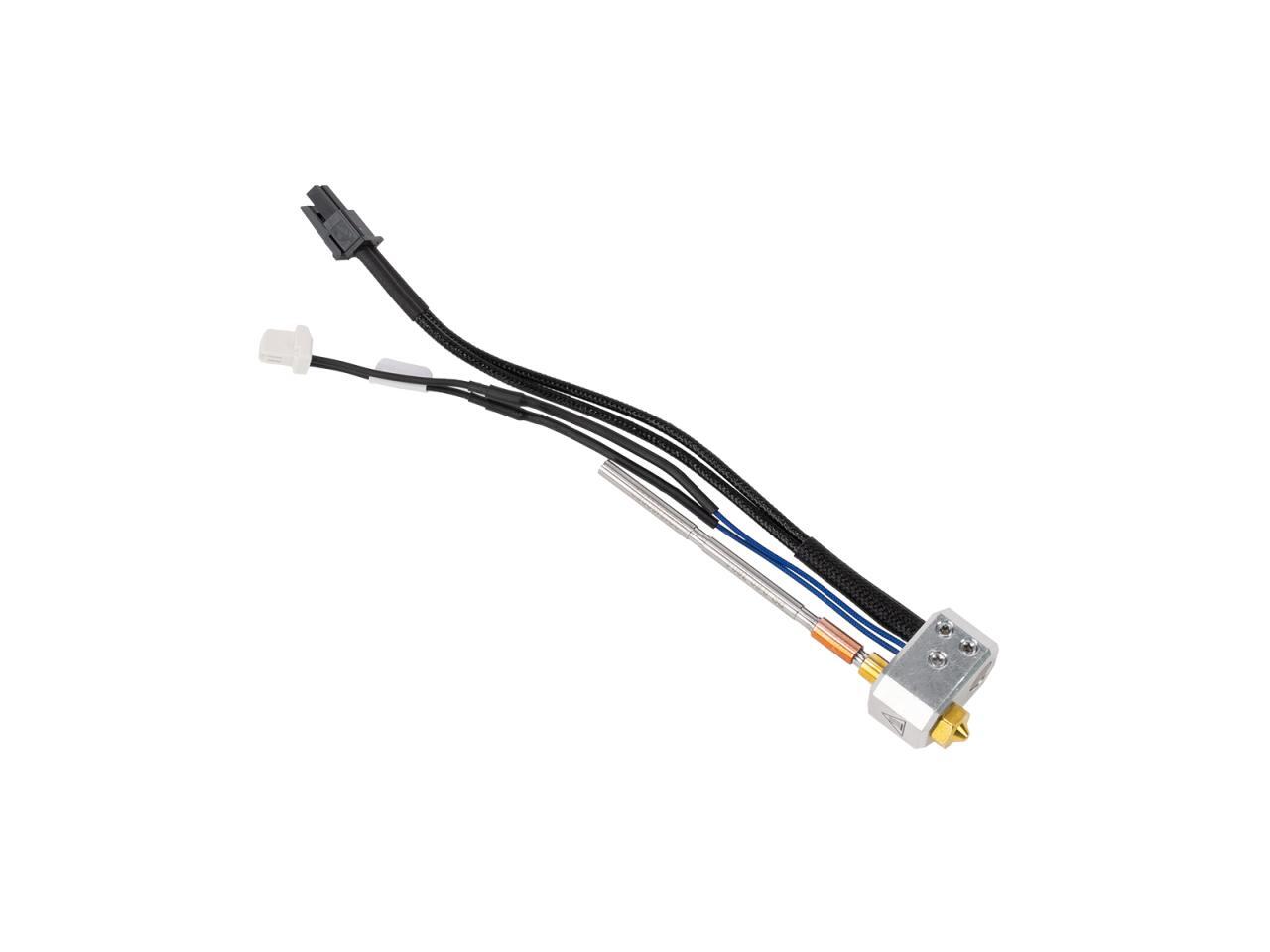
Understanding how a hotend clog forms and how to identify it visually is a crucial step in resolving the issue. This section will guide you through the internal workings of a hotend, the common causes of blockages, and how to recognize the signs of a troubled nozzle. We’ll also provide a visual breakdown of a popular clearing method.
Hotend Clog Formation and Internal Structure
A 3D printer hotend is a marvel of engineering, designed to precisely melt and extrude filament. It consists of several key components: the heatsink, heat break, heater block, and nozzle. The heatsink dissipates heat away from the upper section, preventing filament from softening prematurely. The heat break acts as a thermal barrier, allowing heat to be precisely controlled within the heater block.
The heater block houses the heating element and thermistor, bringing the filament to its melting point. Finally, the nozzle, with its precisely sized orifice, shapes the molten plastic into the desired layer.Clogs typically occur when filament softens too high in the heat break or when debris contaminates the filament path. Common culprits include:
- Filament Debris: Small particles or impurities within the filament can accumulate and obstruct the nozzle.
- Incomplete Filament Melting: If the heater block doesn’t reach the optimal temperature for the filament type, or if there are fluctuations, the filament can become partially solidified and jam.
- Heat Creep: When heat travels too far up into the heat break, it can cause filament to soften and expand in an area where it’s not designed to, leading to a blockage. This is often exacerbated by inadequate heatsink cooling.
- Poor Quality Filament: Inconsistent filament diameter or impurities can lead to jams.
- Printing Too Fast or Too Cold: Extruding filament faster than it can melt, or at too low a temperature, can cause a backlog.
Imagine a clear plastic tube representing the filament path. As filament travels through, if it encounters a sticky residue (like partially melted plastic from a previous print or a foreign particle), subsequent filament can adhere to it, gradually building up a blockage. If this buildup reaches the narrow opening of the nozzle, extrusion becomes difficult or impossible.
Visual Guide to the Cold Pull Method
The cold pull, also known as a filament pull or heat pull, is an effective method for removing clogs by essentially creating a plug that grabs and pulls out the obstruction. This method is best visualized as a multi-step process.
- Heat the Hotend: First, heat the hotend to a temperature slightly higher than the melting point of the filament currently loaded. This ensures the filament within the hotend is sufficiently soft to be pulled.
- Manually Push Filament: Once heated, attempt to manually push a small amount of filament through the nozzle. This helps to ensure the filament is molten and can bond with the clog.
- Cool Down the Hotend: Allow the hotend to cool down to a temperature where the filament is still pliable but has begun to solidify. For PLA, this is typically around 90-120°C, and for ABS, it might be slightly higher. The exact temperature depends on the filament type and can be found through experimentation.
- Firmly Pull Filament: Grasp the filament firmly and pull it upwards and out of the hotend. You should feel a significant amount of resistance as the solidified plug, now containing the clog, is extracted.
- Inspect the Pulled Filament: Examine the end of the filament you’ve pulled out. It should have a tapered shape, and embedded within it, you will often see debris, burnt filament, or the material that caused the clog. This visual confirmation indicates the method is working.
- Repeat if Necessary: If the clog is stubborn or extensive, you may need to repeat the process several times until the pulled filament comes out clean.
Visual Cues of a Clogged Nozzle
Identifying a partially or fully clogged nozzle often involves observing the behavior of the extruded filament and the printer’s performance.
- Under-extrusion: This is a primary indicator of a partial clog. You’ll notice thin, weak lines of filament being extruded, or gaps in the printed layers. The print may appear stringy or have a rough surface texture.
- No Filament Extrusion: If the nozzle is completely clogged, no filament will come out at all, even when the extruder motor is actively pushing.
- Grinding Extruder Gears: The extruder motor might make a clicking or grinding sound as it tries to push filament through a blockage, unable to overcome the resistance.
- Blobbing or Oozing: In some cases, a partial clog can cause filament to ooze out unevenly or blob onto the nozzle, indicating pressure buildup.
- Inconsistent Layer Height: A partially clogged nozzle can lead to inconsistent extrusion, resulting in uneven layer heights and a generally poor-quality print.
- Stringing: While stringing can have other causes, a slight clog can sometimes contribute to filament being pulled back unevenly, leading to wispy strands between printed parts.
Visually, a clogged nozzle might appear to have burnt filament stuck to its tip, or the opening might seem obscured by hardened plastic. When you attempt to manually push filament through a partially clogged nozzle, it will come out inconsistently, perhaps in thin wisps or with significant effort. A fully clogged nozzle will resist any manual extrusion attempts.
Material-Specific Clearing Strategies
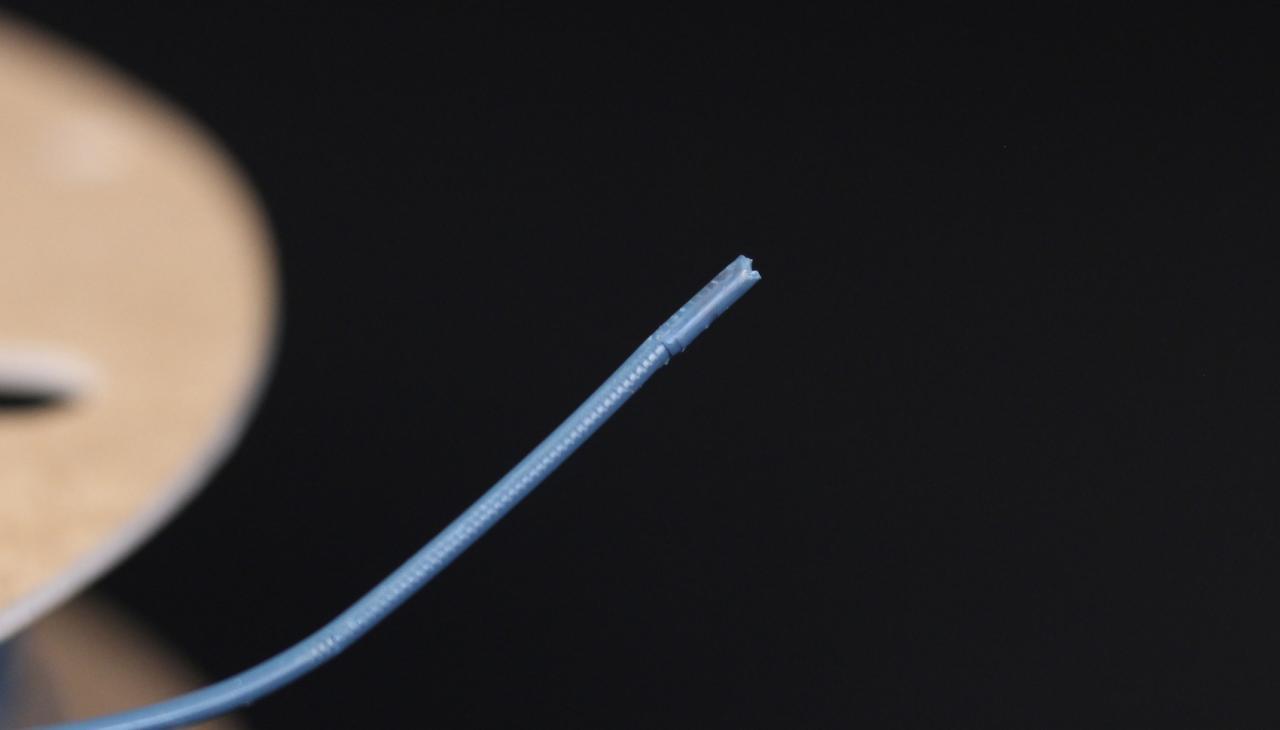
Different filament types possess unique thermal properties and chemical compositions, necessitating tailored approaches to effectively clear a clogged hotend. Understanding these nuances is crucial for minimizing damage to your printer and ensuring a swift return to printing. This section will explore specific strategies for common filament materials, addressing their unique challenges.
Filament Type Hotend Clog Clearing Comparison
A comparative overview of clearing strategies for popular filament types highlights their distinct requirements and recommended actions. This table provides a quick reference for choosing the most appropriate method based on the material currently causing the blockage.
| Filament Type | Primary Clearing Strategy | Temperature Considerations | Potential Challenges | Recommended Tools/Materials |
|---|---|---|---|---|
| PLA | Cold Pull, Needle Cleaning | Lower printing temperature (190-220°C). Allow hotend to cool slightly for cold pull. | Can become brittle when overheated, making removal difficult. | Nylon filament for cold pull, acupuncture needles, brass brush. |
| ABS | Heat Soak, Needle Cleaning | Higher printing temperature (230-260°C). Maintain elevated temperature for heat soak. | Prone to charring and carbonization at high temperatures. | Nylon filament for cold pull (if possible), acupuncture needles, isopropyl alcohol (for external cleaning). |
| PETG | Heat Soak, Needle Cleaning, Cold Pull (less common) | Intermediate printing temperature (220-250°C). Balance temperature for softening and avoiding degradation. | Can be stringy and sticky, making needle cleaning challenging. | Nylon filament for cold pull, acupuncture needles, PTFE tube cleaner. |
Flexible Filament Clog Challenges and Solutions
Flexible filaments, such as TPU and TPE, present unique difficulties when hotends become clogged due to their inherent elasticity and lower melting points. These materials can deform and stretch rather than break or melt cleanly, leading to stubborn blockages.One of the primary challenges with flexible filaments is their tendency to adhere to the nozzle interior and heat break. When attempting to push filament through a clog, flexible materials can deform and create a larger, more difficult-to-remove blockage.
Furthermore, if the temperature is too high, they can become excessively soft and gooey, making it challenging to get a clean grip for a cold pull or needle extraction.The most effective approach often involves a careful combination of temperature control and gentle manipulation.
- Precise Temperature Control: Print at the lower end of the recommended temperature range for the specific flexible filament. This helps the material soften without becoming overly viscous.
- Slow Cold Pulls: If performing a cold pull, use a filament like nylon or PLA. Heat the hotend slightly above the flexible filament’s melting point, then retract the cleaning filament slowly and steadily. The goal is to have the cleaning filament solidify around the clog and pull it out as it cools.
- Needle Cleaning with Caution: When using a needle, heat the hotend to the lower end of the flexible filament’s range and gently probe the nozzle opening. Avoid excessive force, as this can push the softened material further into the hotend.
- Partial Extrusion and Retraction: Sometimes, extruding a small amount of filament and then immediately retracting it can help dislodge minor clogs by creating a slight vacuum effect.
High-Temperature Filament Hotend Clog Resolution
High-temperature filaments, including materials like Nylon, Polycarbonate (PC), and PEEK, operate at significantly elevated temperatures, which can lead to carbonization and a more robust type of clog. These materials are designed for durability and strength, and their resistance to heat means clogs can be more difficult to break down.The primary concern with high-temperature filaments is the potential for them to char and form a hard, carbonized plug within the nozzle or heat break.
This carbonized material is resistant to melting and can be extremely difficult to remove with standard methods.Effective strategies for clearing clogs with these materials often involve sustained heat and specialized cleaning techniques.
- Extended Heat Soak: Allow the hotend to remain at the higher end of the filament’s printing temperature for an extended period (e.g., 30 minutes to an hour). This helps to soften any residual material and can sometimes break down minor carbonization.
- High-Temperature Cold Pulls: Use a high-temperature resistant filament, such as nylon or even a specialized cleaning filament designed for high temperatures, for cold pulls. The process is similar to lower-temperature filaments but requires the hotend to reach and maintain higher temperatures for effective adhesion and removal.
- Chemical Solvents (with extreme caution): For severe carbonization, some users explore chemical solvents that can break down burnt plastic. However, this is a risky procedure and should only be attempted with extreme caution, ensuring proper ventilation and using solvents compatible with the hotend materials. Always research specific solvent compatibility before attempting.
- Nozzle Replacement: In cases of severe, unresolvable carbonization, replacing the nozzle is often the most practical and efficient solution.
Clog Resolution Checklist for Different Filament Types
To streamline the process of addressing hotend clogs based on the filament type, this checklist provides a structured approach. It emphasizes the initial steps and then guides you towards more advanced or material-specific techniques if the initial methods are unsuccessful.
- Identify the Filament Type: Determine the last filament used that caused the clog. This is the most critical first step.
- Initial Temperature Check:
- PLA: Heat to 190-210°C.
- ABS: Heat to 230-250°C.
- PETG: Heat to 220-240°C.
- Flexible (TPU/TPE): Heat to the lower end of its recommended range (e.g., 210-230°C).
- High-Temp (Nylon/PC): Heat to the lower end of its recommended range (e.g., 240-260°C for Nylon).
- Attempt Needle Cleaning:
- Gently insert a fine needle (e.g., acupuncture needle) into the nozzle opening.
- Wiggle gently to dislodge any protruding material.
- Caution: Avoid forcing the needle, especially with flexible filaments, as this can worsen the clog.
- Execute a Cold Pull:
- PLA/PETG: Use nylon filament. Heat to ~200-220°C for PLA, ~230-240°C for PETG. Insert cleaning filament, let it cool for 1-2 minutes, then firmly and quickly pull it out.
- ABS: Use nylon filament. Heat to ~240-260°C. Insert cleaning filament, let it cool for 1-2 minutes, then firmly and quickly pull it out.
- Flexible: Use nylon or PLA. Heat slightly above the flexible filament’s melting point. Insert cleaning filament, let it cool, then pull slowly and steadily.
- High-Temp: Use high-temp resistant filament (e.g., nylon). Heat to a temperature that allows the cleaning filament to bond well. Let cool and pull.
- Heat Soak (especially for ABS/High-Temp):
- Maintain the hotend at the filament’s upper printing temperature for an extended period (30-60 minutes).
- Attempt needle cleaning or a cold pull again after the soak.
- Advanced/Material-Specific Steps:
- Flexible: Focus on gentle cold pulls and precise temperature.
- High-Temp: Consider specialized high-temperature cleaning filaments or, as a last resort, nozzle replacement if carbonization is severe.
- Nozzle Replacement: If all other methods fail, particularly with carbonized high-temperature filaments, replacing the nozzle is the most reliable solution.
Epilogue
By thoroughly understanding the causes, preparing adequately, and employing the various clearing methods discussed, you can confidently overcome hotend clogs and ensure your 3D printing endeavors continue without interruption. Remember, proactive maintenance and informed material selection are your best allies in preventing future issues, allowing you to focus on bringing your creative visions to life with precision and reliability.