Embark on an exciting journey into the world of tabletop gaming with our comprehensive guide on “How to Print Miniatures for Tabletop Gaming.” This exploration promises an engaging start, inviting you to discover the intricate art of bringing your favorite characters and creatures to life in stunning detail.
We will delve into the fundamental principles of 3D printing, guiding you through the selection of the perfect printer and materials, and mastering the digital preparation and printing processes. From understanding different technologies like FDM and resin printing to the nuances of post-processing and troubleshooting, this guide equips you with the knowledge to create impressive miniatures for your gaming adventures.
Understanding the Basics of Miniature Printing
Embarking on the journey of 3D printing miniatures for tabletop gaming opens up a world of customization and creative potential. At its core, miniature printing involves translating digital 3D models into physical objects layer by layer, using various materials and technologies. This process allows hobbyists to create unique characters, terrain, and accessories that bring their games to life in ways never before possible.
Understanding the fundamental principles behind this technology is the first crucial step towards successful miniature production.The fundamental principle of 3D printing, also known as additive manufacturing, is the sequential deposition of material to build a three-dimensional object from a digital design. Unlike traditional subtractive manufacturing, which removes material from a larger block, 3D printing adds material precisely where it is needed.
This layer-by-layer approach is particularly well-suited for the intricate details and complex geometries often found in miniature models.
3D Printing Technologies for Miniature Production
Several 3D printing technologies are suitable for miniature production, each offering distinct advantages and disadvantages for hobbyists. The two most prevalent and accessible technologies for this purpose are Fused Deposition Modeling (FDM) and Stereolithography (SLA), with Digital Light Processing (DLP) being a closely related and often discussed alternative.
Fused Deposition Modeling (FDM)
FDM printing involves extruding thermoplastic filament through a heated nozzle, which melts and deposits the material layer by layer onto a build platform. This technology is known for its affordability and the wide range of available filament materials, including PLA, ABS, and PETG.
- Advantages: FDM printers are generally more budget-friendly to purchase and operate. They are robust, easier to maintain, and the filament materials are readily available and come in a vast array of colors. The larger build volumes often found in FDM printers can be beneficial for printing multiple miniatures or larger terrain pieces simultaneously.
- Disadvantages: The primary drawback of FDM for miniatures is its resolution. The layer lines, inherent to the extrusion process, can be visible on smaller, highly detailed models, requiring significant post-processing (sanding, filling, and priming) to achieve a smooth finish. While improving, achieving the ultra-fine detail required for some miniatures can be challenging compared to resin printing.
Resin Printing (SLA/DLP)
Resin printing technologies, including Stereolithography (SLA) and Digital Light Processing (DLP), utilize liquid photopolymer resins that are cured and solidified by a light source. SLA printers use a UV laser to trace the image of each layer, while DLP printers use a digital projector to flash an entire layer image at once.
- Advantages: Resin printers excel in producing exceptionally high-detail miniatures. The layer lines are virtually invisible, resulting in smooth surfaces and incredibly sharp details, making them ideal for capturing the nuances of character faces, intricate armor, and delicate weaponry. The accuracy and precision offered by resin printing are unparalleled for small-scale models.
- Disadvantages: Resin printers and materials are typically more expensive than their FDM counterparts. The printing process can be messier due to the liquid resin, and post-processing involves washing the prints in isopropyl alcohol and curing them under UV light. Resin fumes can also be a concern, requiring good ventilation and personal protective equipment. Furthermore, resin prints can be more brittle than FDM prints depending on the resin used.
Essential Components of a 3D Printer Setup for Miniature Work
A successful miniature 3D printing setup requires more than just the printer itself. Several ancillary components and considerations are crucial for optimizing print quality, ensuring safety, and streamlining the post-processing workflow.A well-equipped miniature printing station should include the following essential elements:
- 3D Printer: The core of the setup, chosen based on the desired technology (FDM or Resin) and budget. For miniatures, resin printers are often favored for detail, while FDM can be a more accessible entry point.
- Filament (for FDM) or Resin (for SLA/DLP): The raw material used to create the prints. For FDM, PLA is a popular choice for beginners due to its ease of use and low warping. For resin, a high-detail or standard resin is typically used.
- Build Platform/Bed: The surface onto which the 3D print is built. This needs to be level and clean for successful adhesion. Some FDM printers have heated beds to improve adhesion and reduce warping. Resin printer build plates are typically metal.
- Slicing Software: This software converts your 3D model (STL or OBJ file) into machine-readable instructions (G-code for FDM, specific file formats for resin). Popular options include Cura, PrusaSlicer, and ChiTuBox. This software is where you set print parameters like layer height, infill, supports, and print speed.
- Post-Processing Tools: These are essential for finishing your prints. For FDM, this includes flush cutters, sandpaper, files, and potentially a rotary tool. For resin, you’ll need nitrile gloves, safety glasses, a well-ventilated area, a wash station (often a small tub with isopropyl alcohol or denatured alcohol), curing station (UV lamp or sunlight), and potentially a dental pick for support removal.
- Ventilation and Safety Equipment: Particularly critical for resin printing. A well-ventilated workspace, such as a dedicated hobby room or a ventilated enclosure, is necessary to manage resin fumes. Nitrile gloves and safety glasses are mandatory to prevent skin contact and eye exposure to uncured resin.
Choosing the Right 3D Printer for Miniatures
Selecting the appropriate 3D printer is a pivotal step in embarking on your miniature printing journey. The market offers a diverse range of technologies, each with its own strengths and weaknesses, particularly when it comes to the intricate details required for tabletop gaming miniatures. Understanding these differences will empower you to make an informed decision that aligns with your budget, desired print quality, and technical comfort level.This section will delve into the primary printer technologies relevant to miniature printing, Artikel key factors to consider during your selection process, and emphasize the crucial role of maintenance in achieving consistent, high-quality results.
FDM vs. Resin Printers for Hobbyist Miniature Printing
The two most prevalent 3D printing technologies for hobbyists are Fused Deposition Modeling (FDM) and Stereolithography (SLA), often referred to as resin printing. While both can produce printable objects, their suitability for miniatures differs significantly.
FDM Printers:
FDM printers work by extruding melted thermoplastic filament layer by layer. They are generally more affordable to purchase and operate, with filament being less expensive than resin. FDM printers also tend to have larger build volumes, making them versatile for printing larger objects or multiple miniatures simultaneously. However, the layer lines inherent in the FDM process can be quite noticeable on small, detailed miniatures, often requiring significant post-processing, such as sanding and filling, to achieve a smooth finish suitable for painting.
Resin Printers:
Resin printers, such as SLA and Digital Light Processing (DLP), use a liquid photopolymer resin that is cured by a light source (laser or projector) layer by layer. This process allows for incredibly fine detail and smooth surfaces, making them the preferred choice for printing highly detailed miniatures. The resolution achievable with resin printers far surpasses that of most FDM printers, resulting in sharp edges, subtle textures, and intricate facial features that are essential for lifelike miniatures.
The trade-offs include higher material costs, the need for specialized post-processing (washing and curing), and the handling of potentially messy and hazardous resins. Ventilation and personal protective equipment are also more critical with resin printing.
Factors to Consider When Selecting a 3D Printer
The ideal 3D printer for your miniature printing needs will depend on a combination of technical specifications, your budget, and your willingness to engage in post-processing. Carefully evaluating these aspects will guide you towards the most suitable technology and model.Here are the key factors to consider:
- Resolution and Detail: For miniatures, resolution is paramount. Look for printers that offer a high XY resolution (the precision of movement in the horizontal plane) and a small layer height (the thickness of each printed layer). Resin printers generally excel here, with XY resolutions often below 0.05mm and layer heights as low as 0.01mm, enabling the capture of incredibly fine details.
- Build Volume: While miniatures are small, a larger build volume provides flexibility. It allows you to print multiple miniatures at once, reducing printing time and increasing efficiency. For most hobbyists, a build volume of 120 x 68 x 150 mm (typical for many resin printers) is sufficient for standard-sized miniatures. FDM printers typically offer much larger build volumes.
- Print Speed: Print speed is influenced by both the printer technology and the complexity of the model. Resin printers can be faster for detailed prints due to their parallel curing process, but the total print time is often determined by the height of the print. FDM print speed is more directly related to the complexity of the model and the speed at which the print head moves.
- Ease of Use and Setup: Consider your comfort level with technology. Some printers come with user-friendly interfaces and simplified setup processes, while others may require more technical expertise. Resin printers often have a steeper learning curve due to the handling of materials and post-processing requirements.
- Cost of Printer and Materials: Entry-level FDM printers can be found for as little as $200-$300, while capable resin printers typically start around $300-$400 and can go up significantly for higher-end models. Filament for FDM printing is generally more affordable than photopolymer resin. Factor in the ongoing cost of resin, isopropyl alcohol (for washing), gloves, and protective gear for resin printing.
- Software and Slicing: The printer’s accompanying slicing software is crucial for preparing your models for printing. Look for software that is intuitive, offers good control over print settings, and is compatible with your operating system. Most printers come with proprietary slicers, but some support third-party options.
The Importance of Printer Maintenance for Consistent Print Quality
Consistent print quality is not solely dependent on the printer’s specifications; regular and proper maintenance plays a vital role in achieving reliable results. Neglecting maintenance can lead to print failures, reduced detail, and a shorter printer lifespan.Regular maintenance ensures that all components of your 3D printer are functioning optimally. For FDM printers, this includes cleaning the print bed, lubricating the motion system, and checking the nozzle for clogs.
For resin printers, it involves cleaning the resin vat, ensuring the FEP film is free of debris, and calibrating the build plate.A well-maintained printer will:
- Reduce the likelihood of print failures.
- Maintain the sharpness and accuracy of printed details.
- Extend the lifespan of critical components.
- Ensure predictable and repeatable print outcomes.
Checklist of Features for a Miniature-Focused 3D Printer
To assist you in your selection, here is a checklist of features that are particularly beneficial for printing miniatures.
When evaluating potential printers, consider the following:
- High XY Resolution: For resin printers, aim for 0.05mm or better. For FDM, while more limited, look for printers known for fine detail capabilities.
- Low Layer Height Capability: Resin printers should be capable of layer heights of 0.01mm to 0.05mm.
- Stable Build Plate: A robust and level build plate is essential for adhesion and preventing warping.
- Reliable Light Source (for Resin): Consistent UV light output is crucial for uniform curing and detail.
- Adequate Build Volume: Sufficient space to print multiple miniatures or slightly larger terrain pieces.
- Easy-to-Clean Components: Particularly important for resin printers, where resin cleanup is a regular task.
- User-Friendly Slicing Software: Intuitive software that allows for precise control over supports and orientation.
- Good Community Support: Access to online forums, tutorials, and troubleshooting resources can be invaluable.
- Enclosed Design (Optional but Recommended for Resin): Helps to maintain a stable printing environment and contain fumes.
- Good Ventilation System (for Resin): Essential for safely handling resins and ensuring a healthy printing environment.
Selecting Appropriate Materials for Miniature Printing
Choosing the right resin is a crucial step in achieving high-quality miniature prints. The properties of different resins directly impact the detail, durability, and finish of your models. Understanding these differences will help you select the material best suited for your gaming needs and printing capabilities.The world of 3D printing resins can seem complex, but for tabletop gaming miniatures, the choices generally fall into a few key categories, each with its own advantages and ideal applications.
These categories are defined by their chemical composition and how they react to UV light, influencing the physical properties of the cured print.
Types of Resins and Their Properties
Resins are liquid photopolymers that harden when exposed to specific wavelengths of UV light. For miniature printing, the most common types are standard, tough, and flexible resins, each offering distinct characteristics that influence the final print.
Standard Resins
Standard resins are the most common and cost-effective option for miniature printing. They offer excellent detail reproduction and a smooth surface finish, making them ideal for capturing intricate details on figures and terrain. However, they can be brittle and prone to breaking if dropped or handled roughly.
Tough Resins
Tough resins are formulated to mimic the properties of ABS plastic, offering increased durability and impact resistance compared to standard resins. These are excellent for miniatures that will see a lot of handling or for components that need to withstand stress, such as weapon arms or flexible joints. While they offer improved toughness, they may sometimes sacrifice a small degree of fine detail compared to standard resins.
Flexible Resins
Flexible resins are designed to bend and deform without breaking. This property is particularly useful for creating components like character bases with integrated terrain, flexible clothing, or any part that needs to absorb impact or conform to a surface. They often require careful handling during printing and post-processing to achieve optimal flexibility.
Post-Processing Requirements for Different Resin Types
All 3D printed resin miniatures require post-processing, which typically involves washing to remove uncured resin and curing under UV light to fully harden the material. However, the specifics can vary slightly depending on the resin type.
Washing
After printing, miniatures must be thoroughly washed to remove any uncured liquid resin. Isopropyl alcohol (IPA) or specialized resin cleaners are commonly used for this purpose. It is essential to ensure all residual resin is removed, as this can affect the curing process and the final surface finish. For tough and flexible resins, ensuring a complete wash is especially important to prevent uncured material from compromising their intended properties.
Curing
Post-curing with UV light is critical for achieving the full mechanical properties of the resin. Standard resins benefit from a thorough cure to ensure they are hard and ready for painting. Tough resins require adequate curing to reach their maximum strength and impact resistance. Flexible resins also need to be cured, but over-curing can sometimes make them more brittle, so following the manufacturer’s recommendations is key.The curing process typically involves placing the washed print in a UV curing station or under a UV lamp for a specified duration.
Some printers have integrated curing stations, while others require a separate unit.
Recommended Resin Brands for Tabletop Gaming Miniatures
Numerous resin brands cater to the 3D printing market, and many have developed formulations specifically suited for the fine details required in tabletop gaming miniatures. When selecting a brand, consider factors like price, detail fidelity, durability, and ease of use.Here is a list of reputable resin brands often recommended by tabletop gamers and 3D printing enthusiasts for their quality and performance:
- Elegoo: Known for its wide range of resins, including standard, tough, and water-washable options. Their “Standard Resin” and “ABS-like Resin” are popular choices for miniatures due to their excellent detail and durability.
- Anycubic: Offers a variety of resins that provide good detail and color options. Their “Standard Resin” and “ABS-like Resin” are well-regarded for miniature printing.
- Siraya Tech: This brand is highly praised for its “ABS-like Resin,” which offers exceptional toughness and detail, making it a favorite for printing miniatures that need to withstand regular handling. They also offer specialized resins like “Sculpt” for high-detail models.
- Phrozen: Phrozen offers several resin lines, including their “Aqua” series, which is known for its high detail and low odor. Their “Rock-Solid” resins provide enhanced toughness for durable prints.
- Creality: While known for their printers, Creality also produces resins, including standard and tough formulations, that are generally well-received for their balance of cost and performance.
When exploring these brands, always check the specific product descriptions to ensure the resin’s properties align with your printing goals. Many brands also offer different color options, which can sometimes influence print settings or the visibility of fine details during post-processing.
Preparing Digital Models for Printing
Once you have selected your miniature and the appropriate printer and materials, the next crucial step is to prepare your digital model for the printing process. This involves several key stages that ensure a successful and high-quality print, from orienting the model correctly to generating the necessary support structures. Proper preparation minimizes print failures and maximizes the detail captured by your 3D printer.
The Printing Process: From Slicer to Object
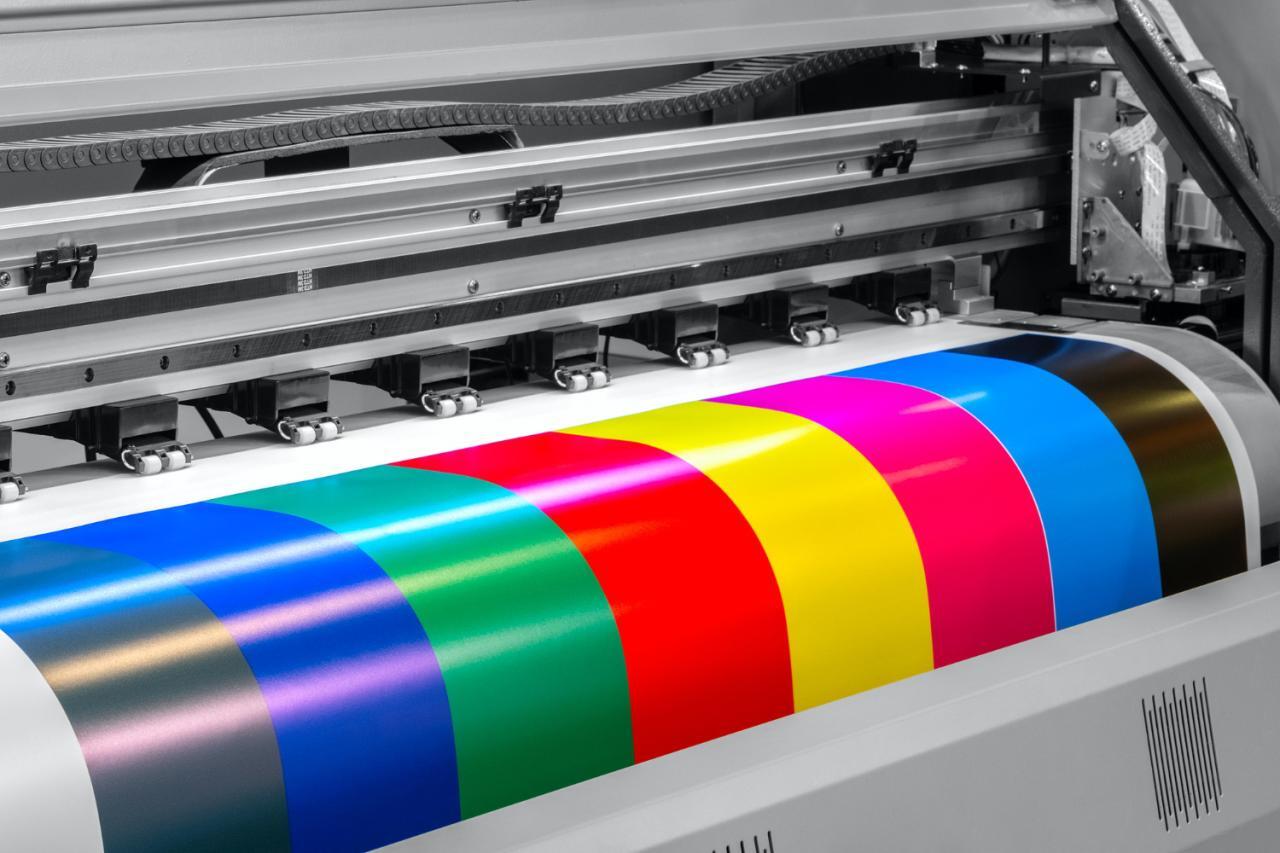
Having meticulously prepared your digital models and selected the right printer and materials, the next crucial step is bringing those virtual designs into the physical realm. This involves a series of well-defined stages, each contributing to the successful creation of your tabletop miniatures. Understanding and executing these steps correctly will minimize frustration and maximize the quality of your printed models.The transition from a digital file to a tangible object is orchestrated through specialized software and a series of precise actions on your 3D printer.
This section will guide you through the essential stages of this process, ensuring a smooth and successful printing experience.
Transferring Sliced Files to the 3D Printer
Once your 3D model has been sliced into layers by your slicing software, the resulting G-code file needs to be transferred to your 3D printer. The method of transfer will depend on the specific features of your printer.Common transfer methods include:
- SD Card/USB Drive: Many desktop 3D printers accept files directly from an SD card or USB flash drive. After slicing, save the G-code file to the drive, then insert it into the printer’s designated slot and select the file from the printer’s interface to begin printing.
- Wi-Fi/Network Connection: More advanced printers may offer Wi-Fi or Ethernet connectivity. This allows you to send the sliced file directly from your computer to the printer over your local network, often through a dedicated app or web interface.
- USB Cable Connection: Some printers can be connected directly to a computer via a USB cable. This enables real-time control and file transfer through specialized printer control software, such as Pronterface or OctoPrint.
Calibration and Bed Leveling for Successful Prints
The foundation of any successful 3D print lies in proper printer calibration and, most critically, bed leveling. A perfectly leveled print bed ensures that the first layer adheres uniformly, preventing common issues like warping and detachment.The importance of bed leveling cannot be overstated:
- First Layer Adhesion: A level bed ensures that the nozzle is at a consistent distance from the build plate across its entire surface. This allows the molten filament to be extruded evenly and adhere securely to the build surface, forming a stable base for the rest of the print.
- Print Quality: Inconsistent first layers lead to uneven surfaces, poor detail, and can even cause the print to fail entirely. A well-leveled bed contributes significantly to the overall quality and accuracy of the miniature.
- Reduced Print Failures: Warping, curling, and prints detaching from the bed are frequently caused by an unlevel build plate. Proper leveling minimizes these risks, saving time and material.
Calibration also extends to other printer settings, such as:
- E-steps Calibration: Ensures that the extruder motor pushes the correct amount of filament.
- Flow Rate/Extrusion Multiplier: Fine-tunes the amount of filament extruded to prevent over- or under-extrusion.
- Temperature Calibration: Verifies that the nozzle and bed reach and maintain the set temperatures accurately.
Best Practices for Initiating and Monitoring Print Jobs
Starting a print job is more than just pressing “start.” Following best practices ensures a higher likelihood of a successful print and helps in identifying issues early.Essential practices for print initiation and monitoring include:
- Pre-Print Checklist: Before initiating a print, perform a quick check of your printer. Ensure the build plate is clean, the filament is loaded correctly, and there are no obstructions around the nozzle.
- Visual Inspection of the First Layer: The first layer is a critical indicator of print success. Closely observe the extrusion of the first layer to ensure it is smooth, consistent, and adheres well to the build plate. If issues are apparent, it’s often best to stop the print and re-level the bed or adjust settings.
- Regular Monitoring: While not every print requires constant supervision, periodic checks are highly recommended, especially for longer prints. Look for any signs of filament tangles, layer shifts, or unexpected noises.
- Utilize Camera Monitoring (if available): If your printer has a built-in camera or you’ve set up a remote monitoring system like OctoPrint, use it to check on the print progress without being physically present. This is invaluable for detecting problems early.
- Maintain a Print Log: Keeping a record of your print settings, materials used, and the outcome can be extremely helpful for troubleshooting and replicating successful prints.
Common Printing Errors and Their Solutions
Even with careful preparation, printing errors can occur. Understanding these common issues and their potential causes allows for quick diagnosis and resolution.Here are some prevalent printing errors and their remedies:
| Error | Description | Solution |
|---|---|---|
| Warping | The corners or edges of the print lift off the build plate. |
|
| Stringing/Oozing | Fine strands of filament are left between separate parts of the model. |
|
| Layer Shifting | Layers are misaligned, causing the print to be distorted. |
|
| Under-extrusion | The filament is not being extruded sufficiently, resulting in gaps and weak layers. |
|
| Over-extrusion | Too much filament is being extruded, leading to blobbing and loss of detail. |
|
Workflow for Batch Printing Multiple Miniatures
For tabletop gamers, printing multiple miniatures efficiently is key to populating armies or gaming groups. A well-defined batch printing workflow can save significant time and effort.An optimized workflow for batch printing involves:
- Model Preparation: Ensure all desired miniatures are oriented correctly on the build plate. For resin printers, consider how supports will be attached to multiple models simultaneously. For FDM printers, arrange them to maximize build plate utilization while considering print head travel.
- Slicing: Slice all models together in a single print job. Adjust layer height and infill as needed for the entire batch. Pay attention to the overall print time and ensure it is feasible for your printer and material.
- Printer Setup: Carefully level the build plate and ensure it is clean. Load your filament or prepare your resin vat.
- Print Initiation: Start the print job and closely monitor the first layer to confirm good adhesion across all models.
- Batch Monitoring: Periodically check the print progress. For long batch prints, consider using remote monitoring tools to avoid unnecessary physical presence.
- Post-Processing: Once the print is complete, carefully remove the miniatures from the build plate. For resin prints, proceed with washing and curing. For FDM prints, remove supports and perform any necessary finishing.
When batch printing, it is advisable to conduct a test print with a single miniature first to validate your settings before committing to a larger batch. This helps identify any potential issues with the chosen settings or the printer’s performance before wasting time and material on a full batch.
Post-Processing Techniques for Enhanced Miniatures
Once your miniature has been successfully printed, the journey to a tabletop-ready piece is not quite over. Post-processing is a crucial stage that transforms a raw 3D print into a smooth, paintable surface, significantly enhancing the final aesthetic and durability of your miniatures. This phase involves several key steps, each contributing to the overall quality and detail of the finished model.This section will guide you through the essential post-processing techniques, from initial cleaning to preparing your miniature for the vibrant world of painting.
Mastering these steps will elevate your miniature painting experience and showcase the true potential of your 3D prints.
Washing and Curing Resin Prints
Resin 3D prints require specific post-processing steps to remove uncured resin and solidify the printed object. This is vital for both safety and the longevity of the print. Uncured resin can be a skin irritant, and proper curing ensures the miniature reaches its maximum strength and stability.The washing process removes any residual uncured resin from the surface and any crevices of the miniature.
This is typically done using isopropyl alcohol (IPA) or a specialized resin cleaner. It’s important to ensure all uncured resin is removed, as it can interfere with adhesion of paint and primers. Curing, on the other hand, uses UV light to further solidify the resin, making the miniature hard and durable. This is usually achieved using a UV curing station or even direct sunlight.Here are the general steps for washing and curing:
- Preparation: Wear nitrile gloves and work in a well-ventilated area. Have a container for washing and a curing station or a sunny spot ready.
- Washing: Submerge the printed miniature in a container filled with isopropyl alcohol (IPA) or a resin cleaner. Gently agitate the container or use a soft brush to clean all surfaces and intricate details. For best results, perform a two-stage wash: a first wash to remove the bulk of the resin, followed by a second wash with fresh IPA for a thorough clean.
- Drying: After washing, allow the miniature to air dry completely or gently pat it dry with a paper towel. Ensure no IPA or cleaning solution remains, as this can affect curing.
- Curing: Place the washed and dried miniature under a UV light source. This can be a dedicated UV curing station with a turntable for even exposure, or direct sunlight on a clear day. The curing time will vary depending on the resin type and the strength of the UV source, but typically ranges from a few minutes to half an hour.
Rotate the miniature periodically to ensure all sides are exposed to the UV light.
Removing Support Structures
Support structures are essential during the printing process to prevent overhangs from collapsing, but they must be removed carefully to avoid damaging the miniature. The goal is to achieve clean removal that leaves minimal marks or imperfections on the model’s surface.The method of support removal often depends on the type of supports used (e.g., standard, tree, or dissolvable) and the material of the miniature.
For most standard supports, a combination of tools is employed. Patience and a gentle touch are key to achieving the best results.Methods for clean support removal include:
- Initial Snapping: For larger, less delicate supports, you might be able to gently snap them off with your fingers or pliers.
- Flush Cutters/Hobby Knife: Use sharp flush cutters or a hobby knife to carefully trim away supports flush with the miniature’s surface. Work in small increments, cutting away a little at a time.
- Needle-Nose Pliers: These are useful for gripping and gently twisting or pulling away smaller, stubborn supports.
- Heat Gun (with caution): For some resins, a brief application of a heat gun on a low setting can slightly soften the support material, making it easier to remove. However, use this method with extreme caution to avoid deforming the miniature.
- Sanding/Filing: After initial removal, small nubs or marks may remain. These can be addressed in the sanding stage.
Sanding and Filling Minor Imperfections
Even with careful support removal, minor blemishes such as small nubs, layer lines (especially on FDM prints), or small gaps can be present. Sanding and filling are essential techniques to create a smooth surface ideal for painting.Sanding involves using abrasive materials to gently smooth out these imperfections. Filling is used to cover small gaps or divots that sanding alone cannot resolve.
The choice of filler and sanding grit depends on the size and nature of the imperfection.A methodical approach to sanding and filling is recommended:
- Initial Assessment: Examine the miniature under good lighting to identify all areas that require attention.
- Sanding: Start with a coarser grit sandpaper (e.g., 200-400 grit) to remove larger imperfections and support marks. Progress to finer grits (e.g., 600-1000 grit or higher) to achieve a smooth finish. Wet sanding, using water with sandpaper, can help reduce dust and provide a smoother result, especially with finer grits.
- Filling: For small gaps or deep scratches, use a modeling putty or a specialized filler designed for 3D prints. Apply the filler sparingly, let it cure according to the manufacturer’s instructions, and then sand it smooth to match the surrounding surface.
- Repeat as Necessary: For significant imperfections, you may need to repeat the filling and sanding process multiple times.
- Final Smoothing: After filling and sanding, a final pass with very fine grit sandpaper or a sanding sponge can ensure a uniformly smooth surface.
Application of Primers
Priming is a critical step that prepares the miniature’s surface for paint. A primer acts as a bonding agent, ensuring that subsequent layers of paint adhere properly and evenly. Without primer, paint can bead up, chip off easily, or have an uneven finish, especially on resin or certain plastic surfaces. Primers also help to reveal any remaining imperfections that might have been missed during the sanding and filling stages.Priming serves several key purposes:
- Adhesion: It creates a uniform surface that paint can adhere to effectively.
- Surface Uniformity: It covers minor blemishes and creates a consistent color base.
- Detail Enhancement: A good primer can subtly highlight surface details, making them easier to see and paint.
- Color Base: It provides a neutral or colored base coat that influences the final colors of your miniature. Black primers can enhance contrast and depth, while white primers make colors appear brighter, and grey primers offer a balanced middle ground.
The most common methods for applying primer are spray cans and airbrushing.
Spray Priming:
This is a popular and relatively quick method.
- Preparation: Shake the primer can vigorously for at least two minutes. Work in a well-ventilated area, preferably outdoors, and protect the surrounding surfaces.
- Application: Hold the can about 8-12 inches away from the miniature. Apply short, sweeping bursts of primer, moving the can continuously. Avoid applying too much primer in one go, as this can obscure details.
- Multiple Coats: It is better to apply several thin coats than one thick coat. Allow each coat to dry for a few minutes before applying the next.
Airbrush Priming:
This method offers greater control and a finer finish.
- Preparation: Thin the primer to the appropriate consistency for your airbrush. Ensure your airbrush is clean.
- Application: Hold the airbrush at a consistent distance from the miniature and use smooth, even passes. Adjust air pressure and paint flow for optimal coverage.
- Coverage: Similar to spray cans, aim for thin, even coats to avoid obscuring details.
Sequence of Post-Processing Steps for a Polished Finish
To achieve a truly polished and professional look for your miniatures, a logical and sequential approach to post-processing is essential. Following these steps in order ensures that each stage effectively prepares the miniature for the next, leading to a superior final result.Here is a recommended sequence for post-processing:
- Support Removal: Begin by carefully removing all support structures using appropriate tools. Prioritize precision to minimize damage to the miniature’s surface.
- Washing (Resin Prints): Thoroughly wash resin prints with isopropyl alcohol or a dedicated cleaner to remove uncured resin.
- Curing (Resin Prints): Expose resin prints to UV light to fully cure and harden the material.
- Initial Sanding: Use coarser grit sandpaper to remove any remaining support nubs, mold lines, or significant surface imperfections.
- Filling Imperfections: Apply modeling putty or filler to any gaps, scratches, or divots. Allow the filler to cure completely.
- Secondary Sanding: Sand the filled areas smooth, blending them seamlessly with the surrounding surface. Progress to finer grit sandpaper to achieve a smooth finish across the entire miniature.
- Detailing (Optional): For advanced users, fine detailing tools or files can be used to refine specific areas or add subtle textures.
- Wipe Down: Clean the miniature with a damp cloth or compressed air to remove all sanding dust and debris.
- Priming: Apply a thin, even coat of primer using a spray can or airbrush. Allow the primer to dry thoroughly.
- Inspection: After priming, carefully inspect the miniature under good lighting. This is the last chance to identify any missed imperfections that may require further sanding or filling before painting begins.
Troubleshooting Common Printing Issues
Even with the best preparation and equipment, 3D printing miniatures can sometimes present challenges. Understanding and addressing common printing issues is a crucial skill for any tabletop gamer looking to produce high-quality models. This section will guide you through identifying and resolving frequent problems encountered during the miniature printing process.By learning to diagnose and fix these issues, you can significantly improve your print success rate, save on material costs, and achieve the detailed results you desire for your gaming collection.
We will cover problems specific to both FDM and resin printing, providing practical solutions.
Layer Adhesion Failures and Stringing
Layer adhesion failures occur when subsequent layers of filament do not bond properly to the layer below, leading to weak prints that can easily break apart. Stringing, on the other hand, is characterized by fine, wispy strands of plastic that stretch between different parts of the model, creating a messy appearance. These issues can stem from several factors related to temperature, retraction settings, and filament quality.To address layer adhesion failures, consider the following adjustments:
- Temperature: Ensure your nozzle temperature is within the recommended range for your specific filament. Too low a temperature can prevent proper melting and bonding. Conversely, excessively high temperatures can lead to oozing and stringing.
- Print Speed: Slower print speeds can sometimes improve layer adhesion by allowing more time for the plastic to bond.
- Cooling: While cooling is essential for overhangs, excessive part cooling can sometimes hinder layer adhesion. Experiment with reducing the fan speed slightly for the initial layers or throughout the print.
For stringing, focus on these settings:
- Retraction Settings: This is the most common culprit for stringing. Ensure your retraction distance and speed are optimized. A good starting point for retraction distance is typically 5-7mm, and for speed, 40-60mm/s. Fine-tune these values through calibration prints.
- Travel Speed: Increasing travel speed can help the nozzle move faster between print areas, reducing the chance of filament oozing.
- Wipe Settings: Some slicers offer a “wipe” or “coast” feature that can help reduce stringing by retracting filament just before the nozzle lifts or moves.
- Filament Dryness: Moist filament can cause inconsistent extrusion and contribute to stringing. Ensure your filament is properly dried before use.
Under-extrusion and Over-extrusion with FDM Printers
Under-extrusion results in gaps between printed lines and a generally weak, under-filled model, while over-extrusion leads to blobs, poor detail, and potential dimensional inaccuracies. Both are directly related to the amount of filament being pushed through the nozzle.To resolve under-extrusion:
- E-steps Calibration: This is a fundamental step. Calibrate your extruder’s E-steps to ensure it is pushing the correct amount of filament. This involves commanding the extruder to feed a specific length of filament and measuring how much it actually feeds.
- Filament Diameter: Verify that the filament diameter set in your slicer matches the actual diameter of your filament. Most filaments are 1.75mm, but slight variations can occur.
- Nozzle Clog: A partial nozzle clog can restrict filament flow. Try a cold pull or use a nozzle cleaning needle.
- Print Temperature: Ensure the print temperature is high enough to allow the filament to flow freely.
To fix over-extrusion:
- Flow Rate/Extrusion Multiplier: Reduce the flow rate or extrusion multiplier in your slicer settings. A common starting point is 100% or 1.0, but you may need to decrease this by 5-10%.
- E-steps Calibration: Re-verify your E-steps calibration.
- Nozzle Size: Ensure the nozzle size set in your slicer accurately reflects the physical nozzle installed on your printer.
Failed Prints on Resin Printers and Stuck Supports
Resin printers can also encounter specific issues, with failed prints often manifesting as either nothing printing, incomplete layers, or models detaching from the build plate. Stuck supports are another common annoyance, making model removal difficult and potentially damaging the print.To address failed prints on resin printers:
- Exposure Times: Incorrect exposure times are a primary cause of failure. Too little exposure leads to weak adhesion to the FEP film and build plate, while too much can cause over-curing and detail loss. Consult your resin manufacturer’s recommendations and perform calibration tests (like the Ameralabs Town or Cones of Calibration) to dial in optimal exposure settings.
- Lift Speed and Distance: If your print is detaching from the build plate, consider increasing the lift speed and distance to give the resin more time to flow back into the gap between the print and the FEP.
- Build Plate Adhesion: Ensure your build plate is clean and level. Lightly sanding the build plate can also improve adhesion.
- FEP Film: Check the FEP film for any damage or residue. A damaged FEP can lead to print failures.
- Resin Temperature: Resin performance can be affected by temperature. Ensure your resin is at the recommended temperature for printing.
For issues with stuck supports:
- Support Placement and Density: Experiment with different support types (e.g., light, medium, heavy) and densities. Ensure supports are placed strategically to provide adequate stability without being overly difficult to remove.
- Exposure of Supports: Slightly increasing the exposure time for supports can sometimes make them more robust, but be careful not to over-cure, which can fuse them to the model.
- Hollowing and Drain Holes: If you are printing hollow models, ensure adequate drain holes are present to allow uncured resin to escape. This can also reduce suction forces.
- Post-Curing: While not a direct fix for stuck supports, proper post-curing can sometimes make supports easier to break away cleanly once the print is fully cured.
Print Warping and Prevention
Print warping occurs when the corners or edges of a 3D print lift off the build plate during printing. This is typically caused by uneven cooling and the resulting internal stresses within the plastic. Warping is more prevalent with FDM printing due to the layer-by-layer deposition of molten plastic.Factors contributing to print warping include:
- Bed Adhesion: Poor adhesion to the build plate is a major cause. If the first layer doesn’t stick well, the subsequent layers will have nothing to hold onto.
- Temperature Differences: Significant temperature differences between the hotbed, the extruded plastic, and the surrounding air can create thermal stress.
- Material Properties: Some filament materials, like ABS, are more prone to warping than others (e.g., PLA) due to their higher thermal expansion coefficients.
- Cooling Fan Speed: Aggressive cooling, especially in the early stages of printing, can cause rapid contraction and warping.
To prevent print warping:
- Build Plate Adhesion: Use adhesion aids such as a brim, raft, or glue stick. Ensure your build plate is clean and properly leveled. Consider using a heated bed, especially for materials prone to warping.
- Enclosure: For FDM printers, using an enclosure helps maintain a stable, warm environment around the print, reducing temperature fluctuations and preventing drafts.
- Bed Temperature: Maintain an appropriate heated bed temperature for your filament. For PLA, 50-60°C is common; for ABS, 90-110°C is often required.
- Print Orientation: Sometimes, orienting the model differently on the build plate can minimize stress points.
- Cooling Fan Control: Ensure the cooling fan is off or set to a very low speed for the first few layers, and gradually increase it as needed.
Troubleshooting Flowchart for Common Miniature Printing Problems
To provide a systematic approach to resolving issues, consider the following troubleshooting flowchart. This flowchart helps diagnose problems by guiding you through a series of questions and potential solutions.
| Problem Observed | Initial Checks / Questions | Potential Solutions / Next Steps |
|---|---|---|
| Print Fails to Start or Adhere to Build Plate (Resin) | Is the build plate clean and level? | Clean build plate with IPA. Re-level the build plate. |
| Are exposure times appropriate for the resin? | Consult resin manufacturer’s data. Perform calibration prints (e.g., Cones of Calibration). | |
| Is the FEP film damaged or dirty? | Inspect FEP film. Clean or replace if necessary. | |
| Print Fails to Start or Adhere to Build Plate (FDM) | Is the bed level and clean? | Re-level the print bed. Clean with isopropyl alcohol. |
| Is the first layer sticking properly? | Adjust Z-offset. Use adhesion aids (brim, raft, glue stick). | |
| Is the bed temperature correct for the filament? | Verify and adjust bed temperature settings in the slicer. | |
| Layer Adhesion Failures (FDM) | Is the nozzle temperature within the recommended range? | Increase nozzle temperature slightly. |
| Is the filament dry? | Dry the filament in a filament dryer or oven. | |
| Is the cooling fan speed too high? | Reduce part cooling fan speed, especially for initial layers. | |
| Are retraction settings too aggressive? | Slightly reduce retraction distance or speed. | |
| Stringing (FDM) | Are retraction settings optimized? | Increase retraction distance and/or speed. |
| Is the filament dry? | Dry the filament. | |
| Is the travel speed sufficient? | Increase travel speed. | |
| Under-extrusion (FDM) | Have E-steps been calibrated? | Perform E-steps calibration. |
| Is the nozzle partially clogged? | Perform a cold pull or use a cleaning needle. | |
| Is the filament diameter setting correct in the slicer? | Verify filament diameter in slicer matches actual filament. | |
| Over-extrusion (FDM) | Is the flow rate (extrusion multiplier) set correctly? | Reduce flow rate by 5-10%. |
| Have E-steps been calibrated? | Re-verify E-steps calibration. | |
| Warping (FDM) | Is build plate adhesion sufficient? | Use brim/raft. Ensure bed is clean and level. |
| Is the print environment stable? | Use an enclosure. Avoid drafts. | |
| Is the bed temperature appropriate? | Ensure bed temperature is set correctly for the material. | |
| Failed Supports / Detached Prints (Resin) | Are support structures adequately placed and dense? | Increase support density. Adjust support tip size and angle. |
| Are lift speeds and distances optimized? | Increase lift speed and/or distance. | |
| Is the model hollowed with sufficient drain holes? | Add or enlarge drain holes. |
Acquiring and Using Digital Miniature Files
The journey into 3D printing miniatures for tabletop gaming truly begins with obtaining the digital sculpts themselves. These intricate designs are the blueprints for your physical creations, and their quality and suitability directly impact the success of your printing endeavors. This section will guide you through the process of finding, evaluating, and legally using these digital assets.The digital realm offers a vast landscape for acquiring 3D printable miniature files, ranging from free community contributions to professionally sculpted premium models.
Understanding where to look and how to assess these files is crucial for building a diverse and high-quality miniature collection.
Reputable Sources for 3D Printable Miniature Files
Numerous platforms cater to the growing demand for 3D printable miniature files, each offering unique collections and community features. These sources are generally well-regarded for their quality, variety, and commitment to supporting creators.Here are some of the most reputable sources for acquiring 3D printable miniature files:
- MyMiniFactory: This platform is a curated marketplace known for its high-quality 3D printable files, often featuring exclusive designs from talented artists. They emphasize printability and community feedback.
- Thingiverse: As one of the largest repositories of 3D printable designs, Thingiverse offers a massive selection of free models, including many miniatures. While the quality can vary, it’s an excellent starting point for budget-conscious hobbyists.
- Cults3D: Cults3D is another popular marketplace where artists sell their digital sculpts. It features a good balance of free and paid models, with a strong emphasis on artistic quality and unique designs.
- Patreon: Many independent 3D artists and studios use Patreon to offer their work directly to subscribers. This often includes exclusive monthly releases, early access to new models, and sometimes even the entire back catalog of a creator. This is a fantastic way to support artists directly and gain access to a continuous stream of new miniatures.
- Gambody: While not exclusively for miniatures, Gambody offers highly detailed 3D printable models, including many inspired by popular video games and movies, which often translate well into tabletop miniatures.
- Tribes (by MyMiniFactory): Similar to Patreon, Tribes allows creators to offer exclusive content and monthly releases to their supporters, fostering a direct connection between artists and their patrons.
Licensing and Usage Rights for Digital Sculpts
When you acquire a digital sculpt, it’s essential to understand the terms under which you are permitted to use it. Digital sculpts are intellectual property, and their creators retain specific rights. Familiarizing yourself with common licensing terms will prevent potential issues and ensure you are using the files ethically and legally.The concept of licensing is fundamental to the digital distribution of 3D models.
It dictates how you can use, modify, and share the files you download or purchase.
A license is a legal agreement that grants specific permissions to the user for the use of copyrighted material. For 3D printable files, licenses typically define whether you can print for personal use, sell prints, or modify the original design.
Common licensing terms include:
- Personal Use Only: This is the most restrictive license, allowing you to print the model for your own personal enjoyment but prohibiting any commercial use, such as selling prints or including them in a service.
- Commercial Use Allowed: This license permits you to sell physical prints of the model. However, it may come with stipulations, such as requiring attribution to the original artist or limiting the number of prints you can sell. Always check the specific terms.
- Attribution Required: Many licenses, even those allowing commercial use, require you to credit the original artist when you display or sell prints of their work. This is a common and respectful practice.
- Non-Commercial: Similar to “Personal Use Only,” this prohibits any sale or profit derived from the model or its prints.
- No Derivatives: This license prevents you from modifying the original sculpt. You can print it as is, but you cannot alter the design.
Always read the license agreement carefully before downloading or purchasing any digital sculpt. Most reputable marketplaces and creators clearly state the licensing terms associated with their files.
Searching for Specific Types of Miniatures
The vastness of available digital miniatures can sometimes make finding exactly what you’re looking for a challenge. Employing effective search strategies can significantly streamline your discovery process, whether you’re seeking a specific character class, a particular faction, or a thematic set.To efficiently locate the miniatures you desire, consider the following search techniques and s:
- Use Specific s: Instead of broad terms like “fantasy,” try “dwarf warrior,” “elf ranger,” “orc shaman,” “knight with sword,” or “dragonborn paladin.” For sci-fi, consider “space marine,” “alien trooper,” “robot drone,” or “cyberpunk hacker.”
- Include Game or Setting References: If you’re looking for miniatures compatible with a specific game, include the game’s name in your search, such as “Warhammer fantasy goblin” or “Dungeons and Dragons beholder.”
- Specify Model Type: Differentiate between “hero miniature,” “unit miniature,” “monster miniature,” “vehicle miniature,” or “terrain piece.”
- Combine Terms: Use multiple s to narrow your search, for example, “female barbarian axe” or “sci-fi infantry squad.”
- Filter by Style: Many platforms allow you to filter by artistic style, such as “chibi,” “realistic,” “grimdark,” or “stylized.”
- Explore Collections and Bundles: Look for curated collections or bundles offered by artists, which often group miniatures by theme, faction, or campaign.
Popular Online Marketplaces and Communities
Beyond individual artist pages, thriving online marketplaces and communities serve as central hubs for 3D model enthusiasts. These platforms not only offer a wide array of files but also foster interaction, knowledge sharing, and collaborative creativity.Engaging with these communities can provide inspiration, technical advice, and access to exclusive content. Here are some of the most popular online destinations:
- Reddit: Subreddits like r/3Dprinting, r/PrintedMinis, r/miniaturespainting, and specific game-related subreddits are excellent places to discover new models, see community prints, and ask questions.
- Discord: Many 3D printing communities and individual artists have dedicated Discord servers. These offer real-time chat, file sharing, and direct interaction with creators and fellow hobbyists.
- Facebook Groups: Numerous Facebook groups are dedicated to 3D printing, tabletop gaming, and specific miniature manufacturers or sculptors. These can be valuable for finding local printing services, sharing your work, and discovering new files.
- CGTrader: This marketplace offers a wide variety of 3D models, including many printable miniatures, with options for both free and paid downloads.
- TurboSquid: While often geared towards professional 3D artists, TurboSquid also has a substantial collection of printable models, including some highly detailed miniatures.
Evaluating the Printability of a Digital Model
Before committing to downloading or purchasing a digital miniature file, it is prudent to assess its potential printability. Not all digital sculpts are created equal in terms of their suitability for 3D printing, and a quick evaluation can save you time and frustration.A well-designed printable model considers the limitations and capabilities of 3D printing technology. Here is a guide to help you evaluate a digital model’s printability:
| Aspect to Evaluate | What to Look For | Potential Issues and Solutions |
|---|---|---|
| Wall Thickness | Thin elements (swords, spears, fingers) should have sufficient thickness to withstand printing and handling. Look for models where these are either robust or have been designed with printability in mind (e.g., slightly thicker). | Issue: Extremely thin parts may break during printing or post-processing. Solution: If the model is provided in parts, you might be able to scale up problematic sections. Some slicers offer thickening tools, but results can vary. |
| Overhangs and Supports | Models with excessive steep overhangs (angles greater than 45-60 degrees) will require significant support structures, which can be difficult to remove cleanly and may mar the surface. | Issue: Complex overhangs lead to poor print quality and difficult support removal. Solution: Look for models that are pre-supported or designed to minimize overhangs. If not, assess if the model can be printed in multiple pieces and oriented strategically. |
| Detail Level vs. Printer Resolution | Consider the level of detail in the sculpt relative to your printer’s resolution. Extremely fine details may not resolve well on FDM printers and might be better suited for resin printers. | Issue: Fine details are lost or appear blobby. Solution: For FDM, focus on models with slightly larger, bolder details. For resin, you can often get away with much finer details. |
| Manifold Errors (Watertightness) | A printable 3D model must be “watertight,” meaning it has no holes or internal faces. Most slicers will flag these errors. | Issue: Slicers cannot process non-manifold meshes, leading to printing failures. Solution: Reputable sources usually provide error-free models. If errors are present, you may need to use mesh repair software (e.g., Meshmixer, Netfabb). |
| Model Orientation and Assembly | How will the model be oriented on the build plate? Is it designed to be printed in multiple parts that can be assembled later? | Issue: Printing a large, complex model in one piece can lead to print failures due to supports or orientation. Solution: Favor models that are already keyed or designed for multi-part printing. This allows for optimal orientation of each component. |
| File Format | Ensure the model is provided in a standard format like .STL or .OBJ, which are compatible with most slicer software. | Issue: Unfamiliar or proprietary file formats. Solution: Stick to commonly supported formats. |
By carefully considering these factors, you can significantly increase your chances of a successful and satisfying 3D printing experience, transforming digital designs into tangible treasures for your tabletop adventures.
Advanced Printing Techniques and Customization
Beyond the fundamental steps of preparing and printing miniature models, there are several advanced techniques that can elevate your tabletop gaming experience. These methods allow for greater creativity, material efficiency, and the creation of truly unique figures and environments. Exploring these techniques will unlock new possibilities for personalizing your armies and dioramas.This section delves into methods for combining digital assets, crafting bespoke bases and terrain, optimizing resin usage, employing color strategically, and leveraging the full potential of your slicing software.
By mastering these advanced concepts, you can transform your 3D printing hobby into an art form.
Combining Multiple STL Files
The ability to merge separate digital models is a powerful tool for creating entirely new and customized miniatures. This process involves importing individual STL files into 3D modeling or sculpting software and then combining them into a single, cohesive object. This is essential for kitbashing digital assets, adding custom accessories, or even constructing larger, more complex figures from smaller components.When combining files, it is crucial to ensure proper alignment and scaling to achieve a natural and visually appealing result.
Many 3D modeling programs offer tools for snapping objects together, rotating them precisely, and ensuring their sizes are consistent with each other. The goal is to create a unified mesh that can be printed as a single piece, or if necessary, in multiple parts that fit together seamlessly.
Creating Custom Bases and Terrain Elements
Personalized bases and terrain pieces can significantly enhance the narrative and visual appeal of your tabletop games. Creating custom bases allows you to represent specific environments, add thematic details, or even incorporate functional elements like built-in storage for small accessories. Terrain elements, from rocky outcrops to ruined structures, can transform a flat gaming surface into an immersive battlefield.The process typically begins with designing the base or terrain element in 3D modeling software.
This can range from simple geometric shapes to highly detailed sculpts. For bases, you might incorporate textures like cracked earth, cobblestones, or water effects. Terrain can be designed to represent natural formations, architectural ruins, or futuristic structures. Once designed, these elements can be printed, painted, and integrated with your miniatures or placed on the gaming table to create dynamic environments.
Hollow Printing for Resin Models
Hollow printing, particularly for resin 3D models, is a technique that significantly reduces material consumption and print times. Instead of printing a solid object, the internal structure is emptied, leaving only a thin shell. This is especially beneficial for larger miniatures or models with substantial internal volume.The key to successful hollow printing is to ensure that the model has drainage holes.
These holes are essential for allowing uncured resin to escape during the printing process and for facilitating thorough cleaning after printing. Without adequate drainage, trapped resin can lead to print failures, adhesion issues, and difficulty in post-processing. Slicing software often provides tools to automatically hollow models and add support structures and drainage holes.
Properly placed drainage holes are critical for successful hollow resin prints, preventing internal pressure buildup and ensuring complete cleaning.
Using Different Resin Colors for Specific Effects
The choice of resin color can dramatically impact the final appearance of your miniatures, even before painting. Different colors can be used to achieve specific visual effects, highlight details, or create a particular mood for your models. For instance, translucent resins can be used for magical effects or energy sources, while dark or metallic resins can provide a base for weathered or armored figures.Experimenting with color can also inform your painting process.
Printing a miniature in a base color that complements your intended paint scheme can sometimes simplify the painting workflow. Furthermore, some advanced techniques involve using multiple resin colors within a single print if your printer supports multi-material capabilities, allowing for pre-colored details or gradients.
Advanced Features in Slicing Software
Modern slicing software offers a wealth of advanced features that allow for fine-tuning print settings to achieve optimal results for miniature printing. These features provide granular control over the printing process, enabling users to overcome common challenges and push the boundaries of detail and accuracy.Here is a list of advanced features commonly found in slicing software and their applications for miniature printing:
- Variable Layer Height: This allows for different layer heights in different parts of the model. For example, finer detail layers can be used on the face and intricate parts of a miniature, while thicker layers can be used on less detailed areas like the base, saving print time without sacrificing quality.
- Support Optimization: Beyond basic auto-supports, advanced slicers offer detailed control over support placement, density, and type (e.g., tree supports vs. standard supports). This is crucial for delicate miniatures to prevent failures while minimizing visible marks on the model.
- Anti-Aliasing and Smoothing: These features help to reduce the visible “stair-stepping” effect of layer lines, resulting in smoother surfaces and sharper details. Different levels of anti-aliasing can be applied to fine-tune the visual output.
- Hollowing and Drainage Hole Placement: As discussed previously, dedicated tools for hollowing models and automatically generating strategically placed drainage holes are invaluable for resin printing efficiency.
- Rafts, Skirts, and Brims: Advanced settings for these adhesion aids allow for precise control over their size, shape, and density, which can be critical for ensuring the first layer adheres well to the build plate, especially for models with small contact points.
- Exposure Time Calibration Tools: Some slicers integrate or recommend calibration models and routines to help users dial in the perfect exposure times for their specific resin and printer, leading to more consistent and successful prints.
- Model Repair and Preparation Tools: Features like mesh repair, hole filling, and manifold checking can automatically fix common issues in STL files, ensuring they are printable and preventing slicer errors.
Closure
As we conclude our deep dive into “How to Print Miniatures for Tabletop Gaming,” you are now equipped with the essential knowledge to transform digital designs into tangible, tabletop-ready figures. From selecting the right technology and materials to perfecting your prints and overcoming common challenges, the path to creating your own unique miniature collection is now clear and achievable, promising countless hours of enhanced gaming and creative satisfaction.