As How to Set Up Proper Ventilation for Your 3D Printer takes center stage, this opening passage beckons readers into a world crafted with good knowledge, ensuring a reading experience that is both absorbing and distinctly original. Understanding the critical importance of proper ventilation is the first step towards a safer and more enjoyable 3D printing experience.
This guide delves into the necessity of managing airborne particles and fumes emitted by various 3D printing materials, exploring their potential health and environmental impacts. We will illuminate the sources of these emissions within your printer and discuss effective strategies for their containment and removal.
Understanding the Need for 3D Printer Ventilation
Operating a 3D printer, especially for extended periods or with certain materials, can lead to the emission of various airborne particles and fumes. Proper ventilation is not merely a recommendation but a crucial aspect of safe and healthy 3D printing practice. It ensures that the air you breathe remains clean and free from potentially harmful substances generated during the printing process.
This section will delve into why ventilation is essential, the specific emissions to be aware of, and the associated health and environmental implications.The primary reasons for adequate ventilation stem from the direct impact of 3D printer emissions on both personal well-being and the overall indoor environment. Ignoring this aspect can compromise the health of the printer operator and others in the vicinity, as well as contribute to a decline in indoor air quality, potentially affecting the longevity of electronic equipment and the general comfort of the living or working space.
Airborne Particles and Fumes from 3D Printing Materials
Different 3D printing filaments release distinct types and quantities of volatile organic compounds (VOCs) and ultrafine particles (UFPs) when heated. Understanding these emissions is the first step in addressing ventilation needs.Commonly used 3D printing materials and their associated emissions include:
- Polylactic Acid (PLA): While often considered a safer option due to its plant-based origin, PLA still emits VOCs, including acetaldehyde and formaldehyde, and UFPs. The levels are generally lower than with ABS, but still significant enough to warrant consideration, especially in poorly ventilated areas.
- Acrylonitrile Butadiene Styrene (ABS): ABS is known for releasing higher concentrations of VOCs, notably styrene, which is a suspected carcinogen. It also emits a noticeable odor and a significant amount of UFPs.
- Polyethylene Terephthalate Glycol (PETG): PETG falls somewhere between PLA and ABS in terms of emissions. It releases VOCs such as aldehydes and ketones, along with UFPs. The odor is generally less pronounced than ABS.
- Nylon and Polycarbonate: These engineering-grade filaments can release more complex and potentially more harmful VOCs, along with a substantial number of UFPs, due to their higher printing temperatures.
Health Risks of Prolonged Exposure to 3D Printer Emissions
The airborne particles and fumes released by 3D printers can pose various health risks, particularly with prolonged or repeated exposure in an enclosed environment without adequate ventilation. The scientific community is increasingly researching the long-term effects of these emissions.Potential health risks associated with exposure include:
- Respiratory Irritation: Inhaling VOCs and UFPs can irritate the nose, throat, and lungs, leading to symptoms like coughing, wheezing, and shortness of breath. Individuals with pre-existing respiratory conditions, such as asthma, may be more susceptible.
- Headaches and Nausea: Certain VOCs, like styrene from ABS, are known to cause headaches, dizziness, and nausea.
- Allergic Reactions: Some individuals may develop allergic reactions to the airborne compounds emitted by the printing process.
- Long-Term Health Concerns: While research is ongoing, some studies suggest potential links between prolonged exposure to certain VOCs and more serious health issues, including neurological effects and an increased risk of certain cancers, due to their carcinogenic properties.
It is important to note that the concentration of these emissions can vary greatly depending on the material, print temperature, print speed, and the size of the print.
Environmental Impact on Indoor Air Quality
The unchecked release of 3D printer fumes can significantly degrade the quality of indoor air, impacting not only the immediate printing area but potentially spreading throughout a home or office. This degradation can have a cumulative effect on the living or working environment.The environmental impact on indoor air quality is characterized by:
- Increased VOC Levels: The accumulation of VOCs in an enclosed space can lead to elevated levels that exceed recommended safety guidelines for indoor air. This can create an unhealthy atmosphere.
- Particulate Matter Accumulation: UFPs can remain suspended in the air for extended periods, contributing to the overall particulate matter load. This can affect visibility and create a general feeling of stuffiness.
- Odor Nuisance: While not directly a health hazard in all cases, strong odors from certain filaments can be unpleasant and indicative of higher VOC concentrations.
- Potential for Material Degradation: In some cases, high concentrations of certain chemicals in the air might, over very long periods, contribute to the degradation of other sensitive materials or electronics within the environment.
Implementing proper ventilation strategies is a proactive measure to mitigate these risks and maintain a healthier indoor environment for everyone.
Identifying Common 3D Printer Fume Sources
Understanding where 3D printer fumes originate is crucial for effective ventilation. While the entire printing process can contribute, several key components are the primary generators of airborne particles and volatile organic compounds (VOCs). By pinpointing these sources, you can better implement targeted ventilation strategies.The process of extruding plastic filament involves significant heat, and it’s within this heated environment that many fumes are released.
Recognizing these specific points of origin allows for a more informed approach to ensuring a safe and healthy printing space.
Heating Element and Nozzle Contribution
The heating element and nozzle are central to the extrusion process, reaching temperatures high enough to melt thermoplastic filaments. As the filament passes through this hot zone, its molecular structure undergoes changes, leading to the release of various chemical compounds into the air. The specific composition of these fumes depends heavily on the type of filament being used. For instance, ABS (Acrylonitrile Butadiene Styrene) is known to release styrene, a known VOC, when heated.
PLA (Polylactic Acid), while generally considered safer, can still release small amounts of lactic acid and other compounds.
The higher the extrusion temperature and the longer the filament is exposed to it, the greater the potential for fume generation.
Print Bed Temperature and VOC Release
Beyond the nozzle, the heated print bed also plays a role in fume generation, particularly with certain filament types. Many filaments are designed to adhere well to the print surface when heated, and this heat can cause the filament itself, or any coatings or additives within it, to release VOCs. This is especially true for filaments that are not pure polymers, but rather contain plasticizers, colorants, or other agents to achieve specific properties.
Even filaments like ABS, which release significant fumes from the nozzle, can also off-gas from the heated bed.
Cooling Fan Dispersal of Particles and Fumes
Cooling fans are essential for successful 3D printing, as they rapidly solidify extruded plastic to ensure accurate layer adhesion and prevent warping. However, their function also inadvertently contributes to fume dispersal. As fumes and fine particles are released from the hot nozzle and print bed, the cooling fans actively circulate the air within the print area. This circulation can spread these airborne substances throughout the immediate vicinity of the printer, making them more likely to be inhaled if not properly managed.
Enclosure Concentration of Airborne Substances
For 3D printers equipped with enclosures, these structures can inadvertently act as containment vessels for fumes. While an enclosure can help maintain a stable print temperature and reduce drafts, it also traps the airborne particles and VOCs released during printing. This concentration effect means that if ventilation is not actively managed within or around the enclosure, the air inside can become significantly more laden with potentially harmful substances.
This highlights the importance of ensuring that any enclosure is part of a well-designed ventilation system, rather than simply a passive barrier.
Designing and Implementing a Basic Ventilation System
Now that we understand the necessity and sources of fumes, let’s move on to the practical aspect of creating a ventilation solution. Building a basic exhaust system for your 3D printer is achievable with readily available components and a few simple steps. This section will guide you through the design, material selection, and implementation of a straightforward DIY ventilation setup.A well-designed and implemented ventilation system is crucial for safely removing airborne contaminants generated during 3D printing.
This involves creating an enclosed or semi-enclosed space around your printer and directing the fumes away from your workspace. We will Artikel a process that prioritizes simplicity and effectiveness for a home or small workshop environment.
Step-by-Step Procedure for Creating a Simple Exhaust System
Creating an effective exhaust system involves several key stages, from assembly to final connection. Following these steps will ensure your system is built correctly and functions as intended.
- Prepare the Enclosure: If you have an enclosure for your 3D printer, identify or create an opening for the exhaust tubing. If you don’t have an enclosure, consider a simple solution like a large cardboard box or a custom-built acrylic box with a suitable vent.
- Mount the Fan: Securely attach your duct fan to the enclosure or a nearby surface. Ensure the fan is oriented to push airout* of the enclosure. Many duct fans have mounting brackets or can be secured with screws or zip ties.
- Connect the Tubing to the Fan: Attach one end of your flexible duct tubing to the outlet of the duct fan. Use a hose clamp or strong tape to ensure a secure, airtight seal.
- Connect the Tubing to the Printer Area: Route the other end of the duct tubing towards your 3D printer. Position the opening of the tubing close to the print area, ideally at the top of the enclosure, to capture the rising fumes effectively. Again, ensure a snug fit or use tape to seal any gaps if connecting to a specific vent in a more elaborate enclosure.
- Secure the Tubing: Ensure the tubing is routed safely, away from moving parts of the printer and any heat sources. Use zip ties or clips to keep it in place.
- Power the Fan: Connect the duct fan to a suitable power source. Ensure the fan operates when your printer is in use.
Materials Required for a DIY Ventilation Setup
Gathering the right materials is essential for a successful DIY project. The following list includes common and accessible components for building a basic exhaust system.
Bill of Materials
| Item | Description | Estimated Cost (USD) |
|---|---|---|
| Duct Fan | In-line duct fan (e.g., 4-inch diameter) with appropriate airflow rating (CFM). | $20 – $50 |
| Flexible Duct Tubing | Insulated or non-insulated flexible duct tubing, matching the fan’s diameter. Length depends on your setup. | $10 – $30 |
| Hose Clamps | Metal hose clamps to secure tubing to the fan and any other connection points. | $2 – $5 |
| Duct Tape or Sealant | High-quality duct tape or silicone sealant for ensuring airtight connections. | $5 – $10 |
| Power Supply/Adapter | Appropriate power adapter for your duct fan (often included or specified by the fan manufacturer). | $10 – $20 |
| Enclosure (Optional) | Cardboard box, acrylic sheets, or a pre-made 3D printer enclosure. | $0 – $100+ |
| Zip Ties/Clips | For securing tubing and cables. | $1 – $5 |
Safely Connecting Exhaust Tubing to an External Ventilation Point
The goal of ventilation is to remove fumes from your immediate environment. This requires directing the exhaust safely outside your building or into a dedicated ventilation system.Proper connection to an external point prevents recirculating harmful fumes back into your living or working space. For a basic setup, this typically involves venting through a window or a wall.
- Window Venting: If venting through a window, you can create a temporary seal using a piece of cardboard, acrylic, or plywood cut to fit the window opening. Cut a hole in this material that matches the diameter of your duct tubing and secure the tubing through it. Ensure the window is slightly ajar to allow the tubing to pass through, and then seal the remaining gaps around the material and tubing with tape or weather stripping to prevent air leakage.
- Wall Venting: For a more permanent solution, you can install a wall vent. This involves drilling a hole through an exterior wall, installing a vent cover on the outside, and connecting your duct tubing to it from the inside. This often requires more tools and potentially professional installation if you are not comfortable with such modifications.
- Securing the Connection: Regardless of the method, ensure the connection is secure and airtight. Loose connections can lead to fumes escaping into your home. Use hose clamps where appropriate and seal any gaps with duct tape or sealant.
- External Exhaust Point: The tubing should terminate at a point where fumes can dissipate safely, away from air intakes for your home or neighboring properties. Avoid venting directly near open windows or doors of occupied spaces.
Checklist for Testing Ventilation System Effectiveness
Once your basic ventilation system is installed, it’s crucial to verify its performance. A simple checklist can help ensure everything is working correctly and effectively removing fumes.
- Visual Inspection: Before powering on, perform a thorough visual check of all connections. Ensure tubing is securely attached to the fan and the vent point, with no obvious leaks or kinks.
- Fan Operation: Turn on the fan. Listen for any unusual noises that might indicate a problem. Feel for airflow coming from the exhaust end of the tubing.
- Airflow Check: Hold your hand near the exhaust opening of the tubing. You should feel a consistent stream of air being drawn from the printer area. A simple way to test this is to hold a tissue or a piece of light string near the intake of the tubing near the printer; it should be noticeably pulled towards the intake.
- Smell Test (Caution Advised): During a print, if you can detect any plastic fumes in your immediate workspace, the system is not adequately capturing or exhausting them. This test should be conducted with caution, as the goal is tonot* smell fumes. If you do smell fumes, reassess your enclosure’s seals and the fan’s power.
- Temperature Monitoring: Ensure the fan’s operation is not negatively impacting the printer’s enclosure temperature if you are using one. Some fans can draw out too much heat, affecting print quality. Adjust fan speed if possible.
- Noise Level: Note the operational noise of the fan. While some noise is expected, excessively loud or vibrating fans might indicate a need for a better quality fan or better mounting.
Exploring Advanced Ventilation Solutions and Enclosures
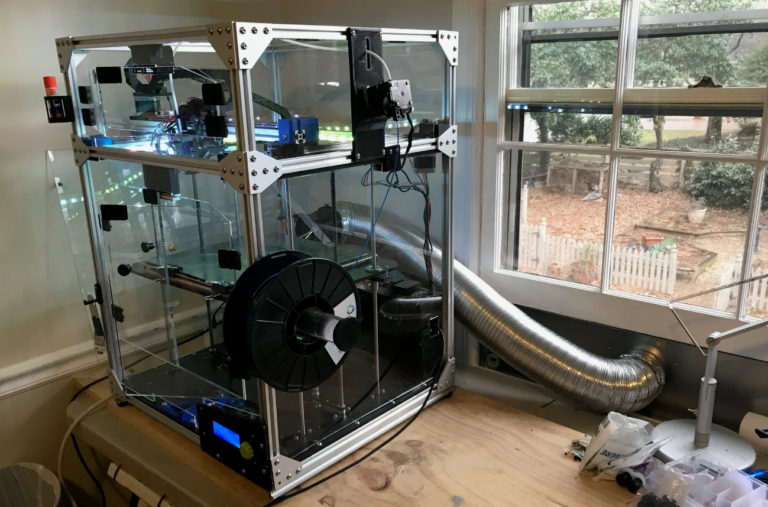
While basic ventilation systems can offer significant improvements, more advanced solutions and dedicated enclosures provide a higher level of fume containment and air purification. These options are particularly beneficial for users who print frequently, work with materials that produce stronger odors or potentially harmful VOCs, or have limited space where open-air ventilation is not feasible. This section delves into sophisticated approaches to ensure a safer and more pleasant 3D printing environment.
Filtering and Air Purification Techniques
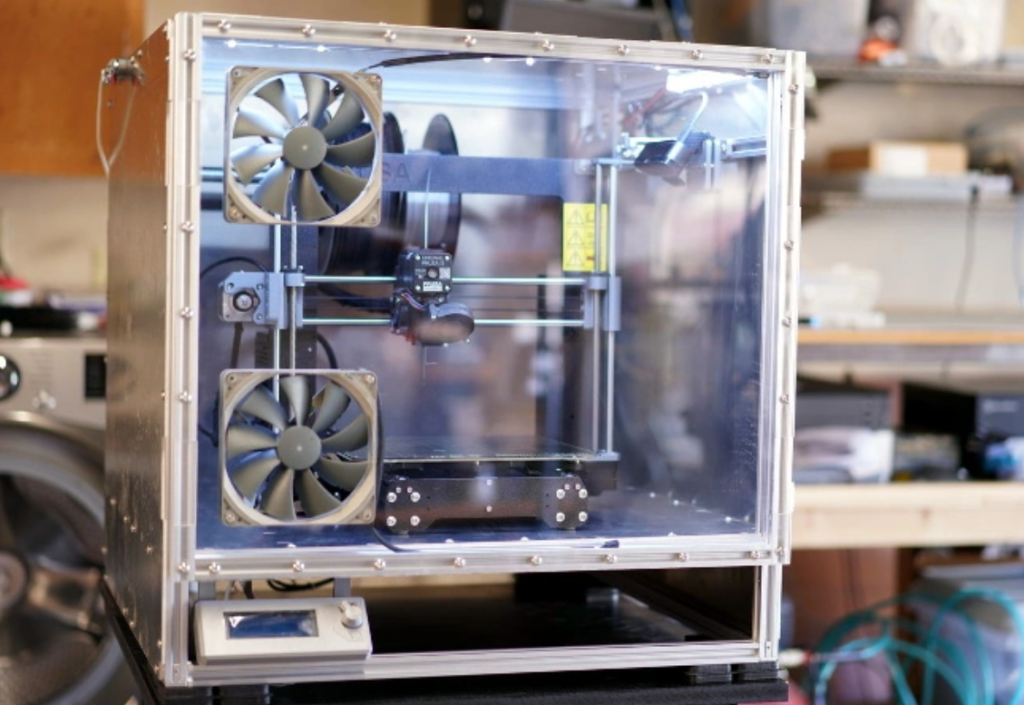
While direct venting is an effective way to remove fumes from your printing space, filtering and air purification offer an excellent alternative or supplementary solution, especially when direct venting isn’t feasible. These methods aim to capture and neutralize harmful airborne particles and volatile organic compounds (VOCs) before they can disperse into your environment. Understanding the science behind different filter types will help you make informed decisions about creating a healthier 3D printing setup.Activated carbon filters are a cornerstone of odor and VOC removal in many air purification systems.
Their effectiveness stems from a process called adsorption, where the porous structure of activated carbon creates a vast surface area. This surface area attracts and traps molecules from the air, including many of the VOCs and odor-causing compounds released during 3D printing. The chemical composition of these VOCs, often containing carbon-hydrogen bonds, makes them readily attracted to the carbon’s surface.
The science behind activated carbon filters involves:
- Porous Structure: Activated carbon is treated to create millions of tiny pores, significantly increasing its surface area. A single gram of activated carbon can have a surface area of over 500 square meters.
- Adsorption: VOCs and odor molecules are attracted to and adhere to the carbon’s surface through weak intermolecular forces (van der Waals forces). This process effectively removes them from the air passing through the filter.
- Chemical Affinity: Many common VOCs emitted by 3D printing filaments, such as styrene from ABS or acrylates from PLA, have a chemical structure that is readily adsorbed by activated carbon.
HEPA (High-Efficiency Particulate Air) filters are designed to capture very fine solid particles, which are also a concern in 3D printing environments. While activated carbon targets gaseous pollutants, HEPA filters excel at trapping microscopic solids that can be released from filament degradation or wear. These particles, often referred to as particulate matter (PM), can include dust, soot, and other airborne debris.
The function and benefits of HEPA filters include:
- Particle Capture: HEPA filters are certified to remove at least 99.97% of airborne particles 0.3 micrometers (µm) in diameter. This size is considered the most penetrating particle size (MPPS), meaning particles both larger and smaller are captured with even higher efficiency.
- Health Benefits: By removing fine particulate matter, HEPA filters can help reduce respiratory irritation, alleviate allergy symptoms, and contribute to overall better indoor air quality.
- Protection of Printer Components: In some cases, a HEPA filter can also help keep the printer’s internal components cleaner by reducing the amount of airborne dust that can settle on them.
Multi-stage filtration systems combine the strengths of different filter types to provide comprehensive air purification. This approach addresses both gaseous pollutants and particulate matter, creating a significantly cleaner printing environment. By layering different filtration media, these systems offer a more robust solution for removing a wider spectrum of airborne contaminants.
The effectiveness of multi-stage filtration systems is enhanced through:
- Pre-filtration: Often, a coarse pre-filter is used first to capture larger particles like dust and hair, extending the life of the more sensitive filters that follow.
- Activated Carbon Layer: This stage is responsible for adsorbing VOCs and odors, neutralizing harmful chemical fumes.
- HEPA Filtration: The final stage captures any remaining fine particulate matter, ensuring the air expelled is as clean as possible.
- Synergistic Action: Each filter type complements the others, providing a layered defense against a broad range of airborne pollutants. For example, removing particulate matter with a HEPA filter before it reaches the activated carbon can prevent the carbon from becoming clogged with dust, maintaining its VOC absorption efficiency.
The performance of any filtration system relies on regular maintenance, particularly the timely replacement of filter cartridges. Over time, filter media become saturated with captured pollutants and lose their effectiveness. Neglecting replacements can lead to reduced air quality and even introduce new problems.
Guidance on filter replacement includes:
- Activated Carbon Filters: These filters have a finite capacity for adsorption. Their lifespan varies greatly depending on the printing materials used, printing duration, and the concentration of VOCs. As a general guideline, activated carbon filters in typical home 3D printer enclosures might need replacement every 3-6 months. Signs of saturation include a return of odors that the filter previously removed.
- HEPA Filters: HEPA filters become clogged with particulate matter, reducing airflow and filtration efficiency. The replacement interval for HEPA filters is often dictated by the manufacturer’s recommendations, typically ranging from 6-12 months. A noticeable decrease in airflow from the purification unit is a strong indicator that the HEPA filter needs changing.
- Manufacturer Recommendations: Always consult the manufacturer’s documentation for your specific air purifier or filtration unit. They will provide the most accurate guidelines for filter replacement intervals and specific replacement part numbers.
- Visual Inspection: Periodically inspect your filters. If activated carbon filters appear discolored or dusty, or if HEPA filters are visibly clogged with debris, it’s time for a change, even if it’s before the recommended interval.
- Record Keeping: Keeping a log of when filters were last replaced can help you stay on schedule and ensure optimal performance.
Placement and Airflow Considerations
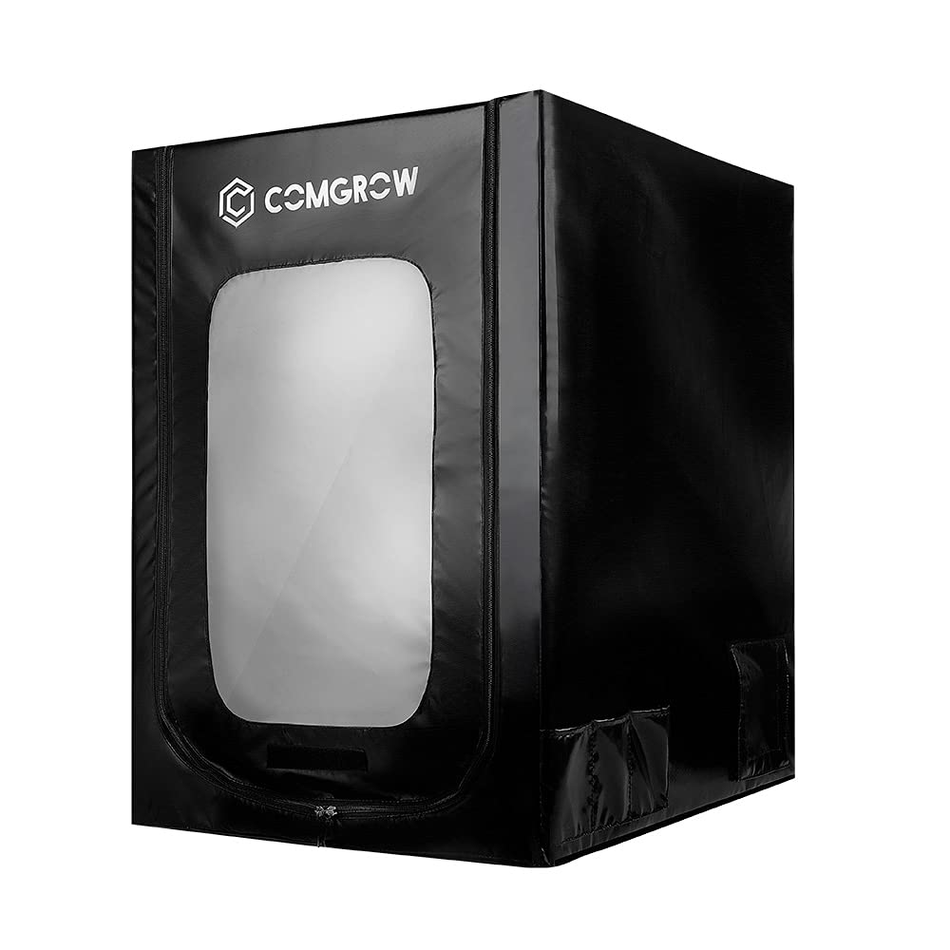
Strategic placement of your 3D printer and its ventilation system is paramount to effectively managing airborne particles and fumes. Optimizing this setup ensures that harmful emissions are efficiently captured and removed, safeguarding your workspace and your well-being. This section Artikels best practices for positioning your equipment to achieve maximum air exchange and a healthier printing environment.Proper airflow management is the cornerstone of an effective 3D printing ventilation strategy.
By carefully considering how air moves within your workspace, you can create a system that consistently draws fumes away from your breathing zone and expels them safely. This involves understanding concepts like negative pressure and designing airflow patterns that are both efficient and safe.
Optimizing Printer and Ventilation System Placement
The physical location of your 3D printer and its associated ventilation components significantly impacts the system’s effectiveness. Thoughtful arrangement can enhance air exchange rates, minimize the spread of fumes, and ensure the system operates at peak performance.Best practices for positioning include:
- Locating the 3D printer in an area with good general ventilation, such as near a window or an existing exhaust fan.
- Positioning the ventilation intake point as close as possible to the 3D printer’s build plate and nozzle, where the majority of fumes are generated.
- Ensuring that the exhaust vent for the ventilation system is directed away from occupied areas and into an outdoor space or a dedicated exhaust duct.
- Maintaining adequate clearance around the printer and ventilation components to prevent airflow obstruction.
- Avoiding placing the printer and ventilation system in enclosed, unventilated spaces like small closets, as this can lead to fume buildup.
Establishing and Maintaining Negative Pressure
A negative pressure environment within a 3D printer enclosure or a dedicated printing area is crucial for containing fumes. This means that the air pressure inside the enclosure is slightly lower than the surrounding ambient air pressure, which forces air to flow
into* the enclosure and then out through the exhaust system, rather than allowing fumes to escape.
Achieving negative pressure typically involves:
- Ensuring that the volume of air being exhausted from the enclosure or printing area is greater than the volume of air entering through any unintentional gaps or openings.
- Using seals around enclosure doors and panels to minimize uncontrolled air leakage.
- Designing the ventilation system to have a higher airflow rate for extraction than for any potential passive air intake.
“Negative pressure acts as an invisible barrier, guiding airborne contaminants in the desired direction of travel – away from the operator and towards the exhaust.”
Designing Effective Airflow Patterns
Creating a directed airflow pattern is essential for efficiently capturing and removing 3D printer fumes. The goal is to establish a flow that consistently pulls fumes from their source and guides them towards the ventilation exhaust, preventing them from circulating into the operator’s breathing zone.Effective airflow patterns can be achieved by:
- Using directional fans to create a specific air current that sweeps across the build plate and nozzle.
- Employing baffles or strategically placed vents within an enclosure to guide air towards the exhaust port.
- Considering a “curtain” of air that flows across the front of an open-frame printer, pushing fumes upwards and towards an overhead extraction point.
- Ensuring that the exhaust fan’s capacity is sufficient to overcome any resistance in the ducting and filtration system.
Preventing Air Recirculation
A critical aspect of safe ventilation is to prevent the recirculation of filtered or unfiltered air back into the immediate breathing zone of the operator or into the general workspace. Even with advanced filtration, some particles or residual odors might remain, and uncontrolled recirculation can negate the benefits of the ventilation system.To avoid recirculation:
- Always exhaust air directly outdoors or into a dedicated, properly functioning exhaust system.
- If recirculation is absolutely necessary due to external venting limitations, ensure a high-efficiency filtration system (e.g., HEPA and activated carbon filters) is used, and regularly monitor its effectiveness.
- Position exhaust vents far from any fresh air intakes to prevent immediate re-entry of expelled air.
- Regularly inspect ductwork and seals for any breaches that could lead to unintended air release.
Maintaining and Monitoring Ventilation Systems
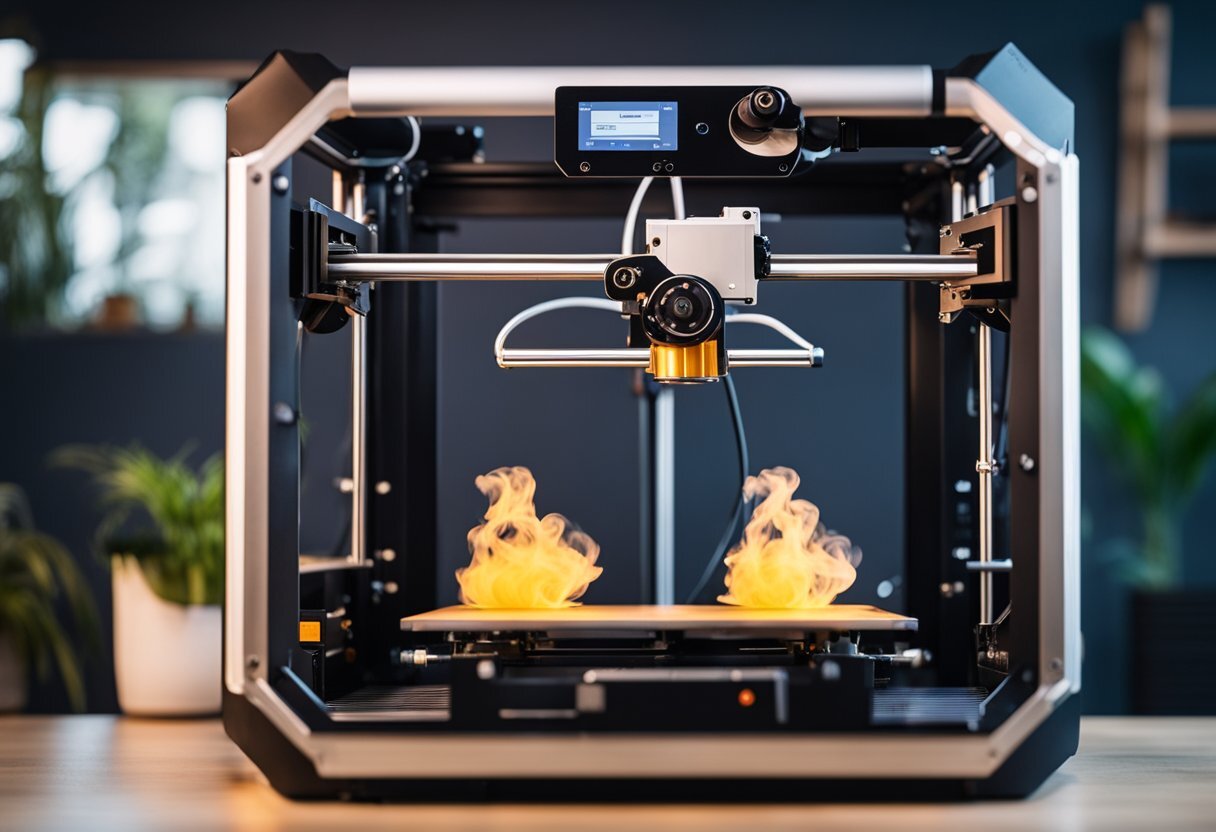
Ensuring your 3D printer ventilation system operates effectively is crucial for sustained air quality improvement. Regular maintenance and diligent monitoring will prevent performance degradation and safeguard your printing environment. This section will guide you through establishing a robust maintenance routine and practical monitoring techniques.
Establishing a Maintenance Schedule
A proactive maintenance schedule is the cornerstone of a reliable ventilation system. By consistently attending to key components, you can preemptively address potential issues and ensure optimal airflow and filtration.A well-defined schedule should encompass regular checks and cleaning. Here’s a breakdown of essential maintenance tasks:
- Fan Inspection and Cleaning: Fans are the workhorses of your ventilation system. Dust and debris accumulation can significantly reduce their efficiency and lifespan. Inspect fans monthly for visible dust buildup. Clean them gently using a soft brush or compressed air. Ensure fans spin freely and quietly during operation.
- Tubing and Ducting Checks: Over time, tubing and ducting can become kinked, loose, or develop small tears, compromising airflow. Inspect your ventilation pathways at least bi-monthly. Ensure all connections are secure and that there are no obstructions or signs of wear. For flexible tubing, gently straighten any kinks.
- Enclosure Seals: If your ventilation system is integrated with an enclosure, regularly check the integrity of its seals. Gaps can allow fumes to escape into the surrounding environment. Inspect seals monthly and replace any worn or damaged sections to maintain an airtight environment.
- Electrical Connections: Periodically (every six months) inspect all electrical connections to the fan and any control units. Ensure they are secure, free from corrosion, and properly insulated.
Filter Integrity and Leak Detection
Filters are vital for capturing airborne particulates and volatile organic compounds (VOCs) released during 3D printing. Maintaining their integrity is paramount for effective air purification.Regular checks ensure your filters are performing as intended and that no harmful fumes are bypassing them.
- Filter Inspection: Check your filters (e.g., HEPA, activated carbon) at least monthly, or more frequently if you notice a decline in air quality. Look for signs of clogging, such as a visible layer of dust and debris, or reduced airflow. Activated carbon filters will also lose their effectiveness over time and require replacement according to the manufacturer’s recommendations, typically every 3-6 months depending on usage and print material.
- Leak Detection: To ensure no leaks are present in your system, perform a visual inspection of all connections between the printer, ducting, and fan. For a more thorough check, especially with flexible tubing, you can use a smoke emitter (like an incense stick) and observe where the smoke escapes when the fan is running. Alternatively, carefully feel along the connections for any drafts.
A properly sealed system will direct all airflow through the filter.
Monitoring Indoor Air Quality
Actively monitoring your indoor air quality provides real-time feedback on the effectiveness of your ventilation system and helps identify potential issues before they become significant problems.Simple methods and readily available devices can offer valuable insights into your air quality.
- Sensory Indicators: Pay attention to your senses. A persistent, unpleasant odor, even with the ventilation system running, is a strong indicator that something is amiss. Headaches or respiratory irritation experienced while printing can also signal poor air quality.
- Volatile Organic Compound (VOC) Monitors: For a more quantitative assessment, consider using a portable VOC monitor. These devices measure the concentration of VOCs in the air, providing a numerical reading. Many consumer-grade VOC monitors are available and can offer a good indication of airborne chemical levels. Consistent readings significantly above background levels, especially during or immediately after printing, suggest your ventilation or filtration may need attention.
- Particulate Matter (PM) Sensors: Similarly, a PM sensor can measure the amount of fine particles (like microplastics) in the air. High PM readings during printing are a clear sign that your filtration is not adequately capturing airborne particulates.
- CO2 Monitors: While not directly related to 3D printer fumes, elevated CO2 levels can indicate a general lack of fresh air exchange. If your ventilation system is drawing in significant amounts of outside air, CO2 levels should remain within comfortable ranges. A sudden spike in CO2 might suggest your ventilation is insufficient for the space.
Troubleshooting Common Ventilation Issues
Even with diligent maintenance, you might encounter issues with your 3D printer ventilation setup. Understanding common problems and their solutions will help you quickly restore optimal performance.Here are some frequent challenges and their remedies:
- Reduced Airflow: If you notice significantly less air being drawn into the ventilation system, the most common culprits are clogged filters or a dirty fan. Clean or replace the filter, and clean the fan blades. Also, check for any kinks or blockages in the ducting.
- Unusual Fan Noise: Grinding, rattling, or squeaking noises from the fan often indicate bearing wear or an obstruction. Inspect the fan for any foreign objects caught in the blades. If the noise persists after cleaning, the fan bearing may be failing, and the fan may need replacement.
- Lingering Odors: If odors persist despite the ventilation system running, it suggests that the activated carbon filter is exhausted or that there are leaks in the system allowing fumes to escape. Replace the carbon filter and meticulously check all ducting and enclosure seals for leaks. Ensure your filter is rated for the specific VOCs produced by your filament.
- System Not Powering On: Check the power supply and all electrical connections. Ensure the fan is properly connected and receiving power. If using a controller, verify its settings and power source.
- Excessive Condensation or Humidity: In some cases, ventilation can alter the humidity within an enclosure. Ensure your ventilation system is not drawing excessive moisture into the enclosure. Adjusting airflow rates or incorporating a dehumidifier within the enclosure might be necessary, depending on your environment and materials.
Ending Remarks
In conclusion, establishing effective ventilation for your 3D printer is paramount for safeguarding your health and improving indoor air quality. By understanding the emissions, implementing appropriate systems, and performing regular maintenance, you can ensure a cleaner, safer, and more productive printing environment for all.