How to Successfully Print with ABS Filament is your comprehensive guide to mastering this versatile material. This exploration delves into the nuances of ABS, from understanding its core properties and ideal applications to navigating the essential setup and critical slicer settings required for exceptional results. We aim to equip you with the knowledge to overcome common challenges and achieve professional-quality prints.
This document will walk you through the entire process, covering everything from selecting the right equipment and preparing your environment to fine-tuning your slicer for optimal performance. You’ll discover effective strategies for bed adhesion, learn how to combat warping and layer shifting, and gain insights into valuable post-processing techniques. Whether you’re a beginner or looking to refine your skills, this guide provides the detailed information needed to unlock the full potential of ABS filament in your 3D printing endeavors.
Understanding ABS Filament for 3D Printing
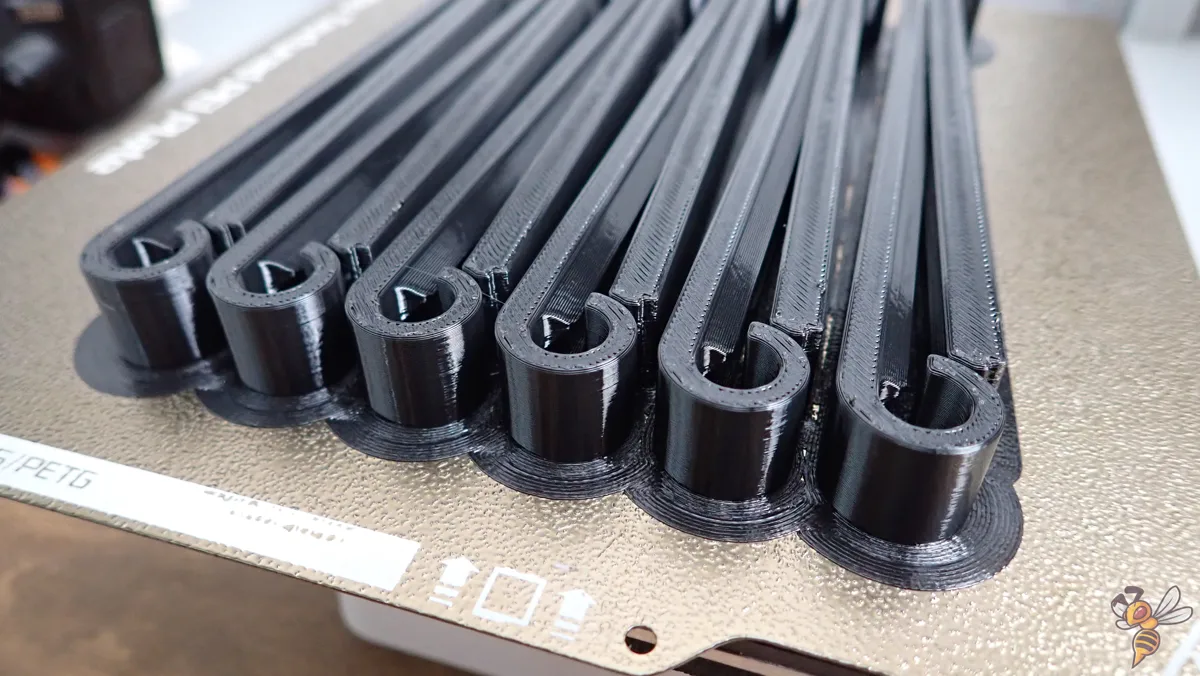
ABS (Acrylonitrile Butadiene Styrene) filament stands as a cornerstone in the world of 3D printing, renowned for its robust mechanical properties and versatility. Its widespread adoption is a testament to its ability to produce durable and functional parts that can withstand significant stress and environmental factors. Understanding the intrinsic characteristics of ABS is crucial for unlocking its full potential and achieving successful prints.This section delves into the core attributes of ABS filament, exploring what makes it distinct from other printing materials.
We will examine its typical applications, highlighting the scenarios where its unique strengths shine, and critically assess its advantages and disadvantages to guide informed decision-making for your printing projects.
Fundamental Properties of ABS Filament
ABS filament is distinguished by a combination of properties that make it a popular choice for a wide range of applications. Unlike PLA, which is more brittle, ABS offers superior impact resistance and toughness. It also exhibits a higher glass transition temperature, meaning it can withstand warmer environments without deforming. Furthermore, ABS is known for its post-processing capabilities, allowing for smoothing with acetone vapor, a feature not readily available with many other common filaments.The chemical composition of ABS, a terpolymer, contributes to its balanced mechanical and thermal performance.
The acrylonitrile component provides chemical resistance and rigidity, the butadiene component offers toughness and impact strength, and the styrene component enhances processability and gloss. This synergy results in a filament that is both strong and relatively easy to work with, provided the correct printing conditions are met.
- Impact Resistance: ABS is significantly more resistant to impact and breakage than materials like PLA. This makes it ideal for parts that might experience drops or collisions.
- Temperature Resistance: With a glass transition temperature around 105°C, ABS can tolerate higher operating temperatures compared to PLA (around 60°C). This is critical for functional parts used in automotive or electronic applications.
- Durability and Strength: ABS parts exhibit good tensile strength and are less prone to cracking or warping under load over time.
- Post-Processing Options: ABS can be smoothed using acetone vapor, creating a glossy finish and effectively hiding layer lines. It can also be easily sanded, painted, and glued.
- Chemical Resistance: ABS offers moderate resistance to a variety of chemicals, including dilute acids and alkalis, making it suitable for certain industrial or laboratory environments.
Typical Applications and Use Cases for ABS Filament
The inherent durability, temperature resistance, and post-processing potential of ABS filament make it a preferred material for numerous applications where functional integrity and aesthetic finish are paramount. From functional prototypes to end-use parts, ABS consistently delivers reliable performance.ABS excels in applications requiring mechanical strength and resilience. Its ability to withstand higher temperatures is particularly advantageous in environments where PLA would soften or deform.
The ease with which ABS parts can be finished also opens doors for applications where a smooth, professional appearance is desired.
- Automotive Parts: Due to its heat resistance and durability, ABS is frequently used for interior car components, such as dashboard elements, trim pieces, and even some under-the-hood parts where moderate heat is present. For instance, custom interior trim pieces or replacement clips for car interiors are common uses.
- Electronic Enclosures: The toughness and electrical insulating properties of ABS make it suitable for housing electronic devices, protecting sensitive components from physical damage and environmental factors. Think of cases for Raspberry Pi, custom project boxes for electronics, or even some consumer electronics casings.
- Toys and Consumer Goods: Many LEGO bricks are famously made from ABS, highlighting its safety and durability for children’s products. It’s also used for various household items and durable consumer goods that require a good balance of strength and finish.
- Functional Prototypes: For prototypes that need to undergo stress testing or simulate real-world conditions, ABS is an excellent choice. It allows designers and engineers to validate the form, fit, and function of a part before mass production.
- Tools and Fixtures: Custom jigs, fixtures, and even some hand tools can be printed with ABS, leveraging its strength and ability to be precisely machined or modified after printing.
Advantages and Disadvantages of Using ABS Filament
When considering ABS for a 3D printing project, it is essential to weigh its considerable benefits against its known drawbacks. This balanced perspective ensures that the material is chosen appropriately, leading to successful outcomes and avoiding potential printing challenges.ABS offers a compelling combination of mechanical properties that are often superior to those of more common filaments like PLA. However, these advantages come with specific printing requirements and potential health considerations that must be addressed.
Advantages of ABS Filament
- High Strength and Durability: ABS parts are robust and can withstand significant stress, making them suitable for functional applications.
- Good Temperature Resistance: Its higher glass transition temperature allows ABS to be used in environments with elevated temperatures where PLA would fail.
- Excellent Post-Processing Capabilities: ABS can be easily sanded, painted, glued, and most notably, smoothed with acetone vapor for a professional, glossy finish. This is a significant advantage for aesthetic applications.
- Impact Resistance: ABS is less brittle than PLA and can absorb impacts without shattering, which is crucial for parts that might be dropped or subjected to force.
- Chemical Resistance: It offers good resistance to many common chemicals, making it suitable for certain laboratory or industrial settings.
Disadvantages of ABS Filament
- Warping Tendency: ABS is prone to significant warping and shrinking during the print process due to thermal contraction. This necessitates a heated print bed and often an enclosed printer to maintain a stable, warm environment.
- Requires Higher Print Temperatures: ABS typically requires higher nozzle temperatures (around 230-260°C) and bed temperatures (around 80-110°C) compared to PLA, demanding more from the 3D printer’s heating capabilities.
- Emits Fumes: When heated, ABS releases volatile organic compounds (VOCs) and styrene fumes, which can have an odor and may be irritating or harmful. Printing should be done in a well-ventilated area, and an enclosure with air filtration is highly recommended.
- Can be More Difficult to Print: Due to warping and fume issues, ABS generally has a steeper learning curve for beginners compared to PLA. Achieving consistent, high-quality prints often requires more tuning and attention to detail.
- Susceptible to UV Degradation: Prolonged exposure to ultraviolet (UV) light can degrade ABS over time, making it less suitable for outdoor applications without protective coatings.
Essential Equipment and Environment Setup
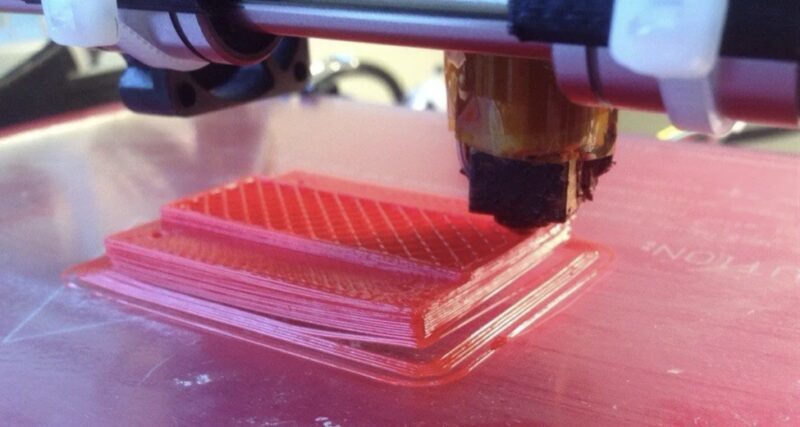
Successfully printing with ABS filament requires more than just a 3D printer and filament; it necessitates a specific set of hardware and a carefully controlled environment. ABS is known for its thermal sensitivity, meaning that maintaining consistent temperatures and managing airflow are paramount to achieving high-quality, warp-free prints. This section will guide you through the essential equipment and environmental conditions necessary for optimal ABS printing.Understanding the requirements for ABS printing allows for proactive preparation, minimizing common printing failures and ensuring a smoother printing experience.
By addressing these foundational elements, you lay the groundwork for reliable and repeatable success with this versatile material.
Printer Requirements for ABS Printing
Not all 3D printers are equally suited for ABS. Certain features are crucial for managing the higher printing temperatures and potential for warping associated with this filament.The following are key printer specifications to consider for ABS printing:
- Heated Build Plate: A heated bed is non-negotiable for ABS. It provides the necessary adhesion to the build surface and helps to maintain a consistent temperature at the base of the print, significantly reducing warping. Aim for a bed that can reach at least 100°C, though 110°C or higher is preferable.
- Enclosed Print Chamber: This is arguably the most critical component for successful ABS printing. An enclosure traps heat, creating a stable, warm environment that minimizes temperature fluctuations. This stability is vital for preventing delamination and warping.
- Good Part Cooling Fan Control: While ABS benefits from a stable ambient temperature, excessive part cooling can lead to rapid contraction and warping. The ability to precisely control or even turn off the part cooling fan during the initial layers is highly advantageous.
- All-Metal Hotend: ABS prints at higher temperatures than PLA (typically 220-260°C). An all-metal hotend is designed to withstand these higher temperatures without degrading, unlike hotends with PTFE liners which can break down above 240°C.
- Rigid Frame and Stable Motion System: High printing temperatures can exacerbate any mechanical instabilities. A robust printer frame and a well-calibrated motion system contribute to print accuracy and reduce the likelihood of print failures due to vibrations or movement inaccuracies.
Ideal Environmental Conditions for ABS Printing
The environment surrounding your 3D printer plays a significant role in the success of ABS prints. Maintaining specific temperature ranges and ensuring adequate ventilation are key to mitigating common printing issues.The following environmental factors are crucial for ABS printing:
- Ambient Temperature: The ideal ambient temperature within the print chamber should be maintained between 40°C and 50°C. This elevated temperature helps to keep the printed layers warm as they are deposited, promoting better layer adhesion and reducing internal stresses that lead to warping.
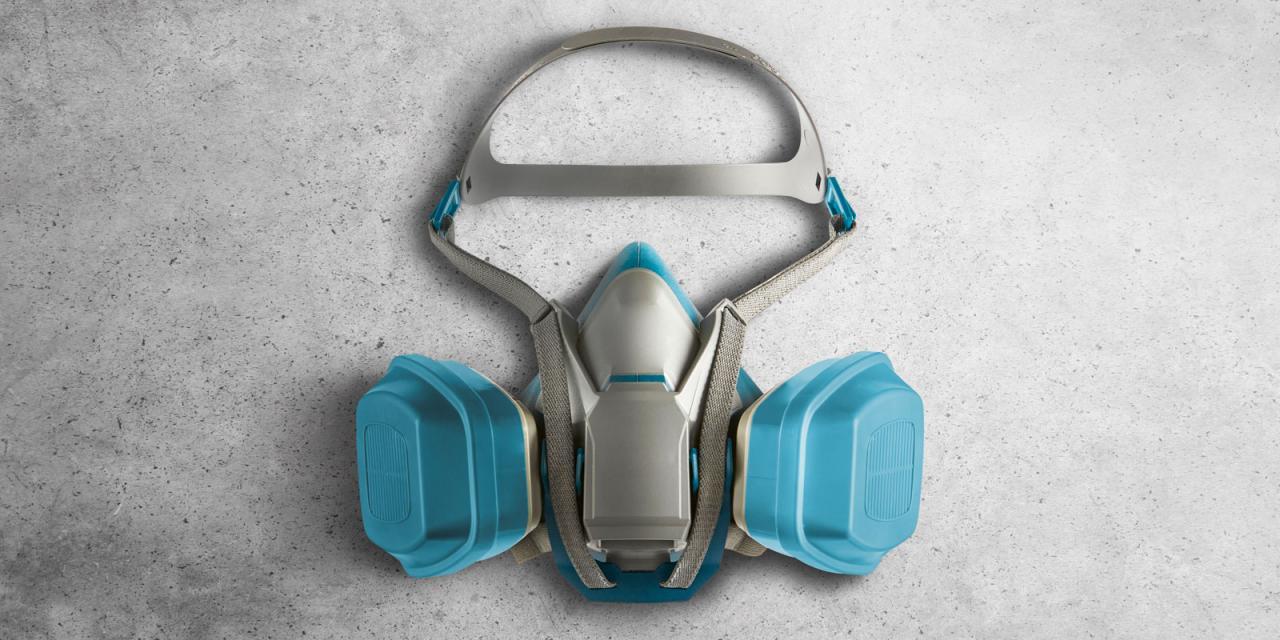
- Ventilation: ABS filament, when heated, can release volatile organic compounds (VOCs) and styrene fumes. While generally considered safe in small quantities for occasional hobbyist use, prolonged exposure or printing in poorly ventilated areas is not recommended. Ensure your printing space is well-ventilated, or consider using a printer with an activated carbon filter system to capture fumes.
- Draft-Free Environment: Sudden drafts or changes in air temperature can cause rapid cooling of the printed object, leading to thermal shock and warping. It is essential to place the printer in a location free from open windows, doors, or air conditioning vents.
The Importance of an Enclosed Print Chamber
An enclosed print chamber is not merely an accessory for ABS printing; it is a fundamental requirement for achieving consistent and reliable results. Its primary function is to create a stable thermal environment, which directly combats the inherent challenges of printing with ABS.The enclosed chamber contributes to successful ABS printing in several ways:
- Temperature Stabilization: By trapping heat radiated from the heated bed and nozzle, the enclosure maintains a consistent, elevated ambient temperature within the print volume. This minimizes the temperature gradient between the deposited plastic and the surrounding air, a primary cause of warping and delamination. For example, a well-insulated enclosure can help maintain an internal temperature of 45°C or higher, even when the ambient room temperature is much lower.
- Reduced Warping and Delamination: The consistent heat prevents the ABS layers from cooling too rapidly and contracting unevenly. This controlled cooling process significantly reduces the internal stresses that pull the print away from the build plate (warping) and cause layers to separate (delamination).
- Improved Layer Adhesion: A warmer environment promotes better molecular bonding between successive layers of ABS, resulting in stronger and more durable prints.
- Minimized Drafts and External Influences: The enclosure acts as a barrier against external drafts, air conditioning, or sudden temperature fluctuations in the room, further contributing to a stable printing environment.
The effectiveness of an enclosure can be further enhanced by using insulating materials such as foam board or acrylic panels. Some printers come with dedicated enclosures, while others can be retrofitted with third-party solutions.
Essential Tools and Accessories for ABS Printing
Beyond the printer and its environment, a few key tools and accessories will significantly enhance your ABS printing preparation, maintenance, and troubleshooting process. Having these readily available will ensure you can address common issues efficiently and maintain your equipment for optimal performance.Here is a checklist of essential tools and accessories:
- Scrapers and Spatulas: A sturdy scraper or spatula is crucial for safely removing prints from the build plate once they have cooled sufficiently. ABS can adhere very strongly, so a good quality tool is essential to avoid damaging your build surface or the print.
- Isopropyl Alcohol (IPA) and Cleaning Cloths: For cleaning the build plate between prints, especially if using adhesives like ABS slurry or glue stick. A clean build surface is vital for good adhesion. Ensure the IPA is of a high concentration (90% or higher) for effective degreasing.
- Adhesion Aids: While not always necessary with a well-prepared heated bed and enclosure, adhesion aids can be invaluable for difficult prints or when encountering minor adhesion issues. Common aids include ABS slurry (ABS dissolved in acetone), glue stick, or specialized build surface coatings.
- Pliers and Flush Cutters: Useful for removing support structures, trimming filament, and general maintenance tasks. Flush cutters are particularly helpful for clean filament cuts.
- Digital Caliper: For precise measurement of filament diameter, nozzle size, and printed parts. Accurate measurements are essential for calibration and troubleshooting.
- Nozzle Cleaning Kit: Includes items like brass brushes and acupuncture needles for clearing clogs in the nozzle. A clean nozzle is critical for consistent extrusion.
- Spare Nozzles and Hotend Components: Given the higher operating temperatures and potential for wear, having spare nozzles and possibly even a spare hotend can save significant downtime.
- Filament Storage Solutions: ABS filament is hygroscopic, meaning it absorbs moisture from the air. Proper storage in airtight containers with desiccant packs is crucial to prevent moisture absorption, which can lead to poor print quality (e.g., stringing, popping sounds during extrusion).
Slicer Settings for Optimal ABS Prints
Successfully printing with ABS filament requires careful attention to slicer settings. These parameters directly influence print quality, adhesion, and the prevention of common ABS printing issues like warping and stringing. This section will guide you through the essential slicer configurations for achieving excellent ABS prints.
Bed Adhesion Strategies for ABS
Achieving robust bed adhesion is paramount for successful ABS 3D printing. ABS is known for its tendency to warp and detach from the build plate due to its high glass transition temperature and significant thermal contraction. Implementing effective adhesion strategies mitigates these issues, ensuring your prints remain firmly anchored throughout the printing process. This section will explore various methods and materials to achieve reliable adhesion for your ABS prints.The choice of build plate surface plays a significant role in ABS adhesion.
Different materials offer varying levels of grip and require different preparation techniques. Understanding these differences will help you select the most suitable surface for your printer and printing needs.
Build Plate Surface Comparison for ABS
The material of your build plate directly influences how well ABS will stick to it. Each surface type has its own characteristics, making some more suitable for ABS than others.
- Glass: A common and relatively inexpensive option. While it provides a flat surface, ABS adhesion to bare glass can be challenging without aids. It offers a smooth surface finish for the first layer.
- PEI (Polyetherimide): Known for its excellent adhesion properties for many filaments, including ABS, especially when heated. PEI sheets offer a slightly textured surface that can grip ABS effectively, often requiring minimal or no adhesion aids.
- BuildTak: A proprietary surface designed for high adhesion. BuildTak offers a robust grip for ABS and other challenging filaments, often providing a good balance of adhesion and ease of print removal once cooled.
- Textured Glass: Similar to bare glass but with a textured surface. This texture can provide mechanical grip for ABS, improving adhesion compared to smooth glass.
Applying Adhesion Aids for ABS
When the build plate surface alone is insufficient, adhesion aids become essential. These substances create a bonding layer between the ABS filament and the build plate, significantly increasing the likelihood of a successful print. It is crucial to apply these aids evenly and in the correct concentration.To prepare your build plate with adhesion aids, follow these general steps, adapting them based on the specific aid used:
ABS Slurry Application
ABS slurry is a potent adhesion aid made from dissolved ABS filament. It creates a strong, monolithic bond with the build plate.
- Prepare the Slurry: Mix small pieces of ABS filament with a solvent like acetone in a glass jar. Stir until a thick, paste-like consistency is achieved. The ratio of ABS to acetone will determine the slurry’s thickness. A good starting point is a 1:4 ratio of ABS to acetone.
- Clean the Build Plate: Ensure your build plate is clean and free of any oils or debris. Isopropyl alcohol is typically used for this.
- Apply the Slurry: Using a brush or cotton swab, apply a thin, even layer of the ABS slurry to the build plate surface. Focus on the area where your print will be located.
- Allow to Dry: Let the slurry dry completely. The acetone will evaporate, leaving a thin layer of ABS fused to the build plate.
- Heat the Bed: Heat your build plate to the recommended printing temperature for ABS.
It is important to work in a well-ventilated area when using acetone, as it is flammable and has strong fumes.
Glue Stick Application
A washable PVA glue stick is a readily available and effective adhesion aid for ABS.
- Clean the Build Plate: Ensure the build plate is clean and dry.
- Apply Glue Stick: Apply a thin, even layer of glue stick over the entire print area of the build plate. Overlap strokes to ensure complete coverage.
- Moisten Slightly (Optional): For enhanced adhesion, you can lightly dampen the glue stick layer with a wet paper towel before it dries completely.
- Heat the Bed: Heat your build plate to the recommended printing temperature for ABS. The heat will help the glue stick form a stronger bond.
Hairspray Application
Certain types of hairspray, particularly those with a strong hold and minimal additives, can act as an effective adhesion aid.
- Clean the Build Plate: Ensure the build plate is clean and dry.
- Mask Surrounding Areas: Protect your printer’s components from overspray by masking off areas around the build plate.
- Apply Hairspray: Hold the can about 6-8 inches away from the build plate and apply a light, even coat of hairspray. Avoid applying too much, as this can create an uneven surface.
- Heat the Bed: Heat your build plate to the recommended printing temperature for ABS.
Common Bed Adhesion Issues with ABS and Solutions
Even with the best strategies, bed adhesion issues can arise. Identifying the cause and applying the correct solution is key to overcoming them.
| Issue | Description | Solution |
|---|---|---|
| Warping | The corners or edges of the print lift off the build plate. |
|
| First Layer Not Sticking | The filament does not adhere to the build plate at all. |
|
| Print Detaching Mid-Print | The print separates from the build plate partway through the printing process. |
|
| Uneven First Layer | The first layer is not uniformly thick or consistent across the build plate. |
|
Managing Warping and Layer Shifting
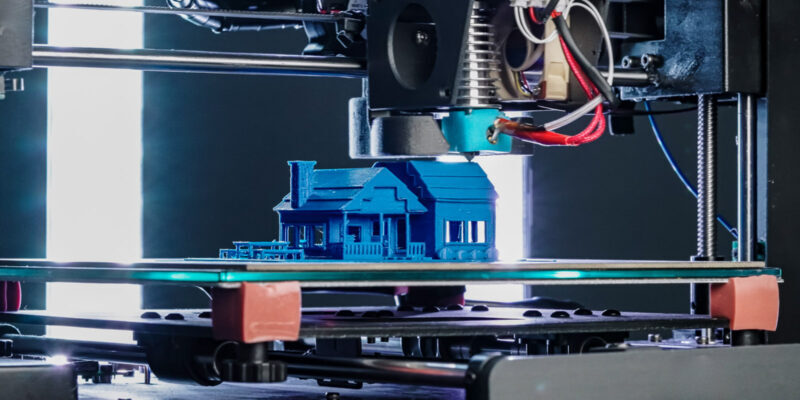
Printing with ABS filament, while offering excellent strength and temperature resistance, presents unique challenges that require careful management. Two of the most common issues encountered are warping and layer shifting, both of which can significantly compromise the integrity and appearance of your 3D prints. Understanding their causes and implementing effective mitigation strategies is crucial for successful ABS printing.Warping occurs when different parts of the print cool at different rates, leading to internal stresses that pull the material away from the print bed.
Layer shifting, on the other hand, happens when one layer of the print is displaced relative to the previous one, often due to mechanical issues or excessive print speed. Addressing these problems proactively will enhance the reliability and quality of your ABS prints.
Primary Causes of Warping in ABS Printing
Warping is a direct consequence of ABS’s high glass transition temperature and its tendency to shrink significantly as it cools. This shrinkage creates tensile stress within the printed object. When these stresses exceed the adhesive forces holding the print to the build plate, the edges of the print lift, resulting in warping.Several factors contribute to this phenomenon:
- Thermal Contraction: As molten ABS cools and solidifies, it contracts. The rate of cooling plays a critical role; faster cooling leads to greater shrinkage and increased stress.
- Uneven Cooling: If the print cools too rapidly or unevenly, different sections will shrink at different rates, exacerbating the stress and pulling forces. This is particularly noticeable at the edges and corners of prints.
- Poor Bed Adhesion: Insufficient adhesion between the first layer and the print bed means the build plate cannot counteract the shrinkage forces of the ABS.
- Print Geometry: Large, flat surfaces are more prone to warping than smaller, more intricate designs because they experience more uniform and significant shrinkage.
Techniques to Mitigate Warping
Successfully printing ABS often hinges on preventing or minimizing warping. This is achieved through a combination of print settings and structural aids applied to the model.The following techniques are highly effective in counteracting the forces that cause warping:
- Brim: A brim is a single layer of extruded material that is printed around the base of your model, extending outwards by a specified width. It increases the surface area of the first layer in contact with the build plate, providing a stronger anchor to resist lifting. The brim is easily removed after printing.
- Raft: A raft is a thicker, multi-layer base structure printed beneath your model. It creates a stable foundation, distributing the cooling stresses over a larger area and lifting the actual print off the bed. This is particularly useful for prints with small contact points or those prone to severe warping. While effective, a raft can consume more filament and may leave a rougher surface finish on the bottom of the print.
- Skirt: A skirt is a series of lines printed around the model but not touching it. Its primary purpose is to prime the nozzle and ensure a consistent flow of filament before the actual print begins. While it doesn’t directly prevent warping, a well-primed nozzle contributes to better first-layer adhesion, which indirectly helps.
The choice between brim and raft depends on the severity of warping expected and the complexity of the model. For most ABS prints, a brim is a good starting point, while a raft is reserved for more challenging prints.
Controlling Ambient Temperature Fluctuations
ABS is highly sensitive to its surrounding environment, and temperature fluctuations can be a significant contributor to both warping and poor layer adhesion. Maintaining a stable, warm environment around the print is paramount.The impact of ambient temperature fluctuations and their control are detailed below:
- Drafts and Cool Air: Even slight drafts from open windows, doors, or air conditioning units can cause rapid and uneven cooling of the ABS, leading to warping.
- Enclosure Use: The most effective method to control ambient temperature is to use an enclosure for your 3D printer. An enclosure traps the heat generated by the heated bed and the hotend, creating a stable, warm microclimate around the print. This minimizes temperature gradients and significantly reduces the risk of warping.
- Maintaining Bed Temperature: While the enclosure helps, consistently maintaining the heated bed temperature at the recommended setting for ABS (typically between 90°C and 110°C) is crucial for strong first-layer adhesion.
- Preheating the Environment: Before starting a print, consider preheating the enclosure or the room where the printer is located to a consistent temperature. This helps to avoid sudden temperature drops as the print progresses.
The goal is to create an environment where the entire print cools down as uniformly as possible. An enclosure acts like a miniature greenhouse, promoting even cooling and preventing the rapid temperature changes that plague ABS prints.
Troubleshooting Layer Shifting
Layer shifting is a disheartening problem where layers of the print become misaligned, often resulting in a “stair-step” appearance or a complete failure of the print. It indicates that the print head has moved unexpectedly or failed to move as commanded during the printing process.The potential causes and troubleshooting steps for layer shifting in ABS printing are as follows:
- Mechanical Binding: Check all axes (X, Y, and Z) for any obstructions or resistance in their movement. Ensure that belts are properly tensioned – not too loose, which can cause skipping, and not too tight, which can cause binding. Lubricate linear rails or rods if necessary.
- Print Speed: Printing ABS too quickly, especially on faster movements, can cause the stepper motors to miss steps or the print head to overshoot its intended position. Reduce print speeds, particularly for outer walls and infill, in your slicer settings.
- Acceleration and Jerk Settings: High acceleration and jerk settings can lead to vibrations and momentum that cause the print head to shift. Experiment with lowering these values in your slicer or firmware.
- Loose Belts or Pulleys: Inspect the timing belts for any signs of wear or damage. Ensure that the grub screws on the motor pulleys are securely tightened to the motor shafts. A loose pulley can slip on the shaft, causing a layer shift.
- Hotend Obstruction: A partially clogged nozzle can cause the print head to snag on the print, leading to a shift. Ensure your nozzle is clean and free of debris.
- Power Supply Issues: In rare cases, an inadequate or unstable power supply to the stepper motors can lead to them failing to complete their commanded movements.
- Z-Axis Binding: If layer shifting occurs primarily on the Z-axis (vertical shifts), it could indicate binding in the Z-axis lead screws or rods, preventing the print head from moving up consistently.
When diagnosing layer shifting, observe the print closely. If the shift occurs at a specific height, it often points to a Z-axis issue or a problem that only manifests after a certain amount of printing.
Post-Processing ABS Prints
Once your ABS print is complete, a range of post-processing techniques can significantly enhance its appearance, strength, and functionality. These steps are crucial for transforming a raw 3D print into a polished, professional-looking part. We will explore common methods for refining the surface, achieving smooth finishes, preparing for painting, and effectively assembling multiple components.
Surface Refinement: Sanding and Filling
Sanding is a fundamental technique for removing layer lines and imperfections from ABS prints, preparing them for further finishing. The process involves progressively finer grits of sandpaper to achieve a smooth surface. Filling is often used in conjunction with sanding to repair small defects, such as gaps or voids, and to build up areas for a perfectly smooth finish.To effectively sand an ABS print:
- Begin with a coarser grit sandpaper (e.g., 100-220 grit) to remove prominent layer lines and any significant blemishes. Work in a consistent direction, either along the longest axis of the part or in circular motions, depending on the desired outcome and the nature of the imperfections.
- Progress to medium grits (e.g., 320-400 grit) to further refine the surface and remove the scratches left by the coarser grit.
- Continue with finer grits (e.g., 600-1000 grit and beyond) to achieve a smooth, almost polished finish. Wet sanding, where water is used as a lubricant, can be particularly effective with finer grits, as it helps to reduce dust and prevent the sandpaper from clogging.
- For filling small gaps or imperfections, use a modeling putty or a two-part epoxy filler designed for plastics. Apply the filler sparingly, allowing it to cure fully according to the manufacturer’s instructions. Once cured, sand the filled area flush with the surrounding surface, following the same grit progression as above.
Achieving a Smooth Finish with Acetone Vapor
Acetone vapor smoothing is a powerful technique that can transform the appearance of ABS prints, melting the surface layer to create a glossy, seamless finish. This method effectively eliminates visible layer lines and gives the print the appearance of being injection-molded. However, it requires careful execution due to the flammable nature of acetone and the potential for over-exposure.The process for acetone vapor smoothing involves:
- Safety First: Ensure you are working in a well-ventilated area, away from any open flames or sparks. Wear appropriate personal protective equipment, including chemical-resistant gloves and safety glasses.
- Construct a Vapor Chamber: A simple vapor chamber can be constructed using a glass jar or a plastic container with a lid. Place a small amount of acetone in the bottom of the container, ensuring it does not touch the print directly. A platform or a piece of wire mesh can be used to suspend the print above the acetone.
- Introduce the Print: Suspend the ABS print within the vapor chamber, ensuring it is not in contact with liquid acetone. The acetone will begin to evaporate, creating a vapor that will interact with the surface of the print.
- Monitor the Process: The time required for smoothing varies depending on the size and geometry of the print, as well as the ambient temperature and humidity. Start with short exposure times (e.g., 1-5 minutes) and periodically check the print’s surface. The ABS will begin to soften and become glossy.
- Cooling and Curing: Once the desired level of smoothness is achieved, carefully remove the print from the vapor chamber and allow it to air dry completely in a well-ventilated area. This can take several hours. Avoid touching the surface while it is still soft.
“Acetone vapor smoothing can dramatically alter the surface finish of ABS prints, offering a professional and aesthetically pleasing result. However, patience and careful observation are key to achieving optimal results without compromising the integrity of the print.”
Painting and Finishing ABS Parts
Painting ABS prints allows for customization and can further enhance their visual appeal and provide protective qualities. Proper surface preparation is essential for paint adhesion and a smooth, professional finish.Methods for painting and finishing ABS parts include:
- Priming: Apply a thin, even coat of a primer specifically designed for plastics. This step is crucial for ensuring that the paint adheres well to the ABS surface and helps to cover any minor imperfections. Allow the primer to dry completely before proceeding.
- Sanding After Priming: Once the primer is dry, a light sanding with a very fine grit sandpaper (e.g., 600-1000 grit) can further smooth the surface and remove any dust nibs or imperfections from the primer coat.
- Applying Paint: Various types of paint can be used on ABS, including acrylics, enamels, and spray paints. For a smooth, even finish, spray painting is often preferred. Apply multiple thin coats rather than one thick coat, allowing each coat to dry partially before applying the next.
- Clear Coating: After the paint has fully cured, a clear coat can be applied to protect the paint job and provide a desired sheen (matte, satin, or gloss).
- Detailing: For intricate designs or specific aesthetic effects, techniques like airbrushing, hand-painting with fine brushes, or using stencils can be employed.
Assembling Multiple ABS Printed Components
When projects require multiple printed parts to be joined, effective assembly techniques ensure structural integrity and a clean final product. The method of assembly will depend on the size of the parts, the required strength, and the desired aesthetic.Guidance on assembling multiple ABS printed components:
- Adhesives: For a strong bond, adhesives like cyanoacrylate (super glue) or specialized plastic cements designed for ABS are recommended. Apply the adhesive to one surface, press the parts together firmly, and hold them in place until the adhesive sets. For larger or more structurally critical joints, consider using a two-part epoxy.
- Mechanical Fasteners: In cases where disassembly might be required or for very strong connections, mechanical fasteners such as screws and nuts can be integrated. Design your parts with appropriate holes for these fasteners during the CAD phase. Threaded inserts can also be embedded into the ABS before or after printing for a more robust threaded connection.
- Solvent Welding: Similar to acetone vapor smoothing, a small amount of acetone can be used as a solvent to “weld” ABS parts together. Apply a small amount of acetone to the mating surfaces, press them together, and allow them to fuse. This method creates a very strong bond but requires precision and can be messy if not done carefully.
- Interlocking Designs: Whenever possible, design parts with interlocking features like tabs, slots, or snap-fit mechanisms. These can simplify assembly and reduce the need for adhesives or fasteners, creating a cleaner and more integrated final product.
Advanced ABS Printing Techniques
Moving beyond the fundamental settings and preparations, this section delves into sophisticated methods to elevate your ABS 3D printing capabilities. We will explore techniques that enable the creation of more intricate designs, multi-material prints, and exceptionally detailed models, while also addressing the specific challenges of scaling up your prints.
Support Structures for Complex ABS Geometries
Effective support structures are crucial for successfully printing ABS models with overhangs, bridges, and intricate internal features. The right support strategy minimizes print failures, improves surface quality, and makes post-processing easier.ABS requires careful consideration when choosing support types due to its tendency to warp and its sensitivity to temperature fluctuations. The goal is to provide adequate support without causing damage to the model or being excessively difficult to remove.
- Support Types: Different support structures serve distinct purposes.
- Normal/Grid Supports: These are the most common and consist of a dense grid pattern. They offer robust support but can be challenging to remove cleanly from detailed surfaces.
- Tree/Branching Supports: These supports branch out from the model like trees, offering point-based contact. They are generally easier to remove and leave fewer marks, making them ideal for aesthetic prints. However, they may not be as structurally sound for very large overhangs.
- Custom Supports: Advanced users can manually paint or place supports in specific areas where they are most needed, optimizing material usage and ease of removal.
- Support Density and Infill: The density of the support material directly impacts its strength and ease of removal. A lower infill percentage (e.g., 10-15%) is often sufficient for ABS and makes removal much simpler. Experimentation is key to finding the balance between support integrity and clean removal.
- Support Interface Layers: Implementing support interface layers creates a denser, smoother surface between the support and the model. This significantly improves the surface finish of the supported areas and makes detachment cleaner. A few layers of solid infill at the top and bottom of the support structure are typically effective.
- Support Z Distance: This setting controls the gap between the top of the support structure and the model. A slightly larger Z distance (e.g., 0.2-0.3 mm) can make supports easier to break away, but too large a gap can lead to drooping on the underside of the model.
- Support Overhang Angle: Most slicers allow you to define an overhang angle at which supports are generated. For ABS, starting around 45-50 degrees is a good baseline. Steeper overhangs will require more support.
Printing with Multiple ABS Colors or Filament Types
Achieving multi-color or multi-material prints with ABS adds a layer of complexity but opens up exciting possibilities for functional and aesthetic prints. This typically involves printers equipped with multiple extruders or filament changers.The primary challenges in multi-material printing with ABS stem from the differing temperature requirements and thermal expansion characteristics of various filaments, even within the ABS family. Careful calibration and planning are essential.
- Filament Compatibility: Ensure that the different ABS filaments you are using have similar printing temperature ranges. Significant differences can lead to extrusion issues or print failures. For example, printing standard ABS with a high-temperature ABS blend might require careful nozzle temperature management.
- Dual Extruder Calibration: For printers with two extruders, meticulous calibration is paramount. This includes:
- Nozzle Offset: Precisely aligning the nozzles so that they are perfectly synchronized in X, Y, and Z dimensions is critical for seamless transitions between colors or materials.
- Temperature Differences: When one nozzle is idle, it’s often beneficial to lower its temperature slightly to prevent oozing onto the print. However, it must be heated sufficiently for the next layer.
- Wipe and Prime Towers: Printing a small “wipe tower” or “purge tower” next to the main model is essential. This tower acts as a platform for the nozzle to purge excess filament and wipe itself clean before switching to a new color, preventing color bleeding.
- Filament Change Systems (MMU/AMS): If using a multi-material unit (like Prusa’s MMU or Bambu Lab’s AMS), follow the manufacturer’s calibration guidelines strictly. These systems automate filament changes, but proper setup, including filament loading and unloading procedures, is vital.
- Support Material: When printing with ABS and a soluble support material (like PVA), ensure the soluble material is properly dried and that your printer can handle the temperature differences. PVA typically requires lower printing temperatures than ABS, necessitating careful slicer settings to avoid degradation of the PVA or under-extrusion of the ABS.
Achieving High-Resolution and Detailed Prints with ABS
ABS is known for its strength and durability, but achieving fine details and high resolution requires attention to specific print parameters and printer maintenance.The inherent properties of ABS, such as its tendency to shrink as it cools, can sometimes work against achieving microscopic detail. However, with the right approach, exceptionally crisp and detailed prints are attainable.
- Nozzle Size: Using a smaller nozzle (e.g., 0.2 mm or 0.3 mm) is the most direct way to increase resolution. This allows for finer extrusion lines and more intricate features. However, it also significantly increases print time.
- Layer Height: Reducing the layer height (e.g., 0.08 mm to 0.12 mm) will result in smoother curves and finer detail on the Z-axis. Similar to nozzle size, this increases print duration.
- Print Speed: Slower print speeds allow the filament to be deposited more precisely and give it more time to adhere to the previous layer, which is crucial for detail. For outer walls and small features, speeds as low as 20-30 mm/s are recommended.
- Retraction Settings: Properly tuned retraction settings are vital to prevent stringing and blobs, which can obscure fine details. This involves finding the optimal retraction distance and speed for your specific filament and printer.
- Cooling Fan Speed: While ABS generally requires less cooling than PLA, a controlled amount of cooling can help solidify fine details and prevent them from deforming. Too much cooling can lead to layer adhesion issues and warping, so it’s a delicate balance. Often, a fan speed of 20-50% is sufficient for fine details.
- Filament Quality: High-quality, consistent ABS filament is essential. Inconsistent diameter or moisture content can lead to extrusion issues that detract from detail.
- Printer Calibration: Ensure your printer is well-calibrated, particularly the E-steps for the extruder and the belt tension for all axes. This guarantees accurate filament extrusion and precise movement, both critical for detail.
Challenges and Solutions for Large ABS Objects
Printing large objects with ABS presents amplified versions of common ABS printing challenges, primarily related to warping, dimensional stability, and print time. Successfully printing large ABS parts requires robust environmental control and careful planning.The increased surface area of large prints makes them more susceptible to thermal stresses, leading to significant warping and potential delamination. Addressing these issues is paramount for a successful outcome.
- Enclosure is Non-Negotiable: For large ABS prints, a fully enclosed printer or a well-sealed enclosure is absolutely essential. This maintains a stable, elevated ambient temperature around the print, significantly reducing the temperature differential between the hot end and the surrounding air. This minimizes thermal stress and warping.
- Heated Bed Temperature: Maintain a consistently high heated bed temperature, typically between 100-110°C, to ensure strong adhesion and prevent the base layers from cooling too quickly and lifting.
- Draft Shields and Brims: Even with an enclosure, consider using a brim or a draft shield in your slicer settings. A brim provides a wider base for the print to adhere to the build plate, increasing surface area for adhesion. A draft shield is a thin wall printed around the object to further protect it from drafts.
- Print Bed Adhesion: Beyond brim and draft shields, consider specialized bed adhesion solutions for ABS on large prints. This might include:
- ABS Slurry/Juice: Dissolving ABS filament in acetone to create a paste or liquid that is applied to the build plate. This creates an extremely strong bond.
- PEI Sheets: Textured or smooth PEI sheets, especially when heated sufficiently, offer excellent adhesion for ABS.
- Glass with Adhesives: A clean glass bed with a strong adhesive like Magigoo or a hairspray specifically designed for 3D printing can also be effective.
- Slower Print Speeds: For large prints, reducing overall print speed, especially for outer walls and infill, can help manage thermal stresses and improve layer adhesion. This allows each layer more time to cool and bond properly before the next is applied.
- Optimized Cooling: While some cooling is needed for overhangs and fine details, excessive part cooling on large, solid parts can exacerbate warping. Minimize or disable part cooling for the initial layers and use it sparingly for the rest of the print, adjusting based on visual cues.
- Structural Integrity of the Model: Consider the geometry of the large object. Designs with large, flat surfaces can be more prone to warping. Incorporating fillets, chamfers, or internal bracing can improve structural integrity and reduce stress concentrations.
- Print Time Management: Large ABS prints can take days. Ensure your printer is reliable, has adequate filament, and that power outages are mitigated with a UPS (Uninterruptible Power Supply) if possible.
Troubleshooting Common ABS Printing Problems
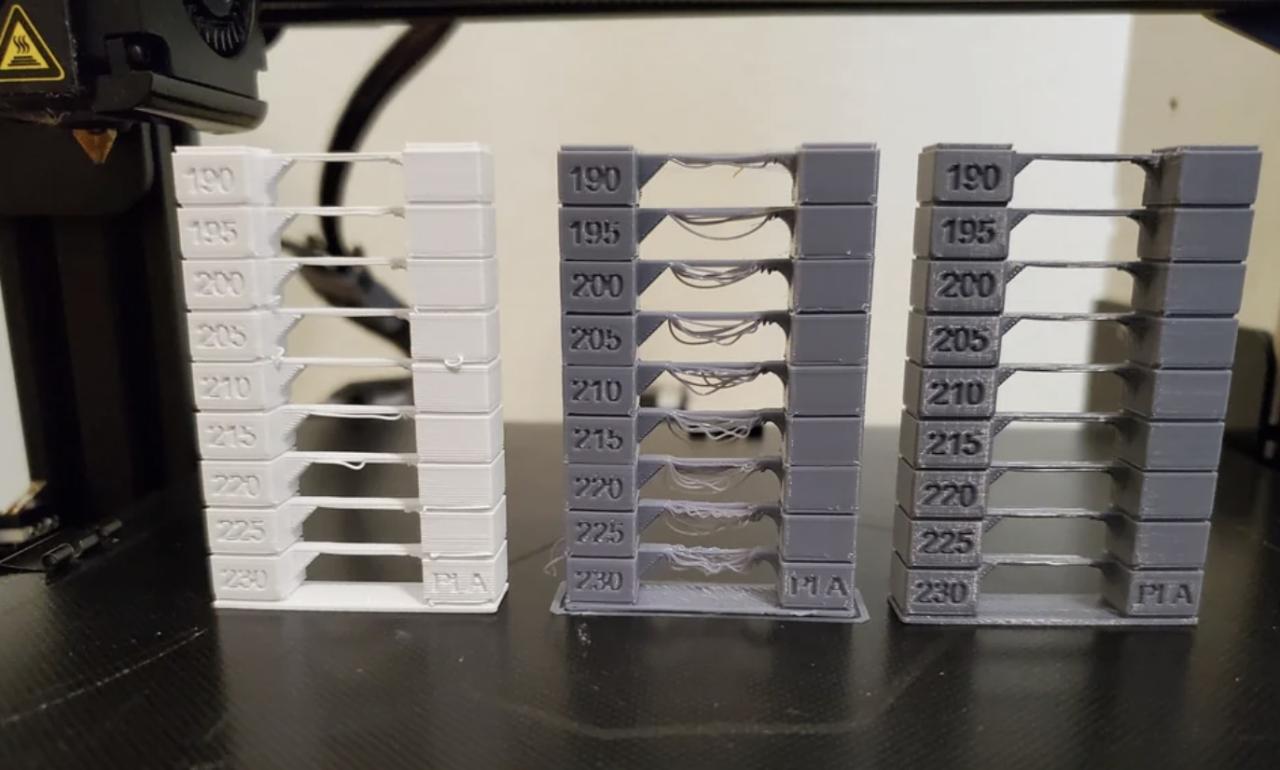
Even with meticulous setup and ideal slicer settings, 3D printing with ABS filament can present unique challenges. Understanding the common issues and their root causes is crucial for a successful printing experience. This section will guide you through identifying and resolving these prevalent problems, ensuring your ABS prints are not only achievable but also of high quality. A systematic approach to troubleshooting will empower you to diagnose and fix unexpected print failures efficiently.Addressing printing defects requires a methodical approach.
By understanding the potential causes and implementing targeted solutions, you can significantly improve the reliability and aesthetic quality of your ABS prints. This section focuses on common issues and provides actionable steps to overcome them.
Common ABS Printing Defects and Solutions
It is beneficial to have a clear reference for identifying common printing defects, understanding their underlying causes, and knowing the most effective solutions. This table provides a comprehensive overview to aid in diagnosing and resolving issues promptly.
| Defect | Likely Causes | Recommended Solutions |
|---|---|---|
| Warping | Uneven cooling, insufficient bed adhesion, large surface area exposed to air, printing too fast. | Improve bed adhesion (brim, raft, specialized surfaces), enclose the printer, reduce cooling fan speed, increase bed temperature, use a heated enclosure. |
| Layer Shifting | Mechanical issues (loose belts, misaligned pulleys), excessive print speed, print head collisions with the print. | Check and tighten all belts and pulleys, reduce print speed and acceleration, ensure the print is not too tall or complex for the printer’s stability, consider disabling retraction if it’s causing collisions. |
| Stringing/Oozing | Retraction settings too low, printing temperature too high, filament moisture. | Increase retraction distance and speed, lower printing temperature, dry the filament, enable coasting or wipe settings in the slicer. |
| Under-extrusion | Clogged nozzle, incorrect filament diameter setting, worn extruder gear, insufficient extruder temperature. | Clean or replace the nozzle, verify filament diameter in slicer, check extruder gear for wear, increase extruder temperature slightly. |
| Over-extrusion | Incorrect filament diameter setting, extruder calibration issues, printing temperature too low. | Verify filament diameter in slicer, calibrate extruder steps/mm, slightly lower printing temperature. |
| Poor Layer Adhesion | Printing temperature too low, insufficient cooling (for ABS, this is often desired but can be too much), drafts. | Increase printing temperature, reduce or disable cooling fan, ensure a stable, draft-free environment. |
| Elephant Foot | Bed temperature too high, first layer squish too aggressive, excessive bed adhesion. | Reduce bed temperature, adjust first layer height and extrusion multiplier, use a brim instead of a skirt to mitigate this. |
Systematic Troubleshooting Approach
When faced with unexpected print failures, a structured diagnostic process is invaluable. Instead of making random adjustments, follow a logical sequence to identify the root cause of the problem. This systematic approach ensures that you address the most probable issues first, saving time and filament.Begin by carefully observing the failure. Was it a single layer shift, a complete detachment from the build plate, or a gradual degradation of print quality?
Documenting these observations provides crucial clues.Next, consider the most recent changes made to your printer, slicer settings, or filament. Did you recently update firmware, change a nozzle, or switch to a new spool of filament? These changes are often the culprits.A fundamental step is to verify your bed adhesion. Warping is one of the most common ABS print failures, and it almost always stems from inadequate adhesion or uncontrolled cooling.
“A stable, well-adhered first layer is the bedrock of any successful ABS print.”
If bed adhesion appears sound, investigate mechanical issues. Loose belts, wobbly components, or misaligned axes can lead to layer shifting and other dimensional inaccuracies. Perform a visual inspection of your printer’s moving parts.Evaluate your environmental conditions. ABS is highly susceptible to drafts and temperature fluctuations. Ensuring your printer is in an enclosed space with a stable ambient temperature is critical for preventing warping and improving overall print success.Finally, systematically review your slicer settings, starting with temperature, retraction, and cooling.
Each parameter plays a significant role in ABS printing, and even minor misconfigurations can lead to noticeable defects. By methodically working through these areas, you can isolate and resolve most common ABS printing problems.
End of Discussion
In conclusion, mastering ABS printing is an achievable goal with the right knowledge and approach. By diligently understanding its properties, meticulously setting up your equipment and environment, and precisely configuring your slicer, you can consistently produce high-quality prints. Addressing potential issues like warping and layer shifting with proven techniques, and exploring effective post-processing methods, will further enhance your finished pieces.
This guide has equipped you with the essential tools and insights to confidently tackle ABS printing projects, transforming your creative visions into tangible realities.